Prompt Engineering for Jewelry Design: AI Formula
Master the 6-element prompt formula professional jewelers use to generate accurate AI jewelry designs. Copy-paste examples for every jewelry category.
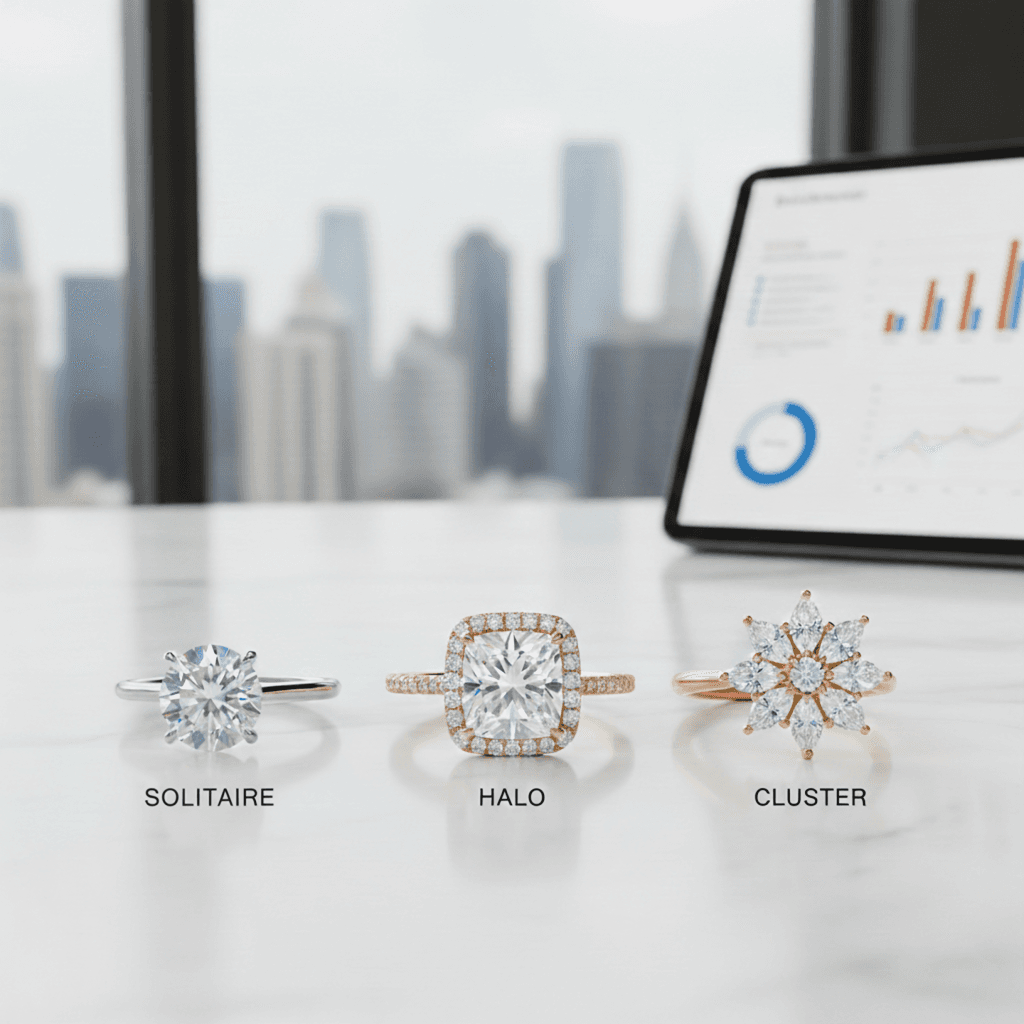
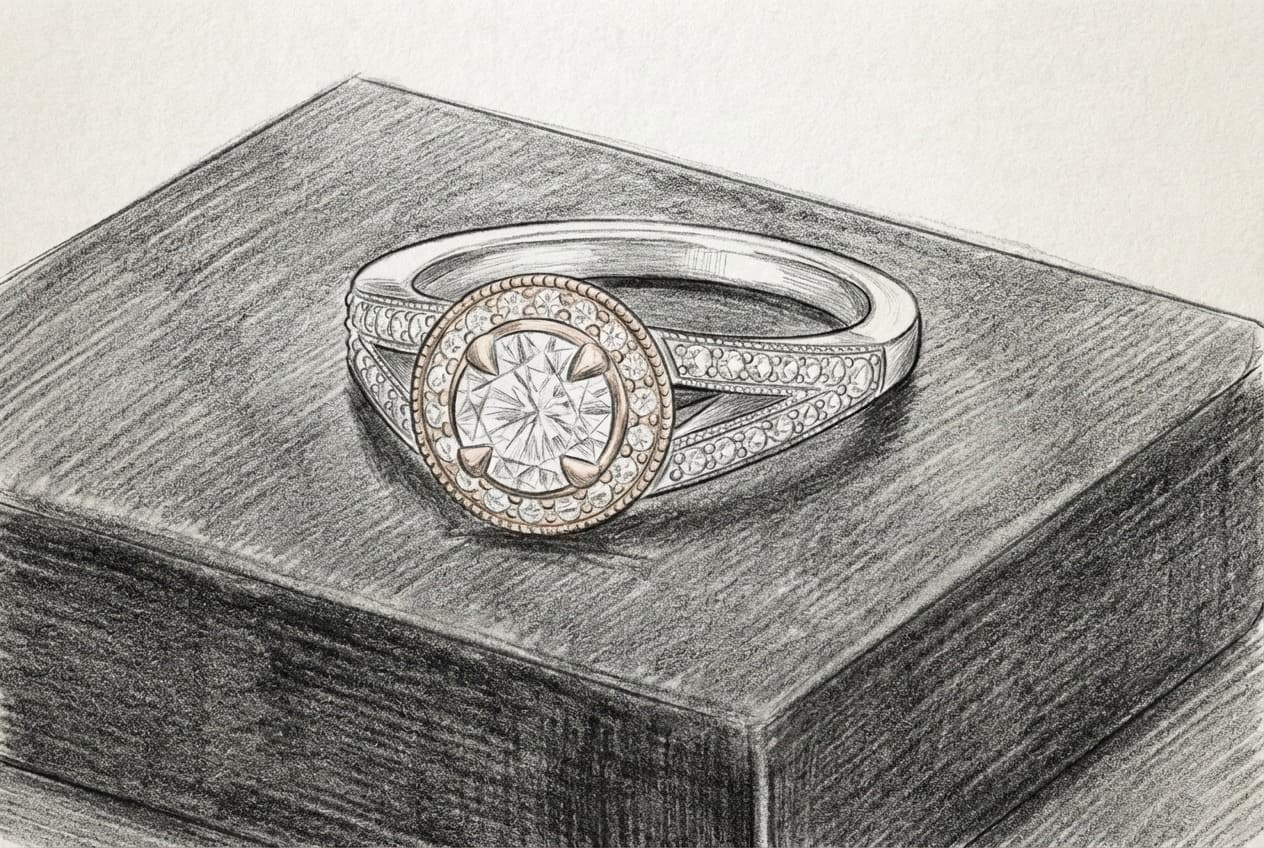
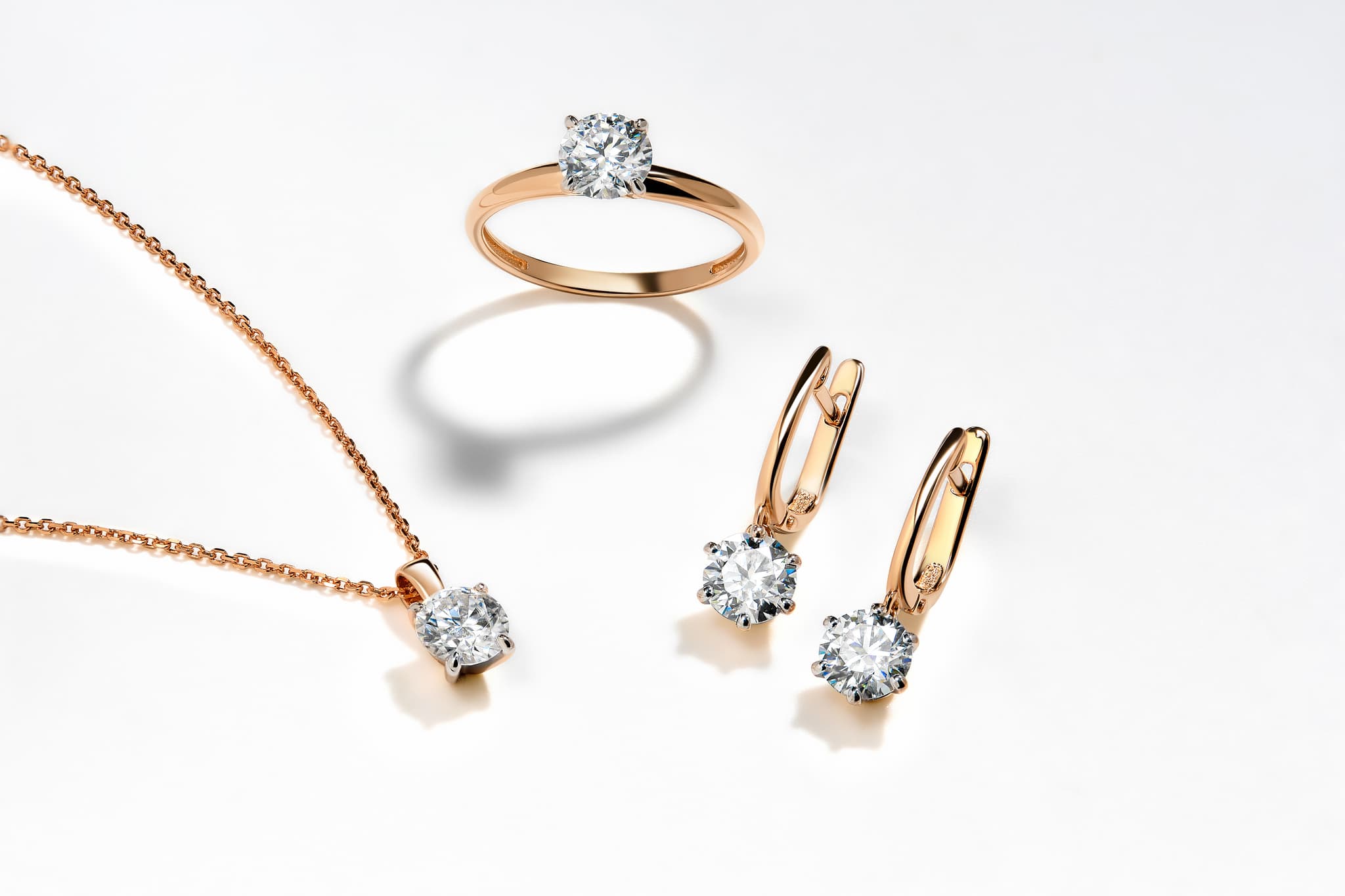
Prompt engineering for jewelry design is the skill of writing structured text descriptions that guide AI tools to generate accurate jewelry concepts. Professional jewelers who master this skill reduce pre-CAD design time by up to 80% and present polished concepts within minutes of receiving a client brief.
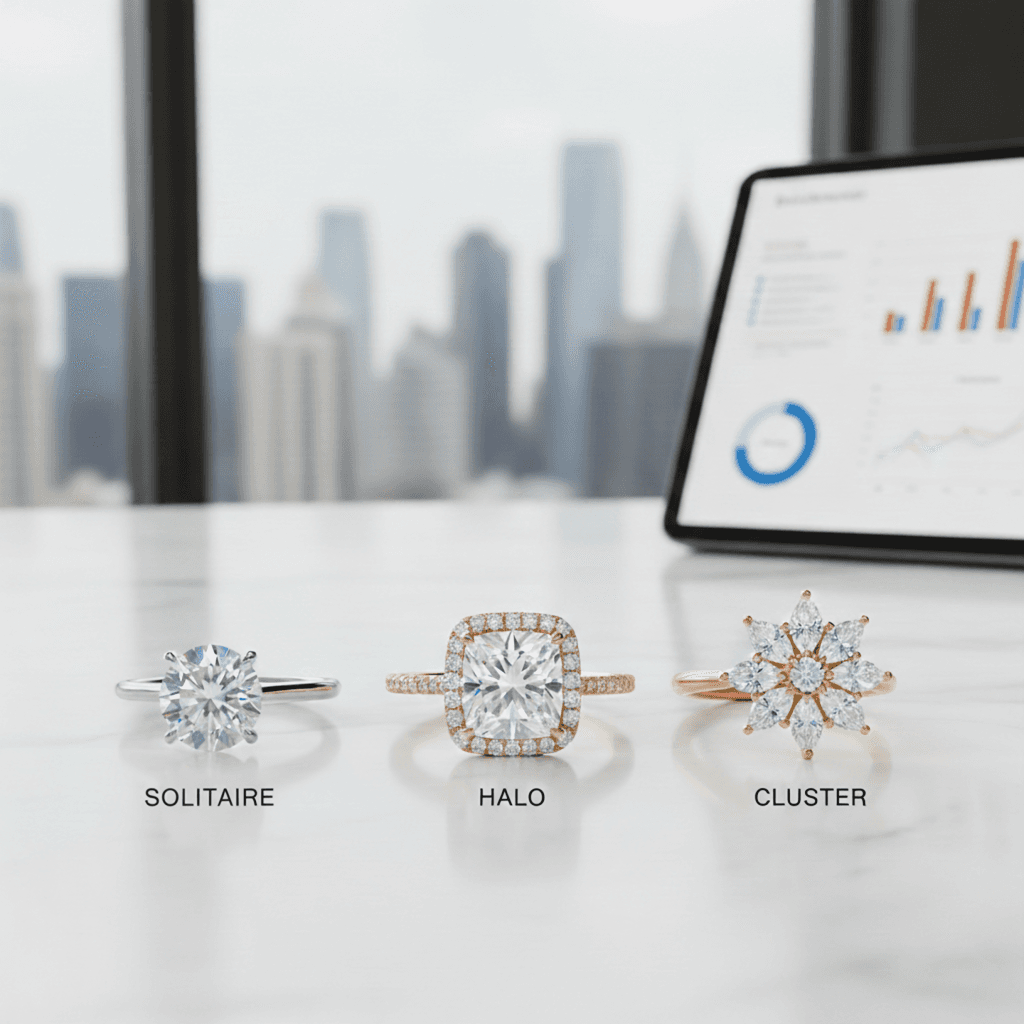
Whether you are a custom jeweler in Surat looking to speed up your design workflow, an independent designer in New York building client presentations, or a retailer in Dubai offering bespoke engagement rings, the ability to translate a client's vision into a precise AI prompt is becoming one of the most valuable skills in the jewelry industry. This guide breaks down the exact formula, provides copy-paste examples for every jewelry category, and shows you the complete workflow from client brief to production-ready concept.
Why Prompts Matter for Professional Jewelers
Every custom jewelry project starts with a conversation. A client describes what they want, and you translate that vision into a design. Traditionally, this translation involves hand sketching, CAD modeling, rendering, and multiple revision rounds before the client sees something they love.
AI changes that equation entirely. With the right prompt, you can generate a photorealistic design concept in seconds using tools like Tashvi AI Design Studio. But the quality of that concept depends almost entirely on the quality of your prompt.
A vague prompt like "diamond engagement ring" gives you a generic result that could come from any stock image library. A structured prompt that specifies the metal, stone, setting, and aesthetic gives you a concept your client recognizes as their vision. The difference between those two outcomes is prompt engineering.
For jewelers running a business, this is not just about creative expression. Better prompts mean fewer revisions, faster client approval, and more projects completed per month. Jewelers who have integrated AI into their workflow report spending 70% less time on the concept phase and closing more custom orders because clients can see exactly what they are getting before committing.
The business case is straightforward. A jeweler who presents three AI-generated concept images during the first client meeting closes the sale faster than one who asks the client to imagine the design from a verbal description. When clients can see their vision rendered in photorealistic detail, they commit with confidence. Whether you want to design your own ring online free or build your own engagement ring concept for a client, the right prompt gets you there in seconds rather than hours.
The Anatomy of a Perfect Jewelry Prompt
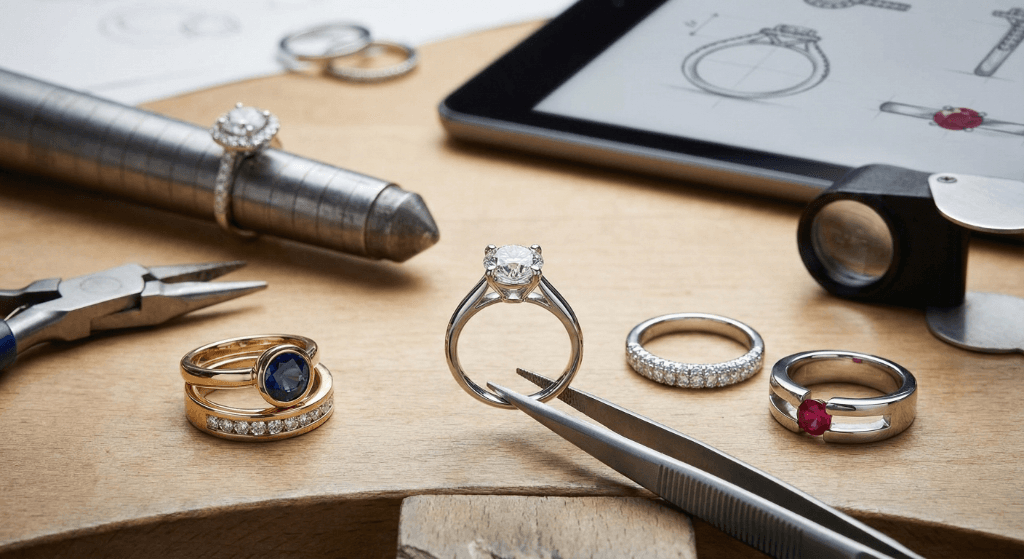
The most effective jewelry prompts follow a consistent 6-element structure. Think of it as a formula that you can apply to any piece of jewelry, from a simple band to an elaborate bridal set. Every professional jeweler we work with at Tashvi uses some version of this framework.
Element 1. Jewelry Type
Start with what you are designing. Be specific about the category and subcategory. Instead of "ring," say "solitaire engagement ring" or "three-stone anniversary band." Instead of "necklace," say "pendant necklace with chain" or "tennis necklace." The more specific your jewelry type, the fewer random choices the AI needs to make on its own.
Good examples include "bypass engagement ring," "eternity wedding band," "riviere necklace," "tennis bracelet," "chandelier drop earrings," or "cuff bangle bracelet." Each of these activates a specific design template in the AI's understanding.
Element 2. Metal and Finish
Specify the metal type, karat, and surface treatment. "18K yellow gold with a brushed satin finish" gives you a completely different result than "platinum with a high-polish mirror finish." If the piece uses mixed metals, describe each one and where it appears.
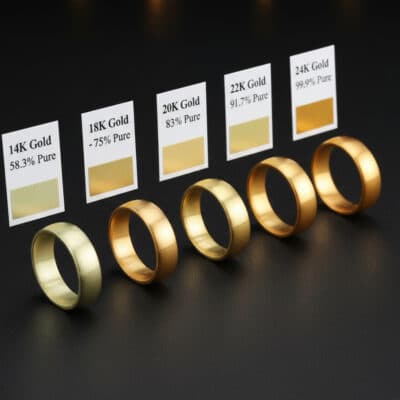
The finish matters more than most jewelers realize when prompting. A hammered texture, a sandblasted matte surface, a knife-edge polish, or an oxidized patina all dramatically change the character of the piece. Name the finish explicitly rather than hoping the AI will match your mental image.
Element 3. Stone Details
Include the gemstone type, cut shape, approximate carat weight, and color if applicable. "1.5 carat oval brilliant cut diamond" is far more useful to the AI than "big diamond." For colored gemstones, use precise color descriptors like "cornflower blue Ceylon sapphire" rather than just "blue stone."
Professional jewelers should specify stones using the same language they use with suppliers and certification bodies like GIA and IGI. "VS2 clarity" might not change the visual output much, but "step cut" versus "brilliant cut" absolutely will. The cut shape drives the entire look of the setting around it.
Element 4. Setting Style
This is where many jewelers see the biggest improvement in their results. Specify the exact setting type. Prong, bezel, channel, pave, tension, flush, or cluster. If you want a specific prong count or bezel height, include that too.
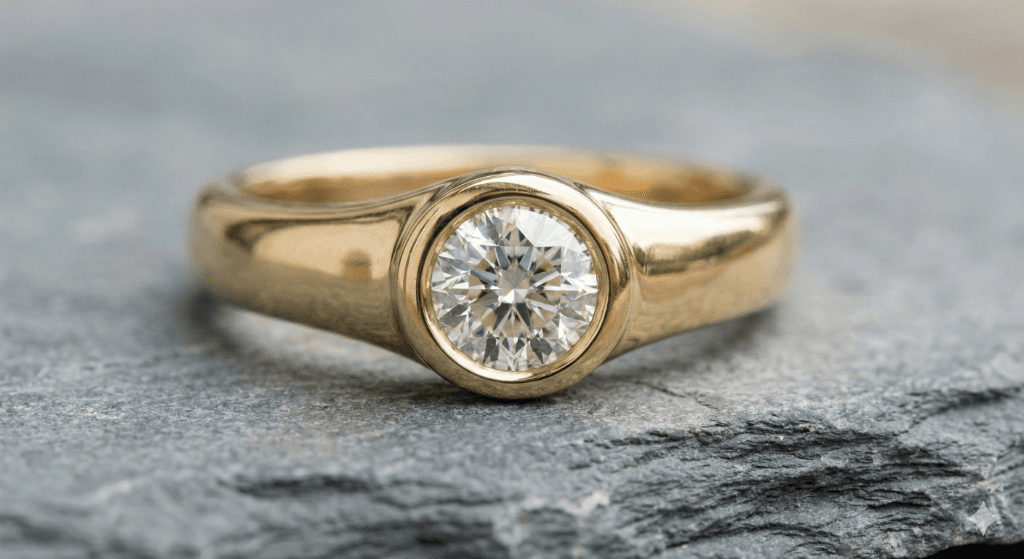
Each setting type creates a different visual weight and proportion. A bezel setting wraps the stone, creating a sleek modern look. A prong setting lifts the stone, maximizing light return. A flush setting sits the stone level with the metal surface for a subtle everyday aesthetic. Naming the setting in your prompt prevents the AI from defaulting to a generic four-prong every time.
Element 5. Design Aesthetic
Describe the overall style and era. Modern minimalist, art deco geometric, vintage Victorian, organic nature-inspired, or bold contemporary. This single element shapes the entire feel of the generated design and prevents the AI from defaulting to a generic look.
Think of the aesthetic as a design language. "Art deco" triggers geometric patterns, stepped profiles, and symmetrical layouts. "Organic" triggers flowing curves, asymmetry, and nature motifs. "Mid-century modern" triggers clean lines, minimal ornamentation, and architectural forms. Naming the aesthetic is like giving the AI a style brief.
Element 6. Specific Details
Add any remaining details that make the design unique. Engraving, milgrain edges, split shank, cathedral setting height, tapered band, or filigree work. This is also where you specify the viewing angle (three-quarter view, top-down, side profile) and background (white studio, lifestyle on hand, velvet display).
Professional jewelers should also include manufacturing-relevant details here. "Minimum 1.8mm shank width," "open gallery for easy cleaning," or "low-profile setting for everyday wear" all guide the AI toward production-viable designs rather than fantasy concepts.
The formula in practice. [Jewelry Type] + [Metal and Finish] + [Stone Details] + [Setting Style] + [Design Aesthetic] + [Specific Details]
Try the 6-element formula yourself on Tashvi AI Design Studio. It is purpose-built for jewelry and understands professional terminology that general AI tools miss.
Prompt Examples by Jewelry Category
The best way to understand prompt engineering is to see it in action. Each example below shows a vague prompt alongside a structured prompt, with copy-paste ready versions you can try immediately on Tashvi Design Studio.
Solitaire Engagement Rings
Vague prompt that produces generic results
"Diamond ring"
Structured prompt using the 6-element formula
Solitaire engagement ring in 18K white gold with a polished finish. 1.5 carat round brilliant cut diamond. Classic four-prong setting with a knife-edge band. Modern minimalist aesthetic. Slim 2mm band width, three-quarter view on a white background.
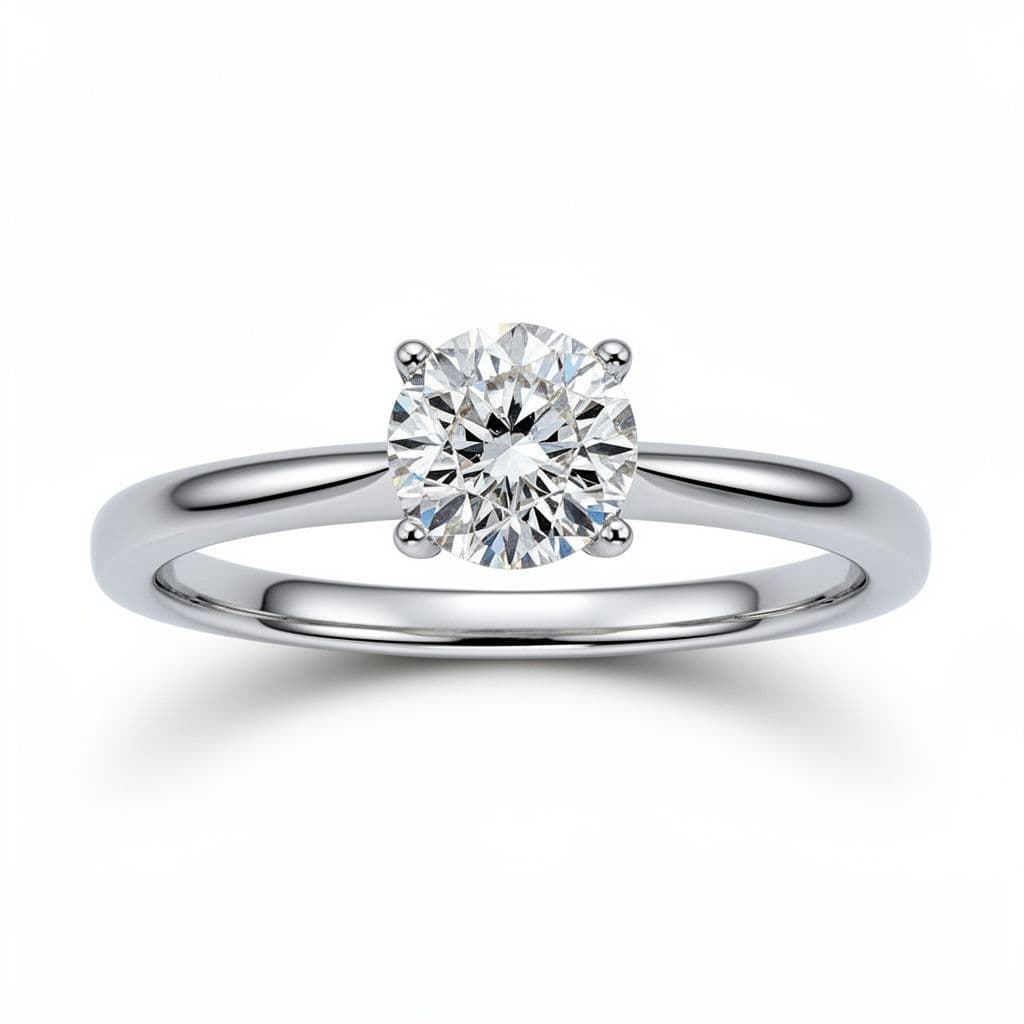
The structured prompt gives the AI everything it needs. You get a specific metal color, a defined stone shape and size, a named setting style, and a clear visual direction. The result is something you can show a client immediately. Notice how each of the 6 elements is represented in the prompt, leaving nothing to chance.
For variations, swap one element at a time. Change "18K white gold" to "platinum" or "14K rose gold" and regenerate. Change "knife-edge band" to "comfort-fit rounded band" for a different feel. This systematic approach gives your client meaningful options rather than random alternatives.
Halo and Vintage Rings
Vague prompt
"Vintage ring"
Structured prompt
Art deco inspired cocktail ring in 14K rose gold with a matte finish. 2 carat cushion cut diamond center stone surrounded by a geometric halo of round melee diamonds. Milgrain edges along the band, open gallery with filigree detailing, vintage 1920s aesthetic. Three-quarter view showing the side profile.
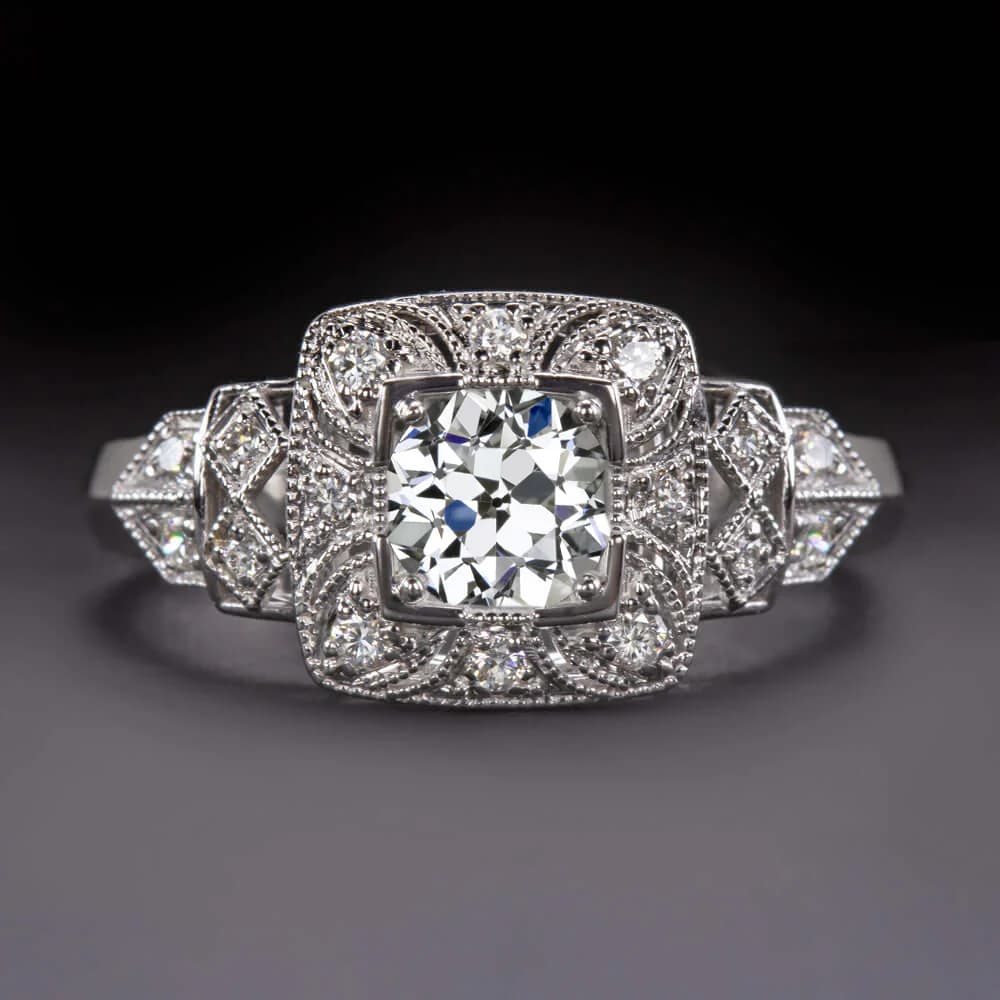
Vintage and period-specific designs benefit enormously from naming the exact era. "Art deco" activates a very different design language than "Victorian" or "Edwardian." Art deco means geometric precision, symmetrical patterns, and stepped profiles. Victorian means ornate scrollwork, floral motifs, and romantic curves. Edwardian means delicate filigree, garland designs, and platinum lacework.
Add hallmark details of that period to reinforce the style. For art deco, mention geometric halos, baguette side stones, and stepped shoulders. For Victorian, mention engraved bands, nature motifs, and colored gemstone accents. The more period-specific vocabulary you use, the more authentic the result.
Oval and Pear-Shaped Engagement Rings
Vague prompt
"Oval ring"
Structured prompt
Oval cut diamond engagement ring in 18K yellow gold with a high-polish finish. 2 carat oval brilliant diamond with a length-to-width ratio of 1.4. Thin four-prong setting with a hidden halo underneath the center stone. Delicate pave diamond band, 1.5mm width. Modern romantic aesthetic. Lifestyle shot on a hand against a soft blurred background.
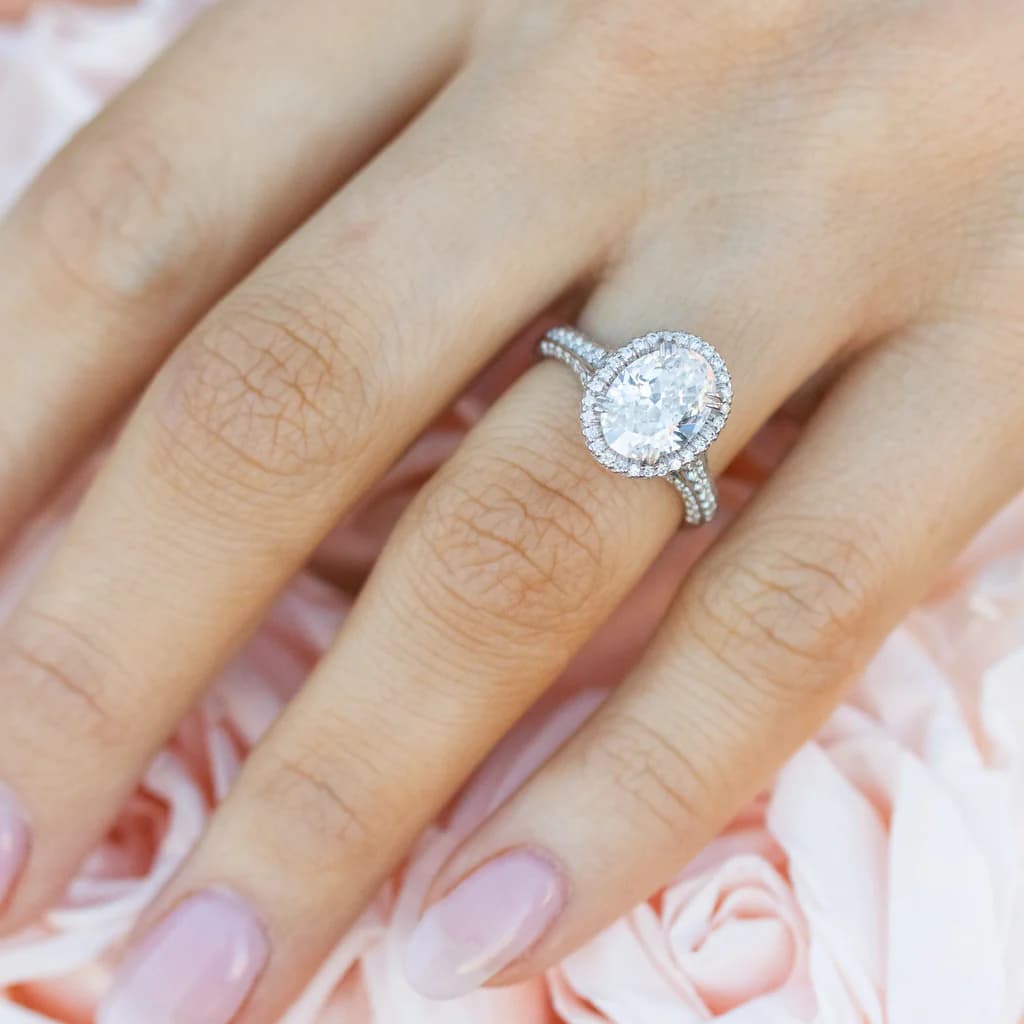
For elongated stone shapes like oval, pear, and marquise, the length-to-width ratio dramatically changes the look. A 1.3 ratio oval appears nearly round, while a 1.5 ratio looks distinctly elongated. Specifying this ratio in your prompt gives you precise control over the stone's proportions. Professional jewelers who work with these shapes regularly know that this single detail separates a good result from a great one.
Pear-shaped variation
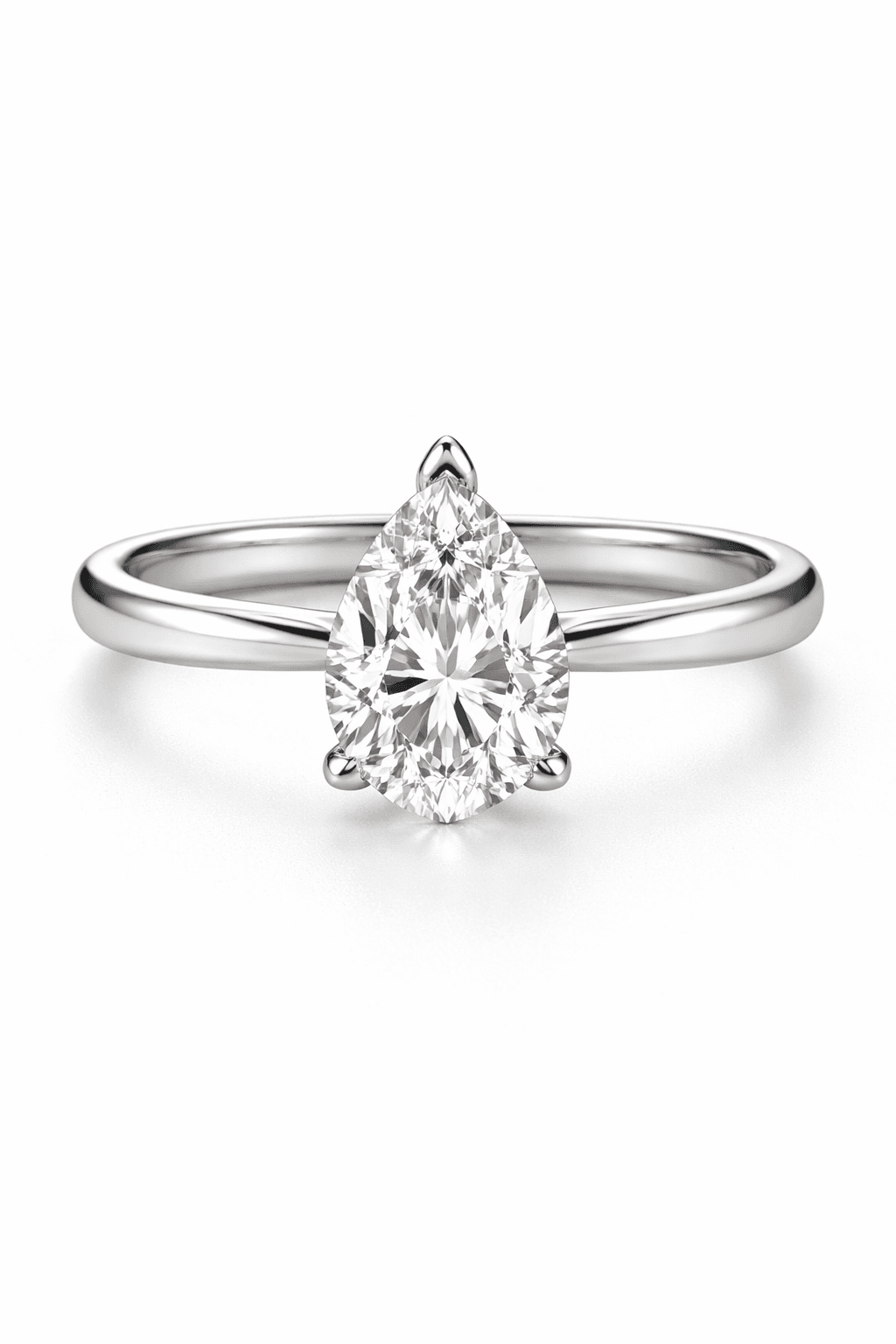
Pear-shaped diamond engagement ring in platinum with a mirror polish. 1.75 carat pear brilliant diamond. Classic three-prong setting with a V-tip protector. Thin pave band tapering toward the shank. Elegant timeless aesthetic. Three-quarter view on white background.
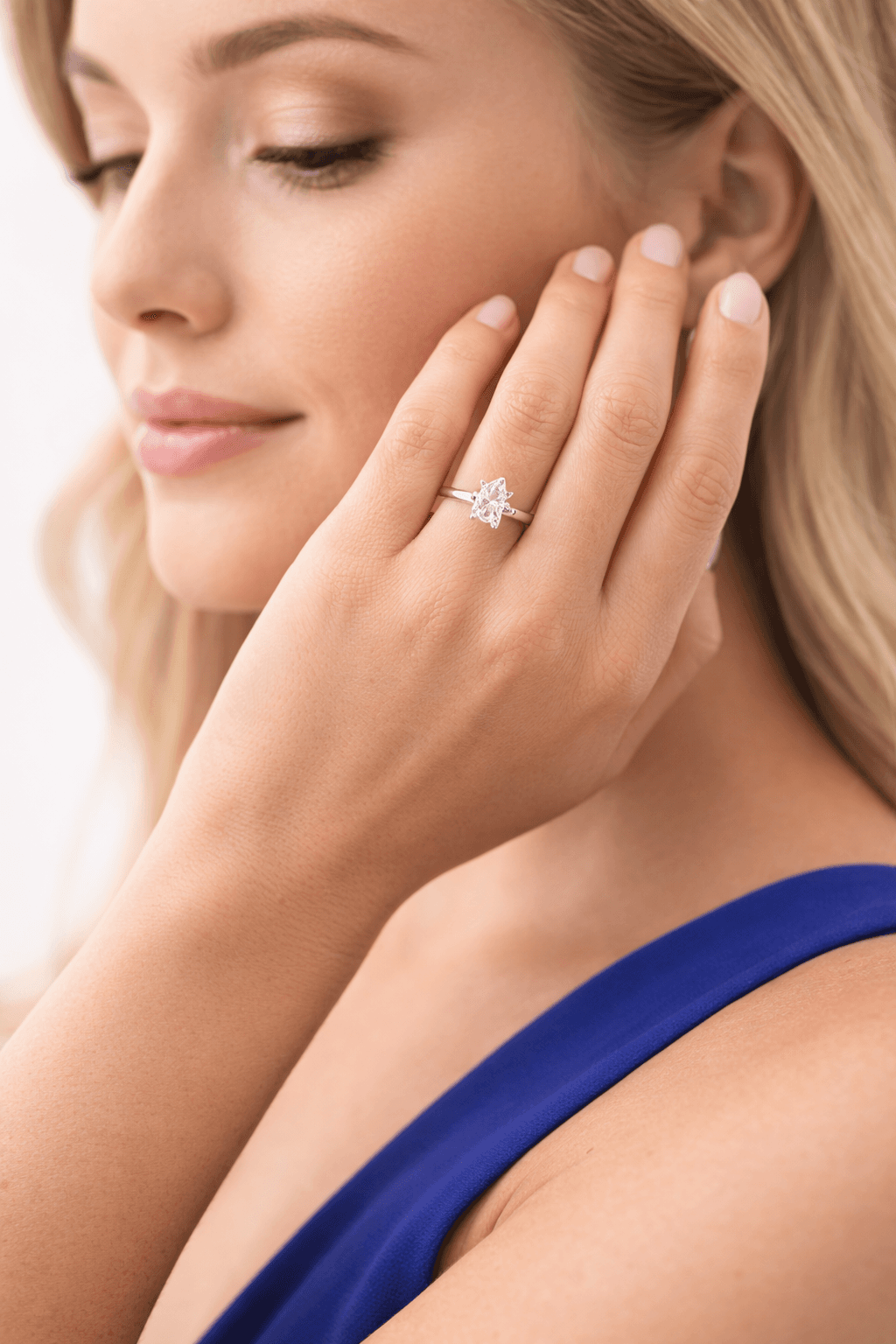
Pear and marquise shapes require a V-tip prong or bezel tip to protect the pointed end. Including this detail in your prompt signals to the AI that you understand manufacturing constraints, and the generated design will reflect that awareness with a structurally sound setting.
Statement Necklaces and Pendants
Vague prompt
"Gold necklace"
Structured prompt
Luxury pendant necklace in 18K yellow gold with a high-polish finish. Pear-shaped emerald center stone approximately 3 carats, vivid green, set in a bezel with a diamond bail. Delicate cable chain, 18-inch length. Elegant evening wear aesthetic. Front-facing view against a dark background.
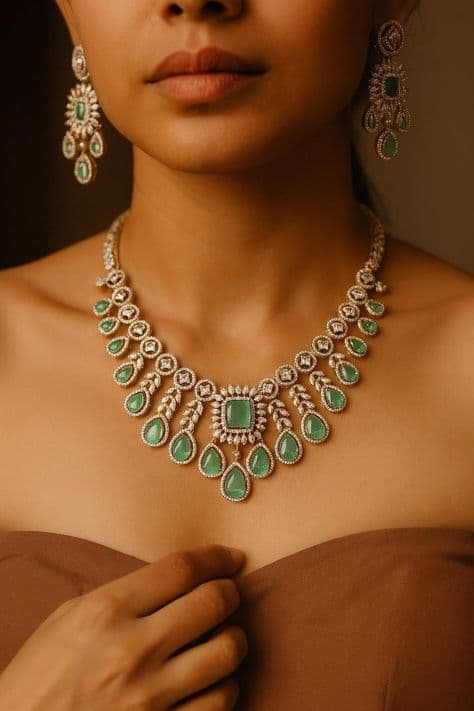
Necklace prompts need special attention to chain type and length, as these define the overall look. A 16-inch choker with a thick curb chain creates an entirely different piece than an 18-inch cable chain with a delicate pendant. Always specify both.
Statement necklace variation
Royal blue sapphire statement necklace in 18K white gold. Large oval cabochon sapphire center approximately 15 carats, surrounded by a frame of marquise and round brilliant diamonds. Three graduated tiers of sapphire and diamond clusters. Regal evening gala aesthetic. Worn on a model, front-facing photography.
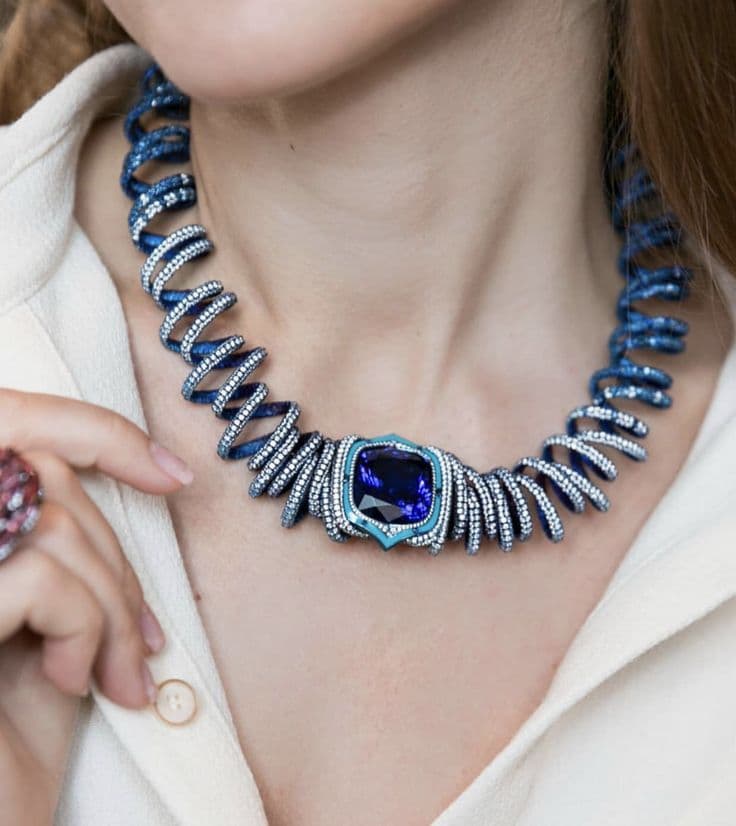
For statement necklaces, describe the overall silhouette and tier structure. Is it a bib necklace that spreads across the collarbone, a Y-necklace with a central drop, or a collar that sits close to the neck? The silhouette determines everything about how the stones and metalwork are arranged.
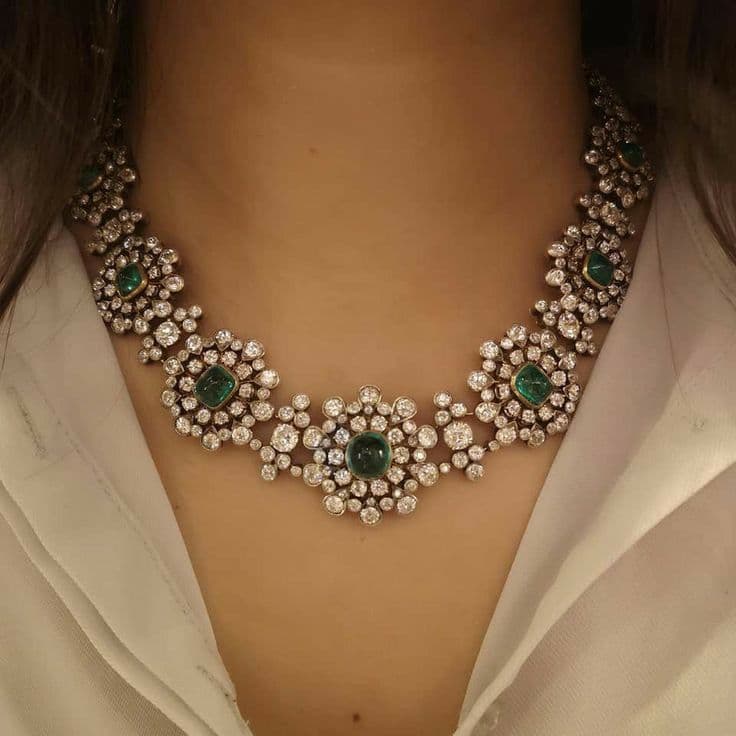
Emerald collar necklace
Emerald and diamond collar necklace in platinum. Alternating emerald cut emeralds and round brilliant diamonds in a graduated pattern. Channel and bezel settings throughout. Fitted collar length approximately 15 inches. High jewelry red carpet aesthetic. Studio product photography on black velvet.
Colored Gemstone Rings
Vague prompt
"Sapphire ring"
Structured prompt
Statement cocktail ring in platinum with a mirror polish. 3 carat oval cut royal blue sapphire center stone. Surrounded by a double halo of round brilliant diamonds, approximately 0.75 carats total weight. Cathedral setting with diamond-accented shoulders. Classic luxury aesthetic. Overhead top-down view on a white surface.
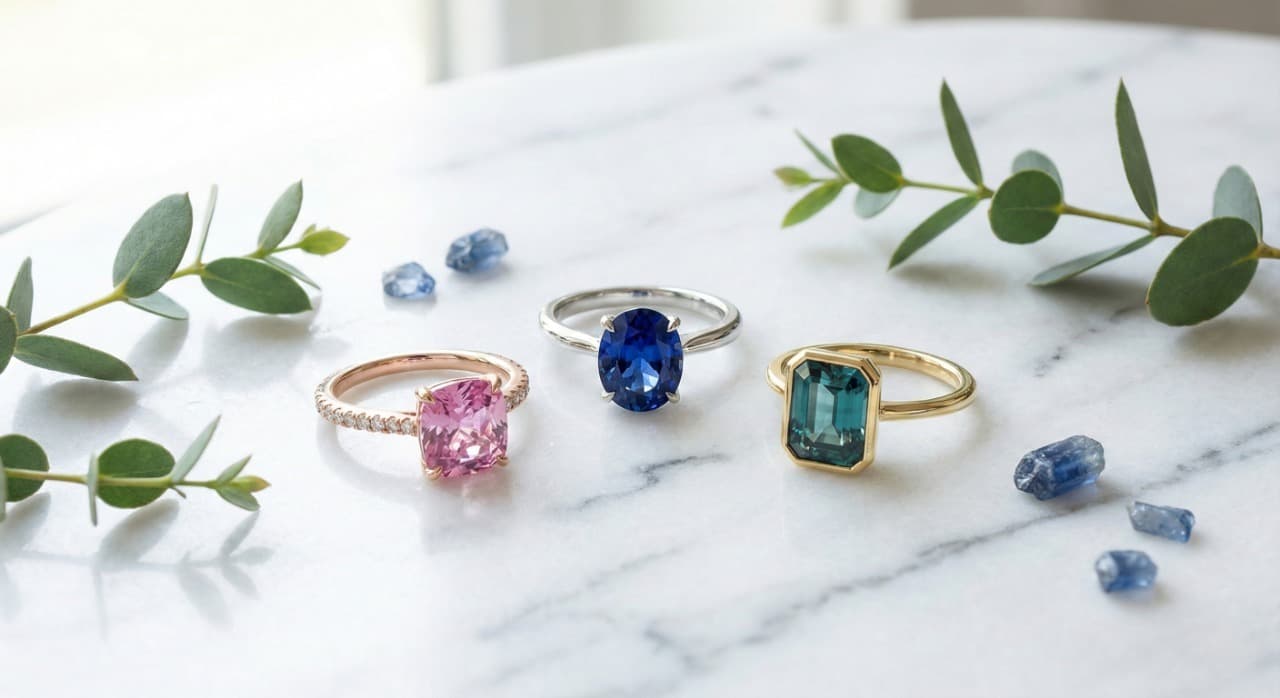
For colored gemstones, the color descriptor matters more than almost anything else. "Royal blue sapphire" generates a distinctly different stone than "cornflower blue sapphire" or "teal Montana sapphire." Use the trade names that your clients and suppliers use. A gemstone engagement ring prompt should always lead with the specific gemstone color and origin descriptor for best results.
Sapphire in presentation box
Blue sapphire engagement ring in 18K white gold. 2 carat cushion cut vivid blue sapphire, set in a four-prong setting with a thin diamond pave band. Modern classic aesthetic. Presented in an open navy blue ring box, overhead angle, soft studio lighting.
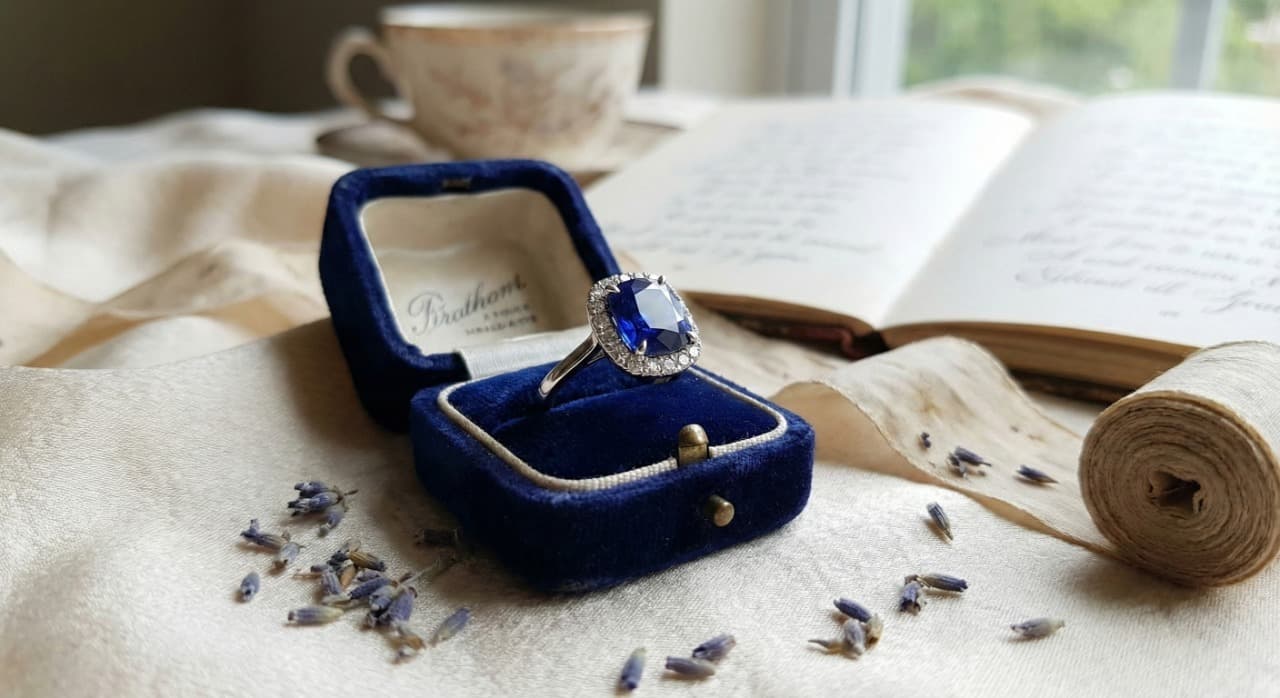
Including the presentation context in your prompt, like a ring box, velvet display, or hand model, is extremely useful for jewelers who need client-ready images. These presentation-style renders can be shared directly in WhatsApp conversations, email proposals, or Instagram posts without any additional editing.
Wedding Bands and Eternity Rings
Vague prompt
"Wedding band"
Structured prompt
Diamond eternity band in 18K rose gold with a polished finish. Round brilliant diamonds approximately 2.5mm each, set in shared prong settings all around the band. 3mm band width, comfort fit interior. Romantic modern aesthetic. Three-quarter view showing the continuous diamond pattern.
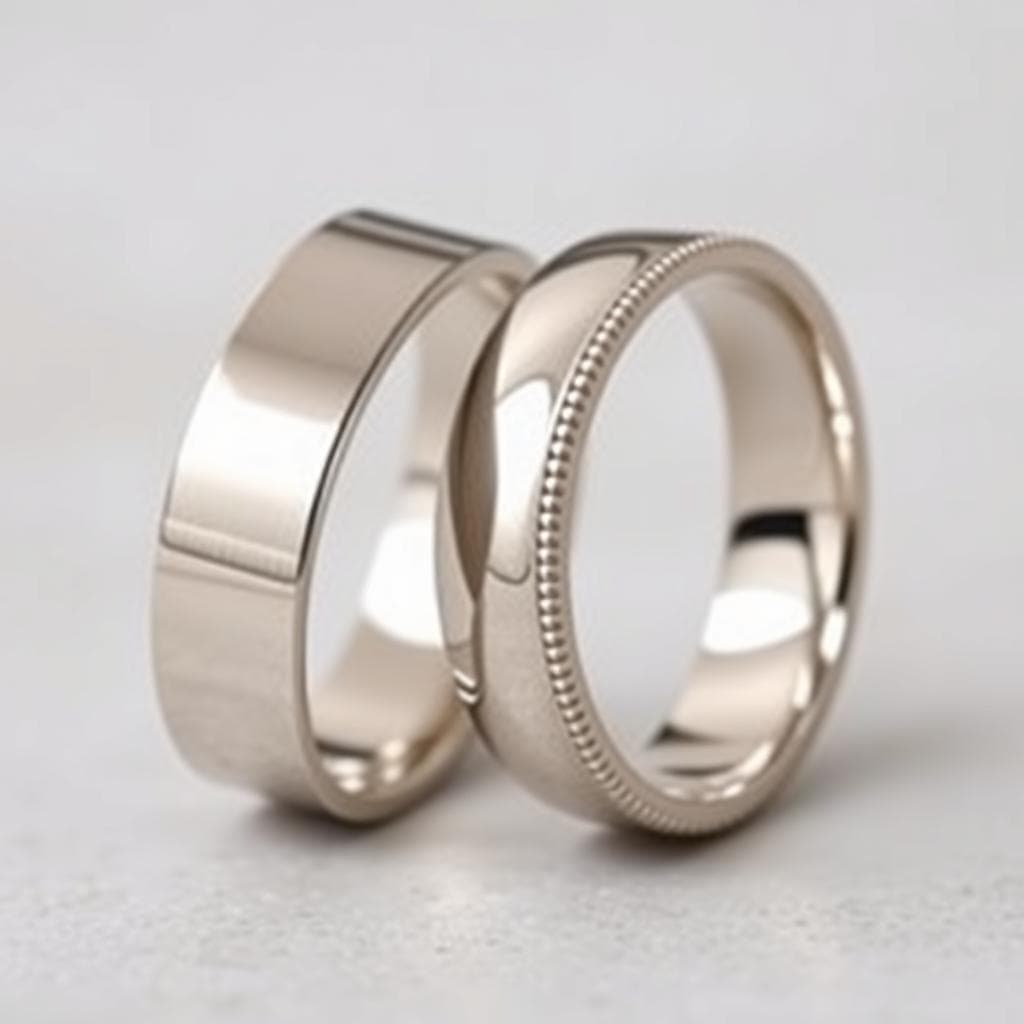
Wedding ring and wedding band prompts benefit from specifying whether the diamonds go fully around the band (full eternity) or only across the top (half eternity). This distinction affects both the look and the price estimate. Full eternity bands cannot be resized easily, which is important context for client discussions. For a deeper look at wedding ring designs and band options, see our complete wedding bands guide.
Tennis Bracelets and Cuff Bangles
Vague prompt
"Tennis bracelet"
Structured prompt
Multi-gemstone tennis bracelet in 14K white gold with a polished finish. Alternating round brilliant diamonds and colored gemstones including ruby, emerald, and sapphire, each approximately 0.25 carats. Four-prong shared settings, hidden safety clasp. Vibrant rainbow aesthetic with uniform spacing. Flat lay product photography on a velvet surface.
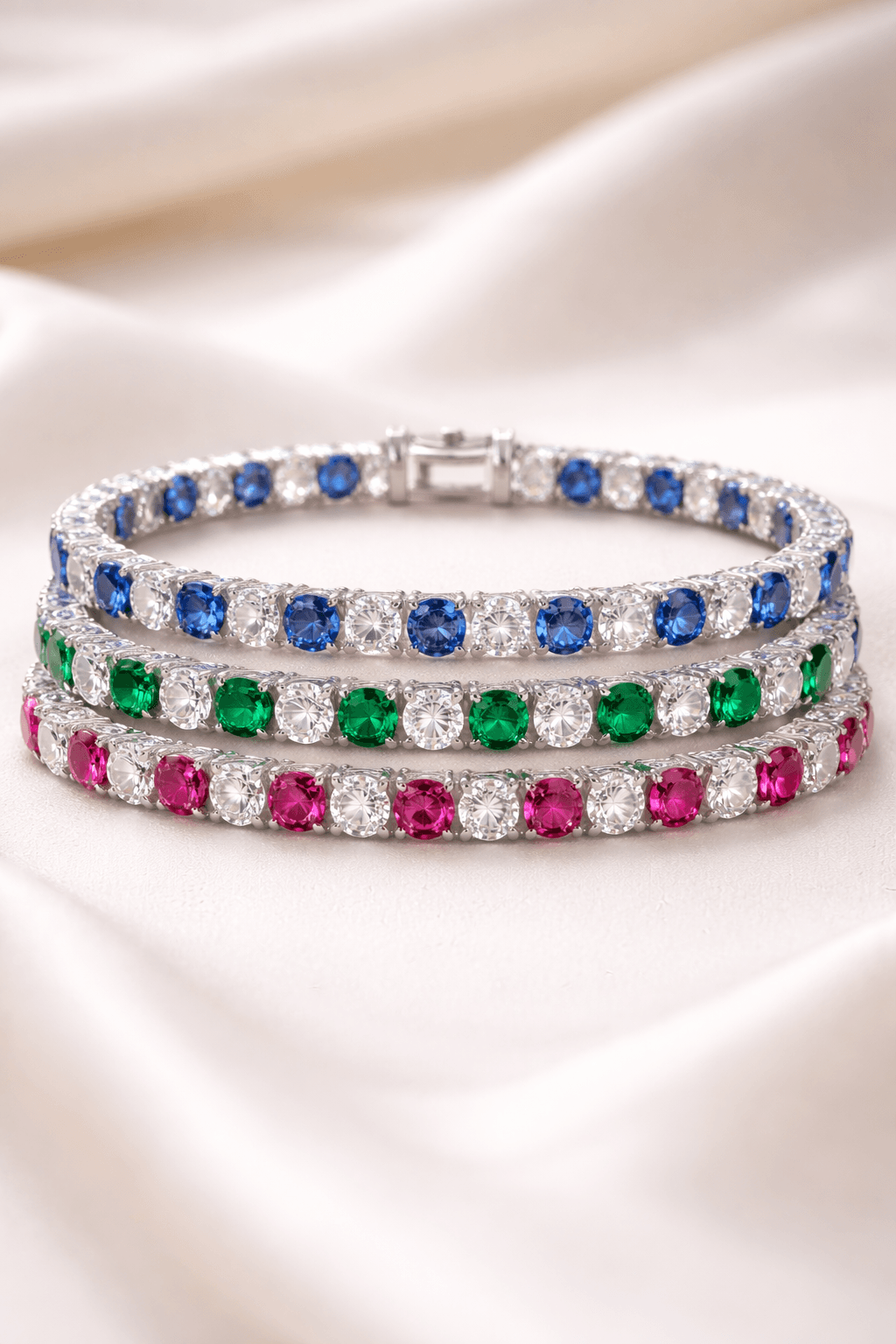
Bracelet prompts should always include the clasp type and wrist presentation. A box clasp on a tennis bracelet looks very different from a lobster clasp, and the AI can distinguish between these if you specify.
Tennis bracelet detail view
Classic diamond tennis bracelet in platinum. 5 total carats of round brilliant diamonds, each approximately 0.10 carats. Four-prong basket settings with shared prongs between stones. Fold-over safety clasp with figure-eight lock. Timeless luxury aesthetic. Close-up detail shot showing the clasp mechanism and prong setting quality.
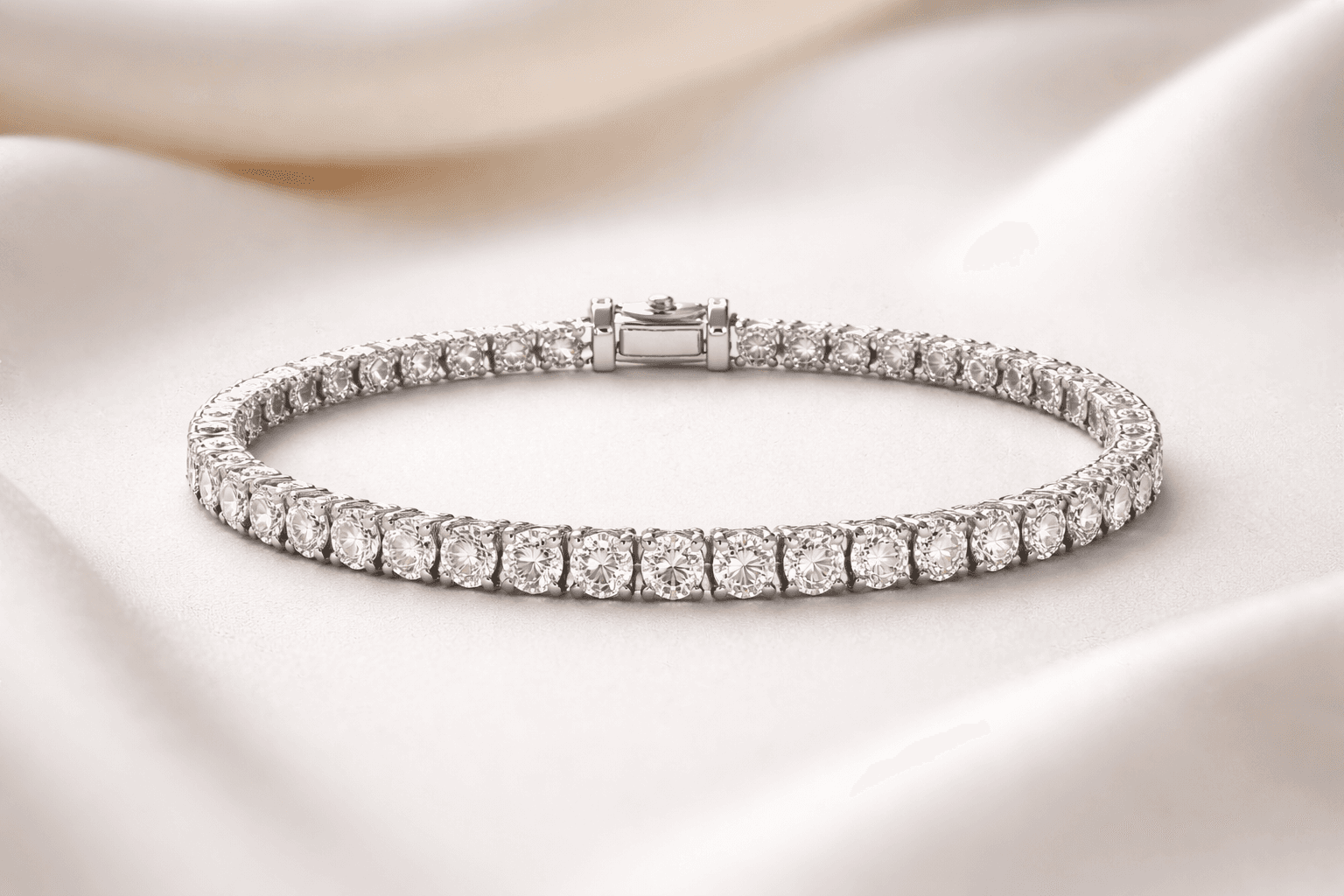
Detail views are incredibly useful for manufacturing communication. When your CAD operator or setter needs to understand the prong style, gallery structure, or clasp mechanism, a detail-focused prompt gives them exactly the reference they need.
Diamond Stud and Drop Earrings
Vague prompt
"Diamond earrings"
Structured prompt
Princess cut diamond stud earrings in 14K white gold. 1 carat total weight, 0.50 carats each. Four-prong basket settings with screw-back posts for security. Modern classic aesthetic. Front-facing symmetrical view on a white background.
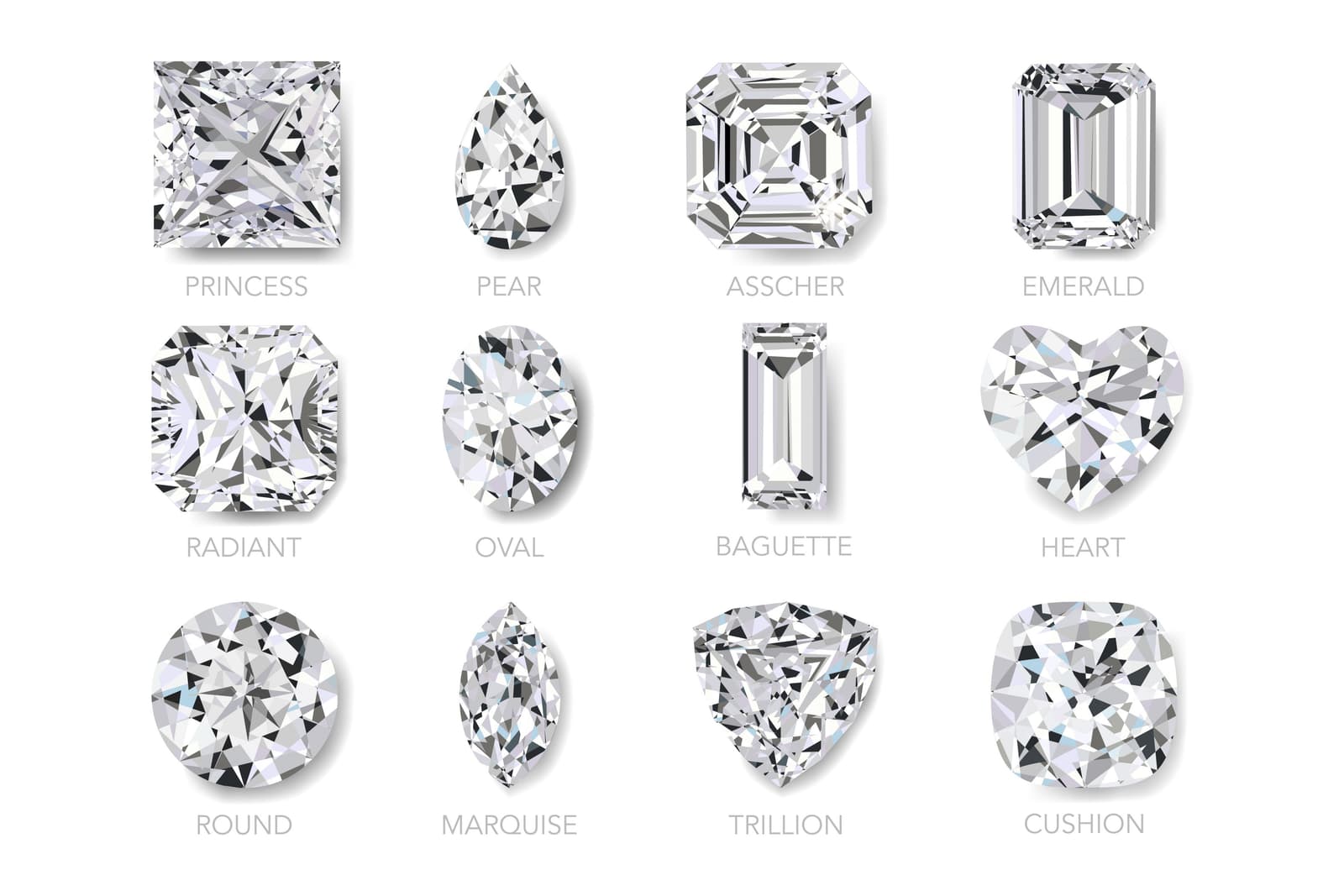
Earring prompts need to specify the backing type (push-back, screw-back, lever-back, omega clip) because it affects both the visual and the manufacturing approach. For studs, also specify whether the setting is a martini, basket, or bezel style.
Toi et Moi Rings
The toi et moi (you and me) ring is one of the most requested custom engagement ring styles right now. The dual-stone format gives you extra prompt complexity to work with.
Structured prompt
Toi et moi engagement ring in 18K yellow gold with a polished finish. Pear-shaped emerald approximately 1.5 carats and pear-shaped diamond approximately 1 carat, set facing each other in a bypass arrangement. Thin pave diamond band wrapping around both stones. Romantic modern aesthetic. Three-quarter view on white background.
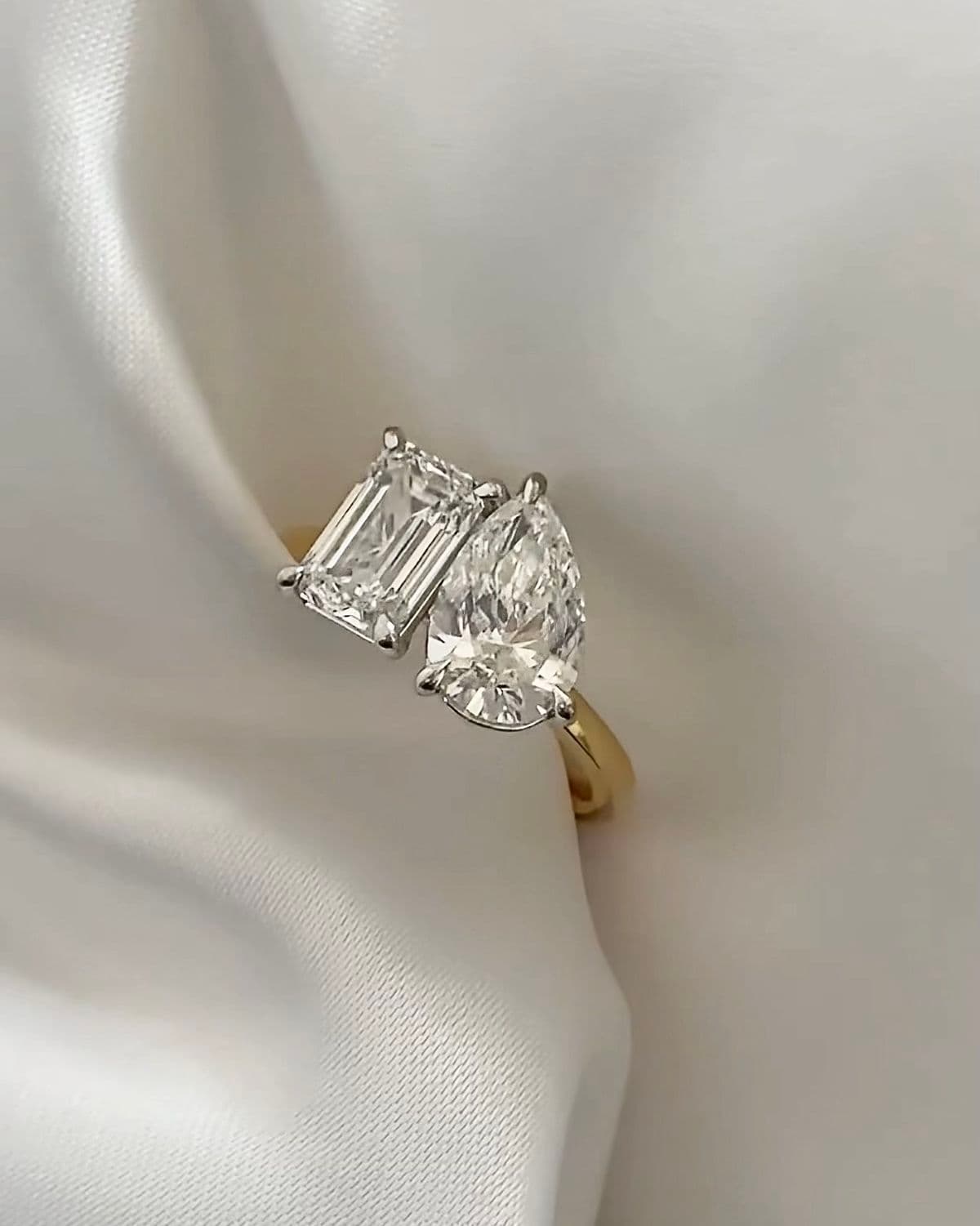
Alternative toi et moi variation
Toi et moi cocktail ring in platinum. Round ruby and round diamond, each approximately 1 carat. Stones set side by side in six-prong settings with shared shoulders. Diamond-accented split shank. Bold romantic aesthetic. Lifestyle shot on hand, warm lighting.
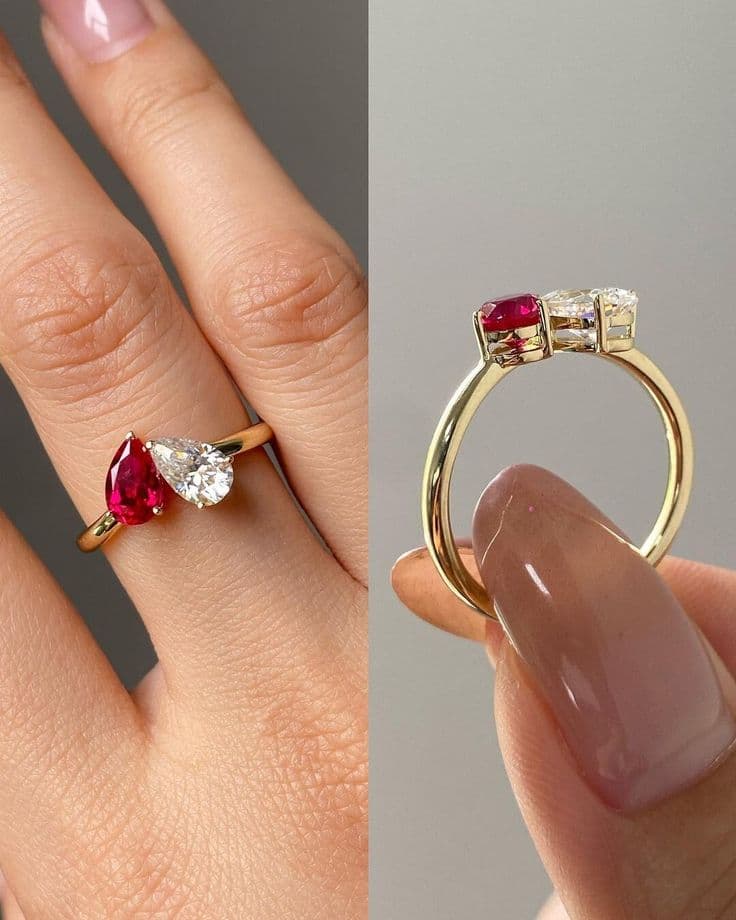
For toi et moi designs, always specify how the two stones relate to each other spatially. Are they facing each other (bypass), sitting side by side, or overlapping? The arrangement defines the entire character of the ring.
Why Tashvi AI Design Studio Works Better for Jewelry Prompts
General-purpose AI image generators like Midjourney and DALL-E produce beautiful images, but they often struggle with jewelry-specific accuracy. Prong counts are wrong, settings are physically impossible, stone proportions are off, and metal reflections look artificial.
Tashvi AI Design Studio is purpose-built for jewelry design. It understands the difference between a cathedral and a basket setting, between a knife-edge and a comfort-fit band, between a flush setting and a bezel. This specialized understanding means your prompts produce more accurate results with fewer iterations.
| Feature | Tashvi AI Design Studio | General AI Image Generators |
|---|---|---|
| Jewelry terminology accuracy | Understands settings, cuts, and metals precisely | Often misinterprets jewelry-specific terms |
| Manufacturing viability | Generates structurally sound designs | Frequently produces unbuildable designs |
| Material estimation | Provides gold weight and cost estimates | No material estimation capability |
| Reference-based design | Upload images and sketches as starting points | Text-only or limited image-to-image |
| Design variations | Systematic single-variable changes | Random variations without control |
| Export options | CAD-reference quality outputs | Standard image exports only |
| Pricing | Free tier available, no credit card required | Most require paid subscriptions |
Start designing free on Tashvi AI Design Studio and experience the difference that purpose-built jewelry AI makes for your prompts.
Advanced Prompting Techniques for Jewelers
Once you are comfortable with the 6-element formula, these advanced techniques will take your results to the next level.
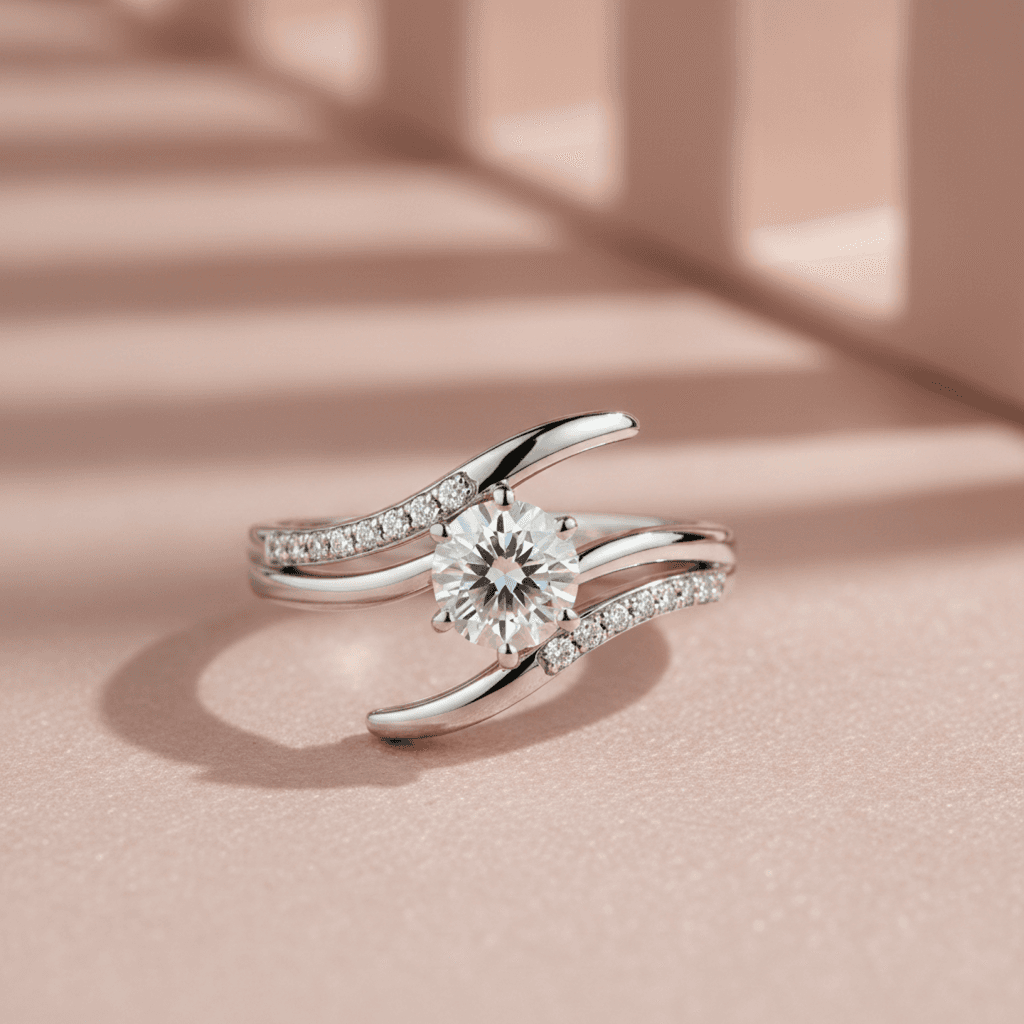
Iterative Refinement
Start with a broader prompt to explore the design space, then narrow down in subsequent generations. Your first prompt might specify the general style and stone. Your second prompt takes the best result and adds specific manufacturing details like prong wire gauge, gallery height, or band taper.
Here is an example of iterative refinement in three rounds.
Round 1. Engagement ring in white gold with a cushion cut diamond and halo setting. Modern style.
Round 2. 18K white gold engagement ring with a 1.5 carat cushion brilliant diamond surrounded by a micro-pave halo. Cathedral setting with pave shoulders. Clean modern aesthetic. Three-quarter view.
Round 3. 18K white gold engagement ring with a 1.5 carat cushion brilliant diamond, micro-pave halo with 0.8mm melee diamonds, cathedral setting height approximately 7mm, pave diamond shoulders tapering into a 2mm comfort-fit band. Polished finish with milgrain edge detail on the halo. Clean modern aesthetic with subtle vintage touches. Three-quarter view on white background, soft shadow.
Each round adds specificity without contradicting the previous version. The third round is production-reference quality.
Reference-Based Design
Tashvi AI Design Studio offers reference-based design alongside text prompts. Upload an image of an existing piece, a client's Pinterest inspiration, or even a hand sketch, and the AI uses it as a starting point. This is particularly powerful for jewelers who receive client reference photos and need to create original variations without copying.
You can combine reference images with text prompts for maximum control. Upload a ring photo and add a text prompt like "same overall style but in rose gold with an emerald center stone instead of diamond." The AI adapts the reference while applying your modifications.
Manufacturing Constraints in Prompts
Professional jewelers think about castability, structural integrity, and stone security. You can include these constraints directly in your prompt. Phrases like "structurally sound for lost-wax casting," "secure prong placement for daily wear," or "minimum 1.5mm band thickness for durability" help the AI generate designs that are closer to production-ready.
Other manufacturing-relevant phrases to try include "open gallery underneath for light return and easy cleaning," "tapered prongs from 1.2mm at base to 0.8mm at tip," "flat interior for comfort during daily wear," and "proportions suitable for 3D printing in wax."
Client Mood and Occasion
When a client says "I want something for our 25th anniversary," that carries emotional weight that should influence the design. Including context like "celebrating a milestone anniversary, elegant and timeless, not trendy" shapes the output toward something with lasting appeal.
Other mood descriptors that work well include "everyday casual elegance," "red carpet show-stopping drama," "understated old money luxury," "bohemian nature-inspired free spirit," and "minimalist Scandinavian clean lines." These phrases act as design direction anchors that prevent the AI from defaulting to generic middle-ground results.
Describing Texture and Material Character
Words like "unpolished," "rough," "matte," and "earthy" act as strong modifiers that shift the AI away from a perfectly manufactured look. For organic designs, use keywords like "irregular," "asymmetrical," and "biomorphic." For precision-focused designs, use "geometric," "symmetrical," and "architectural." The material character vocabulary is one of the most underused tools in jewelry prompting.
Negative Prompts and Exclusions
Telling the AI what you do not want is just as important as telling it what you do want. If your AI jewelry generator keeps adding unwanted elements, use exclusion phrases to remove them. "No engraving on the band," "no colored gemstones, diamonds only," "no vintage or antique styling," or "no visible prongs, bezel setting only" all help narrow the output.
Negative prompts are especially useful for correcting recurring issues. If the AI keeps generating overly ornate designs when you want minimalist, add "no filigree, no milgrain, no pave accents, clean and simple only." If stones keep appearing in wrong proportions, add "no oversized stones, proportional to band width." This technique of eliminating unwanted elements is a core skill in prompt engineering that separates beginners from advanced users.
Prompting for Indian and Regional Jewelry Styles
For jewelers serving the Indian market, prompting for traditional styles requires specific cultural vocabulary that general AI tools rarely understand. Tashvi AI was built with these styles in mind.
Kundan bridal necklace set in 22K yellow gold. Uncut polki diamonds in gold foil settings with ruby and emerald meenakari enamel work on the reverse. Traditional Rajasthani choker style with hanging pearl drops. Bridal ceremony aesthetic. Product photography on red velvet.
Temple jewelry jhumka earrings in gold. Lakshmi deity motif at the top with a dome-shaped bell bottom. Ruby and emerald cabochon accents. Traditional South Indian temple aesthetic. Front-facing symmetrical view.
Contemporary mangalsutra in 18K rose gold. Single black bead chain with a modern geometric diamond pendant. Minimalist fusion aesthetic bridging traditional significance with everyday wearability. Lifestyle photography on a model.
These prompts use cultural terms like kundan, polki, meenakari, jhumka, and mangalsutra that the AI needs to generate authentic designs. Jewelers in Surat, Jaipur, Mumbai, and Delhi who serve the bridal market will find these prompt structures especially useful for creating custom jewelry concepts that honor tradition while offering personalization.
| Skill Level | Prompt Strategy | Typical Prompt Length | Result Quality |
|---|---|---|---|
| Beginner | Names the jewelry type and stone only | 5 to 10 words | Generic, requires many revisions |
| Intermediate | Uses the 6-element formula consistently | 30 to 50 words | Accurate, client-ready in 1 to 2 rounds |
| Advanced | Adds manufacturing constraints, mood, and iterative refinement | 50 to 80 words across 2 to 3 rounds | Production-relevant, minimal revision needed |
Common AI Jewelry Design Prompt Mistakes and How to Fix Them
After working with thousands of jewelers on Tashvi AI Design Studio, these are the most frequent prompting errors we see and exactly how to fix each one.
Being too vague. "Pretty ring" or "beautiful necklace" gives the AI almost nothing to work with. Every element you leave unspecified becomes a random choice. Fix this by specifying at minimum the metal, stone, and setting style. Even adding these three elements transforms the output quality dramatically.
Contradicting yourself. Asking for a "minimalist maximalist ring" or a "simple ornate bracelet" confuses the AI and produces incoherent results. Choose one design direction and commit to it. If you want elements of both, describe specifically which parts should be minimal and which should be elaborate. For example, "minimalist band with an elaborate halo setting" is clear, while "minimalist elaborate ring" is not.
Ignoring physical constraints. Prompts that describe floating stones, impossibly thin shanks, or gemstones that do not exist in the requested cut shape will generate designs that look impressive but cannot be manufactured. Think like a bench jeweler when writing prompts. If a design would fail in wax casting or stone setting, the AI should not be generating it.
Overloading with too many details at once. A 200-word prompt with 15 different requirements often produces worse results than a focused 40-word prompt. The AI has to balance all your instructions, and competing priorities can water down every element. Start focused and add complexity through iterative rounds rather than front-loading everything.
Forgetting the viewing angle. Without a specified angle, the AI defaults to whatever it calculates as most likely. For client presentations, three-quarter view is usually ideal because it shows the top, side, and depth of the piece simultaneously. For product photography, overhead and straight-on profile views work best. For manufacturing reference, side profile views showing the gallery and band thickness are most useful.
Using general vocabulary instead of jewelry terminology. "Shiny gold ring with a big rock" might work for casual conversation, but it wastes the AI's ability to understand professional terminology. "18K yellow gold ring with a high-polish finish and a 2 carat round brilliant cut diamond" uses terms the AI was specifically trained to understand. The more precisely you speak the language of jewelry, the more precisely the AI responds.
From AI Prompt to Client Presentation
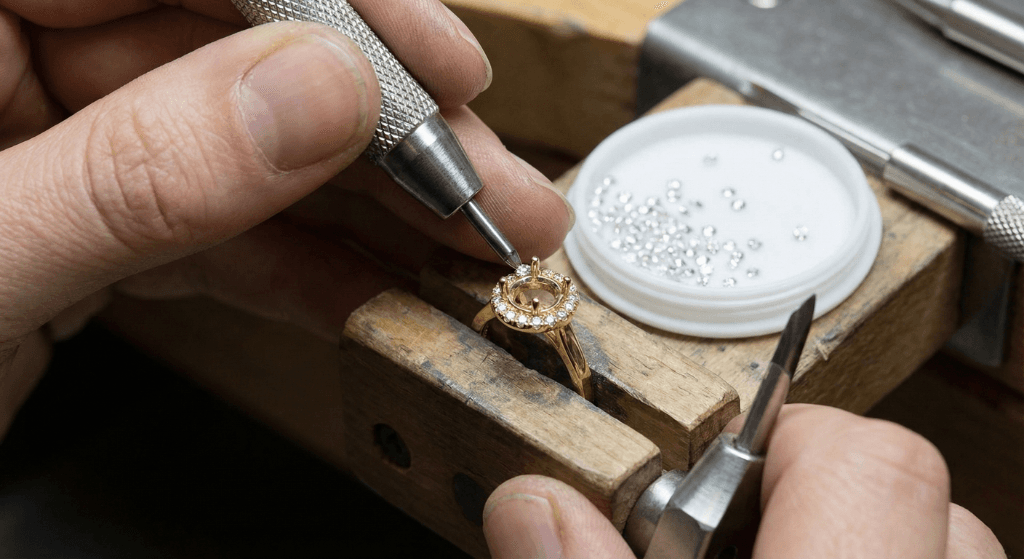
Here is the complete workflow that professional jewelers use to go from a client conversation to a polished design presentation using AI. This is the workflow we see the most successful jewelers on Tashvi follow every day.
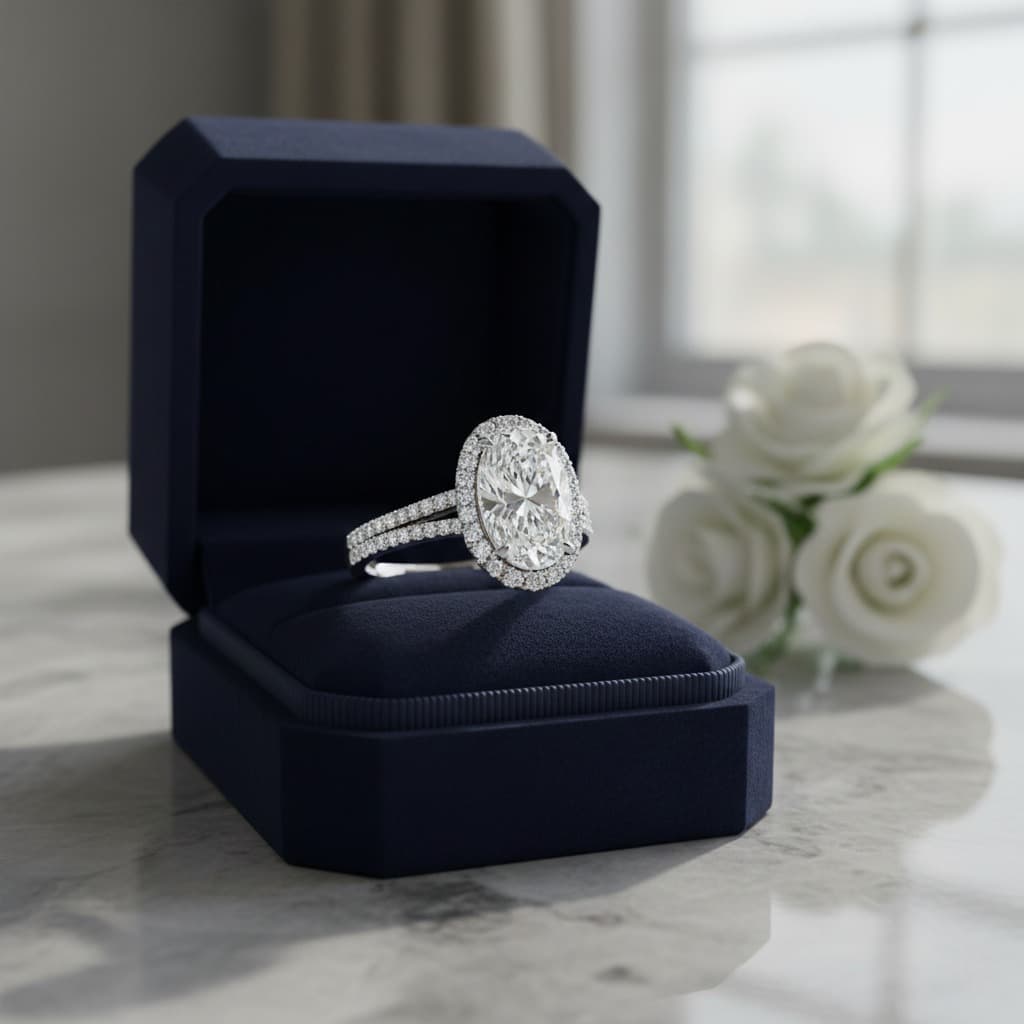
Step 1. Translate the Client Brief Into a Prompt
Listen to what the client wants and extract the 6 elements. If a client says "I want something like my grandmother's ring but more modern," that translates to a prompt with a vintage-inspired aesthetic, updated metal choice, and contemporary proportions. Map every client preference to one of the 6 elements.
Here is a practical example of translating a real client conversation.
Client says "I want a unique engagement ring, not a regular diamond solitaire. Something with color. My girlfriend loves nature and the outdoors. Our budget is around $3,000."
Your prompt translation becomes Bypass engagement ring in 14K yellow gold with a brushed satin finish. 1 carat pear-shaped teal Montana sapphire and a 0.5 carat marquise diamond arranged in an organic nature-inspired bypass setting. Vine-like band with small leaf details. Organic nature-inspired aesthetic with flowing asymmetric lines. Three-quarter view on white background.
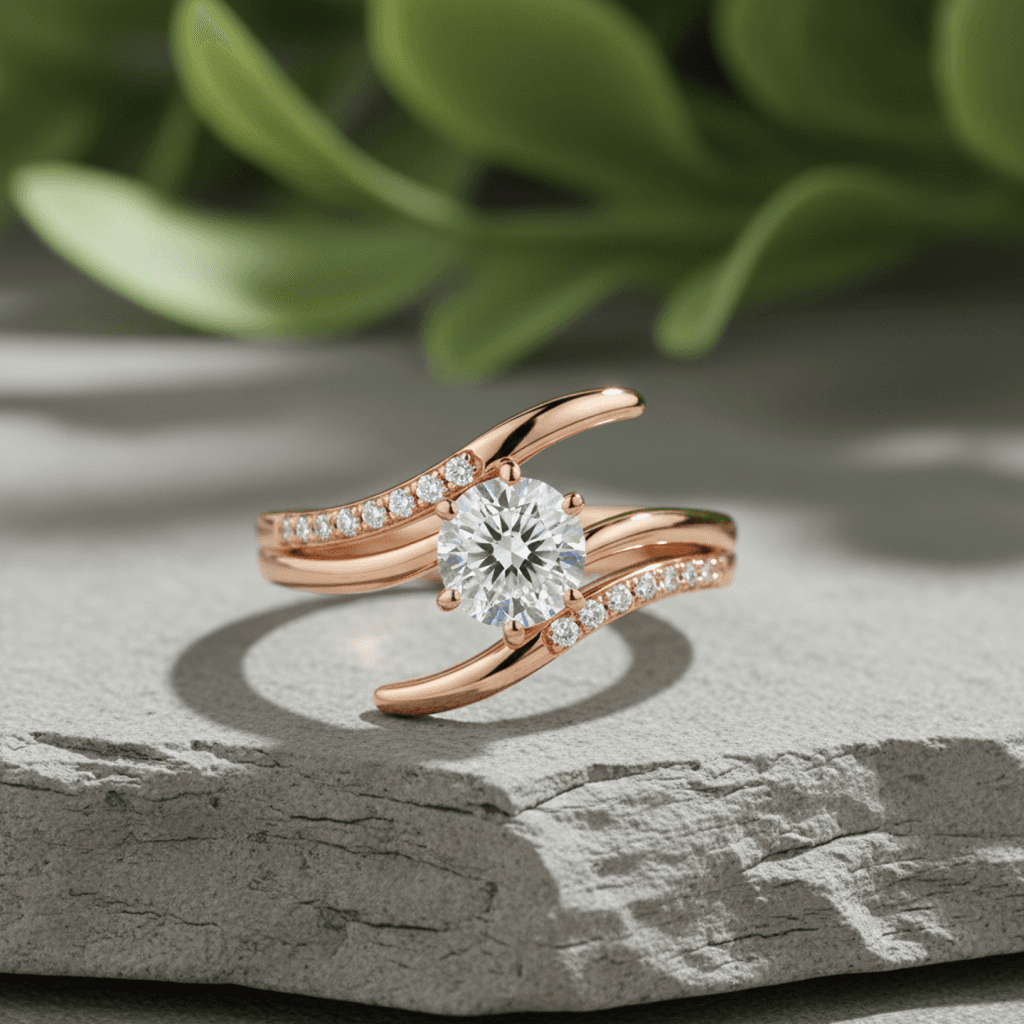
Step 2. Generate 3 to 5 Variations
Go to Tashvi AI Design Studio and run your prompt. Generate multiple options by adjusting one variable at a time between generations. Try the same design in different metals, or swap the center stone shape, or change the setting style. This gives your client meaningful choices rather than random alternatives.
For the example above, your variations might include the same design in rose gold, a version with an emerald instead of sapphire, and a version with a more structured geometric setting instead of the organic vine style. Three focused variations give the client enough choice without overwhelming them.
Step 3. Refine the Best Option
Take the client's preferred variation and refine it with a more detailed follow-up prompt. This is where you add manufacturing specifics, adjust proportions, or modify details based on their feedback. If the client says "I love this one but can the band be thinner," simply add "1.5mm band width" to your refined prompt and regenerate.
Step 4. Present With Material Estimation
Tashvi AI provides material and weight estimation alongside your design concepts. Present the design with an approximate gold weight, stone requirements, and cost range. Clients make decisions faster when they can see both the design and the price simultaneously. This is especially powerful for jewelers who need to provide quotes quickly.
Step 5. Move to CAD
Use the approved AI concept as your reference when building the final CAD model in RhinoGold, MatrixGold, or JewelCAD. Whether you are a solo jewelry maker handling every step or a studio with a dedicated jewelry CAD operator, the AI concept serves as a visual spec that eliminates ambiguity about the intended design. Many jewelers find that having a clear AI reference cuts their CAD modeling time in half because there is no guesswork about what the client approved.
Prompt Cheat Sheet for Professional Jewelers
Bookmark this table for quick reference when writing prompts for any jewelry category. Each template follows the 6-element formula and can be customized by replacing the bracketed variables with your specific requirements.
| Jewelry Category | Prompt Template |
|---|---|
| Solitaire Engagement Ring | [Metal, karat, finish] solitaire engagement ring with a [carat, cut, stone] in a [setting type]. [Band style and width]. [Aesthetic] style. [View angle]. |
| Halo Engagement Ring | [Metal] halo engagement ring with a [carat, cut, center stone] surrounded by [melee description]. [Setting details]. [Aesthetic]. [View angle]. |
| Three-Stone Ring | [Metal] three-stone ring with [center stone] flanked by [side stones]. [Setting type for each]. [Band details]. [Aesthetic]. |
| Toi et Moi Ring | [Metal] toi et moi ring with [stone 1 details] and [stone 2 details] in a [arrangement style]. [Band details]. [Aesthetic]. [View angle]. |
| Wedding Band | [Metal, finish] wedding band, [width in mm]. [Texture or pattern]. [Edge style]. [Interior comfort fit or standard]. [Aesthetic]. |
| Pendant Necklace | [Metal] pendant necklace with [stone details]. [Bail type]. [Chain type, length]. [Aesthetic]. [View angle and background]. |
| Statement Necklace | [Metal] statement necklace with [overall silhouette]. [Stone arrangement]. [Setting types]. [Length]. [Aesthetic]. [Presentation context]. |
| Tennis Bracelet | [Metal] tennis bracelet with [stone type, cut, total carat weight]. [Setting style]. [Clasp type]. [Length]. [Aesthetic]. |
| Stud Earrings | [Metal] stud earrings with [stone details per earring]. [Setting type]. [Post style and backing]. [Aesthetic]. [View angle]. |
| Drop Earrings | [Metal] drop earrings with [top element description] and [drop element description]. [Total length]. [Movement style]. [Aesthetic]. |
Quick Jewelry Design Modification Prompts
Once you have a design you like, these modification phrases help you refine without starting over. Add any of these to your follow-up prompt.
"Same design but in [new metal]" to change the metal while keeping everything else identical.
"Keep the setting style but change the center stone to [new stone details]" for stone swaps.
"Make the band [thinner/wider] at approximately [X]mm" for proportion adjustments.
"Add [pave diamonds/milgrain/engraving] along the band" for detail additions.
"Show this design [on a hand/in a ring box/as a flat lay]" for presentation context changes.
"Same concept but more [modern/vintage/minimalist/ornate]" for aesthetic shifts.
These modification prompts are where the iterative power of AI jewelry design really shines. Instead of starting from scratch with each change, you build on what already works.
Start Writing Better AI Jewelry Design Prompts Today
The gap between a generic AI output and a client-ready design concept comes down to how well you describe what you want. Professional jewelers who invest time in learning prompt engineering find that AI becomes their most productive design tool, not a replacement for their expertise but an amplifier of it.
The jewelers seeing the best results treat prompt writing as a professional skill, just like hand sketching or CAD modeling. They develop their own prompt libraries for common design requests, build templates for their most popular categories, and refine their vocabulary over time. The 6-element formula gives you the foundation. Practice and iteration give you mastery.
Start designing free on Tashvi AI Design Studio to practice the 6-element prompt formula with a tool built specifically for jewelry professionals. Upload reference images, generate variations, and get material estimates alongside every design. No credit card required.
Related Reading
Explore more guides for professional jewelers working with AI.
- Free AI Ring Design Tool for hands-on practice with jewelry prompts
- 50 Free AI Jewelry Design Ideas for copy-paste prompt inspiration across all categories
- Guided vs Prompt Design to understand when each approach works best
- 7 Best AI Jewelry Design Tools 2026 for a full comparison of available platforms
- AI Jewelry Design Software for an in-depth look at how AI fits into professional workflows
- Design a Custom Engagement Ring Online for step-by-step ring creation
- AI for First-Time Jewelry Designers for beginners getting started with AI tools
- Tashvi vs Midjourney and DALL-E for a detailed comparison of general vs jewelry-specific AI
Frequently Asked Questions
Quick answers to the questions readers ask most about this guide.
How do I write prompts for AI jewelry design?
Use the 6-element formula. Include the jewelry type, metal and finish, stone details, setting style, design aesthetic, and specific details like engraving or measurements. For example, instead of writing diamond ring, write 18K white gold solitaire engagement ring with a 1.5 carat round brilliant diamond in a four-prong setting, knife-edge band, polished finish, modern minimalist style.
Can AI design custom engagement rings from a description?
Yes. AI jewelry design tools like Tashvi AI can generate photorealistic custom engagement ring concepts from text descriptions. Professional jewelers use AI to produce 3 to 5 design variations in minutes, then refine the best option before moving to CAD modeling and manufacturing.
What details should I include in a jewelry design prompt?
Always include the jewelry category, metal type and karat, gemstone type with cut and carat weight, setting style, design aesthetic or era, and any specific manufacturing details. Adding the viewing angle and intended use also improves results significantly. For example, specifying cathedral versus basket setting or comfort-fit versus knife-edge band dramatically changes the output.
How specific should my AI jewelry prompt be?
More specific prompts produce better results. A two-word prompt like gold ring generates generic output, while a detailed 30 to 40 word prompt with metal, stone, setting, and style information generates designs that closely match your vision. Start specific and refine from there.
Can I use AI prompts to produce designs that are ready to manufacture?
AI-generated designs serve as high-quality concept art and client presentation material. They are not directly CAD-ready, but they dramatically speed up the pre-CAD phase. Most jewelers use AI concepts as references when building final models in RhinoGold, MatrixGold, or similar CAD software.
What is the best AI tool for jewelry design prompts?
Tashvi AI is purpose-built for jewelry design and understands jewelry terminology and setting styles better than general AI image generators. It offers both prompt-based and reference-based design modes, making it ideal for professional jewelers who need accurate, production-relevant concepts.
How do professional jewelers use AI to design rings?
Professional jewelers translate client briefs into structured AI prompts, generate multiple design variations, present the best options to clients for approval, then use the approved concept as a reference for CAD modeling. This workflow reduces pre-CAD design time by up to 80% and minimizes costly revision cycles.