How to Tell if Jewelry Photos Are AI-Generated: The 2026 Detection Guide
From prong dropout to physics-breaking reflections, here are the 8 visual tells that give AI jewelry photos away — plus the metadata, C2PA, and reverse-image tools that let you verify any product photo in under two minutes.
Why AI Struggles With Jewelry Specifically
Most AI image generators are excellent at faces, landscapes, and organic shapes — the things they've seen millions of. Jewelry is a harder problem, for reasons rooted in physics and geometry.
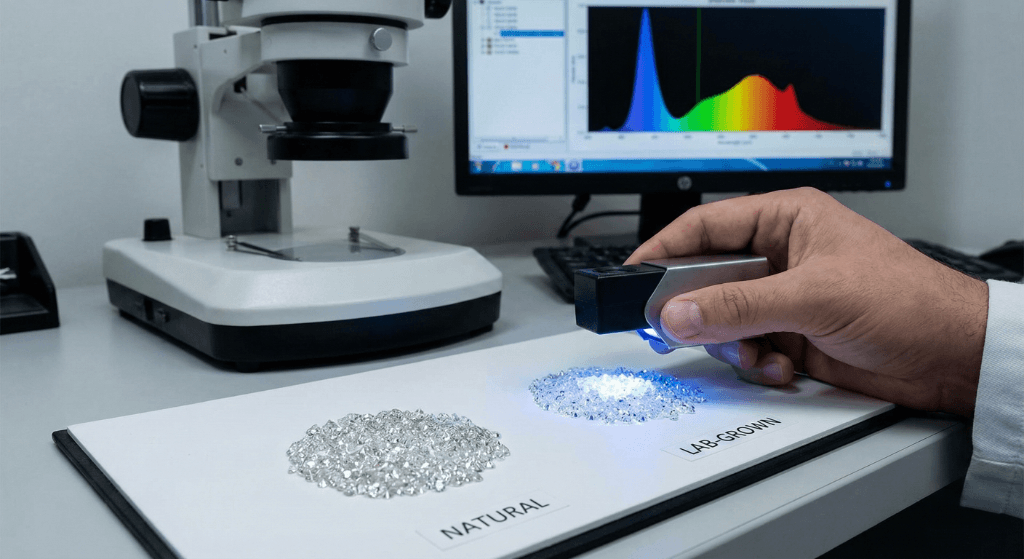
Gemstones are optical instruments. A round brilliant diamond has 57 or 58 facets cut at mathematically precise angles to return light through the table. Generative AI trained on organic imagery mathematically averages pixels — it doesn't simulate refraction. The result is frequently soft, melted facets, miscounted facet counts, and specular highlights that don't obey any coherent light source. (GIA Gems & Gemology, Fall 2024
Metal is reflective. High-polish gold and platinum surfaces reflect the environment. AI has to invent an environment that's consistent across every reflection on the piece — and often doesn't. You'll see prongs reflecting light from a source that isn't visible elsewhere in the image.
Rigid geometry matters. Chain links, prong settings, bezel walls, milgrain beading — these are patterns with exact repeat structure. AI can approximate them, but if you zoom to 200% you'll catch the model regurgitating or drifting.
All of this means jewelry AI detection is more tractable than, say, detecting an AI-generated face. The errors cluster in predictable places. Here's where to look.
The 8 Visual Tells That Give AI Jewelry Photos Away
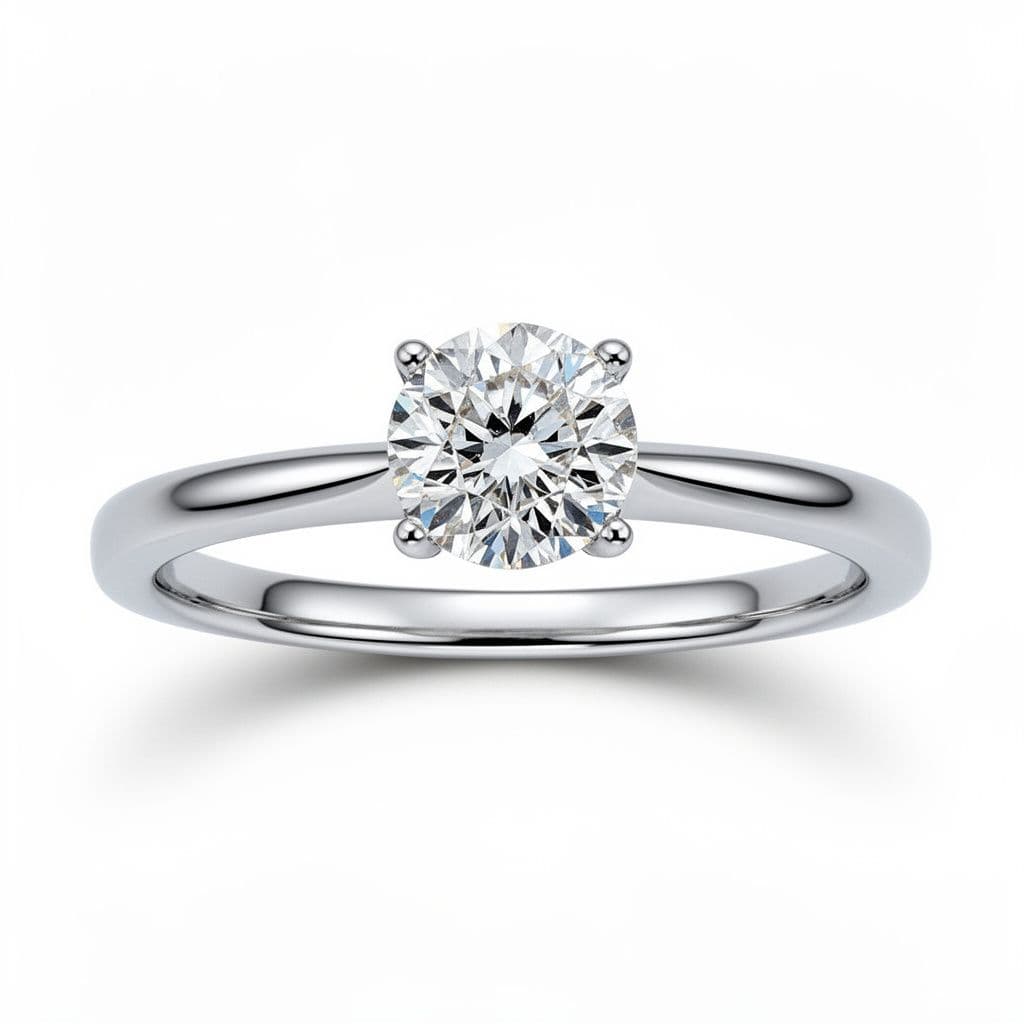
1. Prong dropout
Fine claw prongs and thin bezel walls often partially disappear in AI outputs because the model's edge detection conflates high-refractive metal with background pixels. Zoom in on the girdle of the stone. If a prong fades into the diamond or ends mid-stone, that's a dead giveaway. A real photograph always shows prongs as discrete, continuous metal from shank to tip.
2. Facet geometry errors
Learn the facet counts for each diamond shape — 57-58 for round brilliants, 57-58 for princess cut, 57 for oval, 49 for emerald cut — and count them when you zoom in. AI outputs routinely produce 44 or 63 facets because the model averages training examples. For fancier cuts (marquise, pear, radiant) the facet pattern must also be symmetric around the axis. If one side of a pear-cut stone has four bezel facets and the other has five, it's generated.
3. Physics-breaking reflections
Look at the brightest specular highlights on the stone and metal. Trace each one back to an implied light source. On a real studio shot there's one key light, one fill, maybe a rim light — and every highlight lines up with them. AI outputs frequently have highlights pointing in three or four incompatible directions, or a diamond's table reflection showing a scene that's impossible given the camera angle.
4. Repeating micro-texture
Hammered metal, pavé fields, milgrain, and textured bands have real hand-set variation. Real photography preserves it. AI often produces textures that repeat with suspicious symmetry — identical "dimples" arranged in a grid, or pavé stones that all reflect light identically. Zoom to 150% and scan across the surface. Real textures feel slightly irregular; AI feels lattice-perfect.
5. Chain link inconsistency
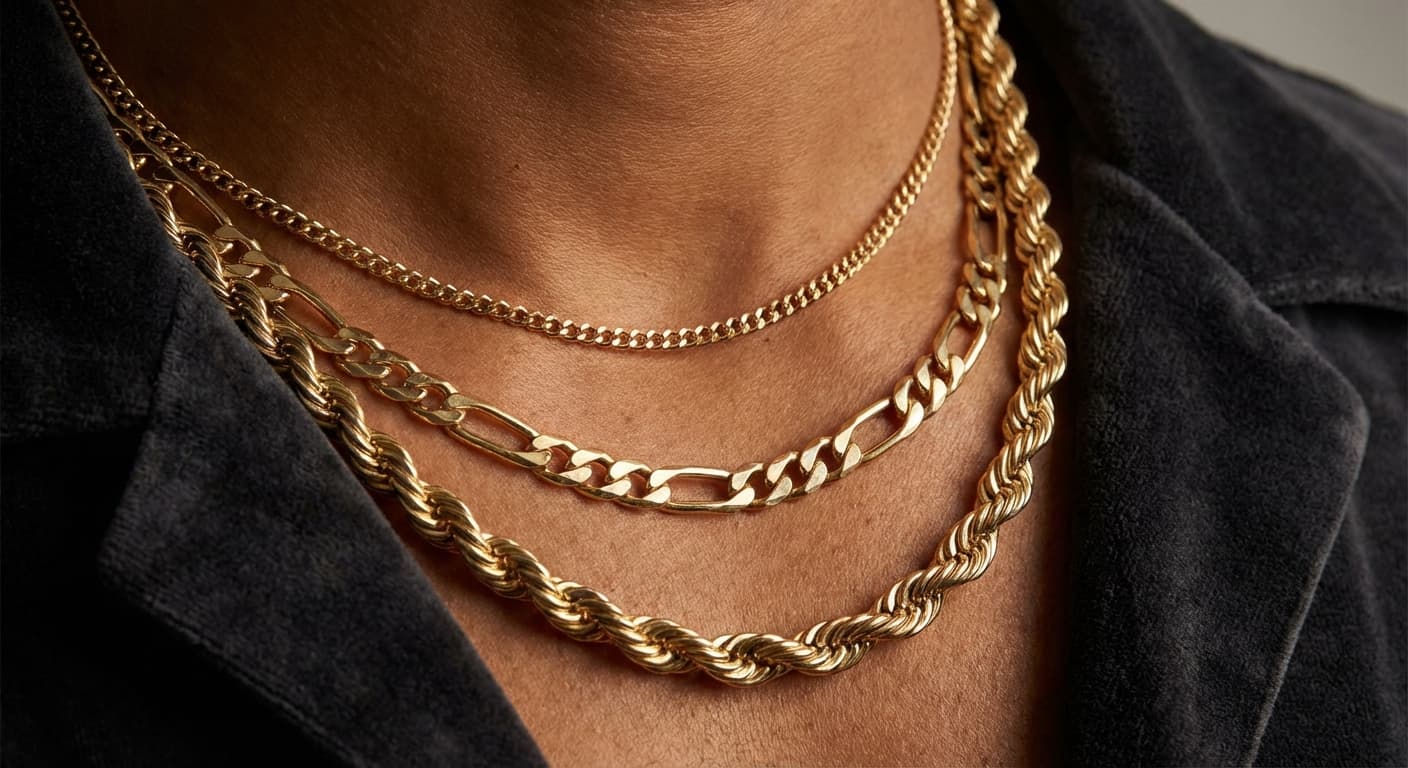
Cable, Figaro, and rope chains have specific repeat structures. AI often breaks them mid-strand. Pick a point along a chain and follow it with your eye — if one link is a slightly different size, rotated at an odd angle, or if two links fuse together without a clear join, the image is generated. This is particularly common in byzantine and other complex chain styles.
6. Pearl over-sheen
Real pearls have subtle "orient" — the interference pattern caused by light passing through layered nacre. AI renders pearls with uniform, plastic-like luster that lacks this chromatic shimmer. Compare to reference photos on the GIA pearl resource if you're unsure.
7. Fake hallmarks and engraving
Zoom in on the inside of a band where purity stamps and hallmarks live. AI frequently produces glyphs that look like letters but don't spell anything — a fake "585" that's actually closer to "5B5" or an "18K" where the K has an impossible serif. This tell is especially useful because legitimate jewelry photography almost always shows a clear, crisp hallmark. See our full guide to understanding hallmarks and purity stamps for reference.
8. Floating or impossible elements
Side stones that don't connect to the shank. Bezels that hover above the band with no visible mounting. Sub-stones at nonsensical scale. These are the most obvious tells — AI models know what a halo ring looks like from 30,000 training images, but they don't know that every piece of the halo must be physically supported by something.
Hand and Model Shots: Where AI Fails Hardest
Model photography is where AI detection is easiest — and where the stakes are highest, because model shots drive the most conversion.
Hand anatomy. Count fingers. Then count knuckles per finger (three on each except the thumb). AI still routinely produces four-knuckle fingers, fingernails that fuse at the edges, or rings that clip through the skin. A real hand has visible veins, subtle skin texture, and consistent fingernail curvature.
Earring-to-ear fit. Earrings in AI model shots frequently float behind the ear lobe instead of piercing through it, or the post is visible in impossible ways.
Necklace drape. Real chains follow gravity and the contour of the collarbone. AI necklaces often sit in geometrically impossible curves, especially layered sets. See our layered necklace design guide for what natural drape actually looks like.
Background coherence. AI often nails the subject but drops coherence on the background. Ghosted edges where the model's hair meets the backdrop, architectural elements that don't add up, bokeh that has sharp edges where it should be smooth — all tells.
For more on what AI model photography can do correctly, our deep dive on AI jewelry photography for product and model shots walks through the techniques ethical tools use.
Technical Verification: Metadata, C2PA, and Reverse Image Search
Visual tells get you 70% of the way. The remaining 30% needs tools.
Step 1 — Inspect metadata
Right-click the image, save it, and open an EXIF viewer like Wux Webtools EXIF Viewer or the open-source Prompting Pixels metadata reader. You're looking for:
Software: Adobe Firefly/Midjourney/DALL-E/Stable Diffusion/ComfyUIin EXIF fields- PNG text chunks containing prompt data (common on SD/ComfyUI outputs)
- Missing camera/lens fields on what's supposed to be a studio photograph
Legitimate product photography typically has camera make/model, lens, aperture, shutter, and ISO in the EXIF. An "AI-enhanced from real photo" image might keep the source camera data; a pure generation usually won't.
Step 2 — Check Content Credentials (C2PA)
Drop the image into contentcredentials.org/verify. If the image carries a C2PA manifest, you'll see:
- What software touched it (including AI tools)
- When each edit happened
- Whether the cryptographic signature is intact
The C2PA standard is now backed by Adobe, Google, Microsoft, Meta, OpenAI, Amazon, TikTok, Sony, BBC, and AP. Adobe Creative Cloud and Firefly auto-embed credentials. Microsoft Bing and Designer auto-label AI outputs. If a retailer publishes jewelry images with valid Content Credentials, you can read the exact chain of edits.
Honest limitation: C2PA credentials strip when an image is screenshotted, re-uploaded, or format-converted. Missing credentials don't prove an image is AI; they just mean the provenance chain is broken. Treat "no credentials" as "inconclusive," not as "real."
Step 3 — Reverse image search
Drop the image into all three:
- Google Lens — best for Western jewelry catalog matches
- TinEye — best for tracking where an image has been reused
- Yandex Images — often the best for jewelry product matches because its index is visual-similarity-heavy
If the same exact photograph appears on a dozen unrelated seller sites, or if it's a stock image from Shutterstock / Getty, the retailer is not shooting their actual inventory. That's an immediate red flag regardless of whether the photo is AI or not.
The Detector Tool Landscape in 2026 — and Their Blind Spots
Dedicated AI-detection tools have matured but are still fallible. Use them as one input, never as a verdict.
| Tool | Type | Reported accuracy on clean AI outputs | Notes |
|---|---|---|---|
| Hive Moderation | Visual classifier | ~89-94% | Free tier available; weakens on screenshots |
| Sensity AI | Enterprise deepfake/image | Undisclosed | Best for internal marketplace moderation |
| AI or Not | Visual classifier | ~82% | Free; ranks likelihood rather than yes/no |
| Reality Defender | Enterprise multi-modal | Undisclosed | Used by financial services and marketplaces |
Every detector degrades when:
- The image is screenshotted or re-compressed
- It's been retouched after generation (common workflow: generate, then Photoshop)
- The AI model is newer than the detector's training data
- The output is a hybrid real-photo-plus-AI-enhancement (ironically, harder to flag than pure generation)
The right workflow: never rely on a single tool. If Hive flags an image as 93% AI and Content Credentials confirm it was generated with Firefly and a reverse search shows no other seller has it, you're confident. If Hive says 65% and metadata is clean and the image has C2PA credentials from a legitimate retouching suite — it's probably real.
What "Good" AI Disclosure Looks Like
If a retailer passes all the verification steps above and discloses AI clearly up front, that's the strongest signal you'll get that they're trustworthy. Here's what good disclosure actually looks like in 2026:
- A plain-language note on the product page: "Background and lighting in this image are AI-enhanced. The jewelry is shot from the actual piece you'll receive."
- A C2PA Content Credentials badge on the image, clickable to the full provenance
- A link to a company-wide AI policy page explaining the tools used and the lines the brand won't cross
- 360° spin video or multi-angle real photographs of the actual SKU alongside any lifestyle/model shots
What bad disclosure looks like: buried in the terms of service, vague ("we use technology to optimize imagery"), or absent entirely.
For the broader trust framework — including the six-item retailer checklist you can apply without any technical tools — see our companion piece Should I Buy Jewelry from Stores Using AI Product Photos?. And for the counter-case — the brands choosing to refuse AI imagery entirely — read Should I Buy Jewelry from Stores Using AI Product Photos? A 2026 Shopper's Guide.
The Two-Minute Verification Routine
Here's the practical workflow to run on any jewelry photo you're about to spend money on:
- Zoom to 200% — scan for prong dropout, facet errors, fused chain links, fake hallmarks (30 seconds)
- Right-click → view image → check EXIF for AI software signatures or missing camera data (20 seconds)
- Drop into contentcredentials.org/verify — read any C2PA manifest (20 seconds)
- Reverse image search on Yandex + TinEye — check for duplicates (30 seconds)
- Optional: Hive or AI or Not for a second-opinion classifier (20 seconds)
Two minutes, five signals. If four or five align on "real," you're good. If three or more align on "AI without disclosure" on a site that sells the piece as real, walk away.
How Tashvi Thinks About This
Tashvi's position on AI jewelry imagery is the position we think the industry is converging toward: AI is fine, opacity isn't. Our outputs start from real product photographs and embed C2PA credentials that trace back to the source. Retailers using Tashvi can show the provenance badge to shoppers directly. That way the detection exercise above isn't adversarial — it's cooperative. The retailer and the shopper are both reading the same credentials and reaching the same conclusion.
The tools in this guide exist because most of the market isn't there yet. Use them liberally. The retailers worth your money will welcome the scrutiny.
Related Guides
- Should I Buy Jewelry from Stores Using AI Product Photos? — The shopper-side trust framework
- Why Some Jewelry Brands Won't Use AI for Product Photos — The steelmanned critique
- Best AI for Jewelry Photography 2026 — How ethical AI photography works
- AI Jewelry Rendering vs Traditional Photography — Where AI fits alongside studio work
- Understanding Hallmarks and Purity Stamps in Jewelry — What a real stamp should look like
- How to Tell if Gold Jewelry Is Real at Home — The physical-piece verification companion
- Visual Guide to Identifying Ring Settings at a Glance — Reference shapes for comparison
See Tashvi's C2PA-backed AI jewelry photography — design.tashvi.ai →
Frequently Asked Questions
Quick answers to the questions readers ask most about this guide.
Can AI detection tools reliably identify fake jewelry photos?
Not alone. The best 2026 detectors (Hive, Sensity, Reality Defender) hit 82-94% accuracy on untouched AI outputs but degrade sharply on screenshotted, re-compressed, or retouched images. Use them as one signal, not a verdict. Triangulate with visual tells, metadata inspection, C2PA credentials, and reverse image search for a confident read.
What is C2PA / Content Credentials and why does it matter for jewelry shopping?
C2PA (Coalition for Content Provenance and Authenticity) is an open standard backed by Adobe, Google, Microsoft, Meta, OpenAI, Amazon, TikTok, Sony, BBC, and AP. It embeds cryptographically signed metadata in an image stating how and when it was generated or edited. Content Credentials is the consumer-facing verifier at contentcredentials.org/verify. If a jewelry retailer publishes images with valid Content Credentials, you can see exactly what AI tools touched the file.
Does Shopify show AI disclosure metadata to shoppers?
Not yet natively, as of April 2026. Retailers selling on Shopify who want to disclose AI use have to do it in the product description, a policy page, or via a custom badge. The EU AI Act Article 50 enforcement in August 2026 is expected to push platforms toward native C2PA display.
Can I reverse-image-search a jewelry photo to check if it's real?
Yes. Drop the image into Google Lens (lens.google), TinEye (tineye.com), or Yandex Images (yandex.com/images). If the photo appears on dozens of unrelated seller sites or as a stock image, it's been reused — not shot of the actual inventory. Yandex is often the most effective for jewelry because its index is more visual-similarity-heavy than keyword-matched.
How does Tashvi label AI-generated imagery?
Tashvi-generated images carry C2PA Content Credentials identifying the source photograph and any AI enhancement applied. Because our outputs start from a real product photo rather than a prompt, the provenance chain traces back to the actual piece. Retailers using Tashvi can display a Content Credentials badge so shoppers can verify the chain themselves.