AI Jewelry Design: What Actually Gets Faster, and What Quietly Narrows
AI jewelry design software has genuinely compressed the concept stage. It has also introduced a measurable narrowing effect that most studios never notice. Here is what the research shows, and how to keep the speed without the sameness.
Most writing about AI jewelry design falls into one of two camps. Either it changes everything and your CAD seat is obsolete, or it is soulless pattern-matching that no serious bench would touch. Both positions are selling something.
The useful question is narrower: what part of the process actually got faster, what does that speed quietly cost, and how would you know if it were costing you? There is now real research on the second part, and it is more specific than the industry conversation suggests.
What AI jewelry design software actually speeds up
Not the bench. Casting, setting, finishing and quality control take exactly as long as they always did. No AI ring designer touches metal.
What compressed is the stretch before the bench — the part nobody itemises on an invoice:
- Translating a spoken brief into something a designer can act on
- Producing something the client can look at rather than imagine
- Testing whether a variation is worth pursuing before committing labour to it
- Getting from "I want something like this but different" to a specific, agreed direction
In a traditional workflow that stretch is measured in weeks, and it carries two costs. The obvious one is design labour. The one studios underestimate is the client's time to reconsider — every week between brief and visual is a week she is comparing, second-guessing and showing her sister.
That is the genuine change. Not faster making. Faster deciding.
It is also why the free tools people search for — design your own ring online free, 3D ring design online free — get used far beyond hobbyist curiosity. Working studios use them as consultation aids, because a client who can see the piece stops describing it and starts choosing.
The narrowing effect nobody markets
Here is the part that rarely makes it into product copy.
In 2024, Anil Doshi and Oliver Hauser ran a controlled experiment on creative output with and without generative AI assistance, published in Science Advances. Participants given AI-generated ideas produced work rated as more creative and better executed — the effect was strongest among people who scored lower on creativity to begin with. That is the good news, and it is real.
The finding that matters more for a design studio came next. The AI-assisted outputs were measurably more similar to each other than the unassisted ones. Individual quality rose. Collective variety fell. The authors describe it as a social dilemma: each person is better off using the tool, and the pool of work everyone draws from gets narrower as a result.
Doshi, A. R. & Hauser, O. P. (2024). Generative AI enhances individual creativity but reduces the collective diversity of novel content. Science Advances, 10(28), eadn5290.
Translate that to a jewelry market. If every studio in your city is briefing similar tools with similar vocabulary, the aggregate output of that city converges. Your individual concepts get better. Your differentiation gets worse. Those are not the same metric, and only one of them shows up in a client meeting.
Why AI jewelry generators default to the same designs
There is a second layer, and it is less intuitive.
Design fixation is an old finding in design research. In 1991, Jansson and Smith showed designers an example solution alongside a brief — including examples whose flaws had been explicitly pointed out — and found the designers reproduced features of that example anyway. Seeing something first narrows what you go on to consider, and knowing it is flawed does not protect you.
Jansson, D. G. & Smith, S. M. (1991). Design fixation. Design Studies, 12(1), 3–11.
A 2025 study from Zhejiang University and Stockholm University applied that lens to generative models themselves, and found the models exhibit the same behaviour. Working with two widely used commercial systems — one text-based, one image-based — the researchers compared AI output against award-winning human designs in the same category. Two findings transfer directly to jewelry work.
Vocabulary collapses toward the common case. The AI-generated descriptions used a measurably narrower set of distinct terms than the human comparison set — 67.4% unique terms against 78.2%. The model kept reaching for high-frequency words regardless of the brief. Asked for a design themed on bamboo, it returned "ergonomic." Asked for something soft and cloud-like, it returned sleek and minimalist, because "cloud" sits closer to computing than to comfort in its training data.
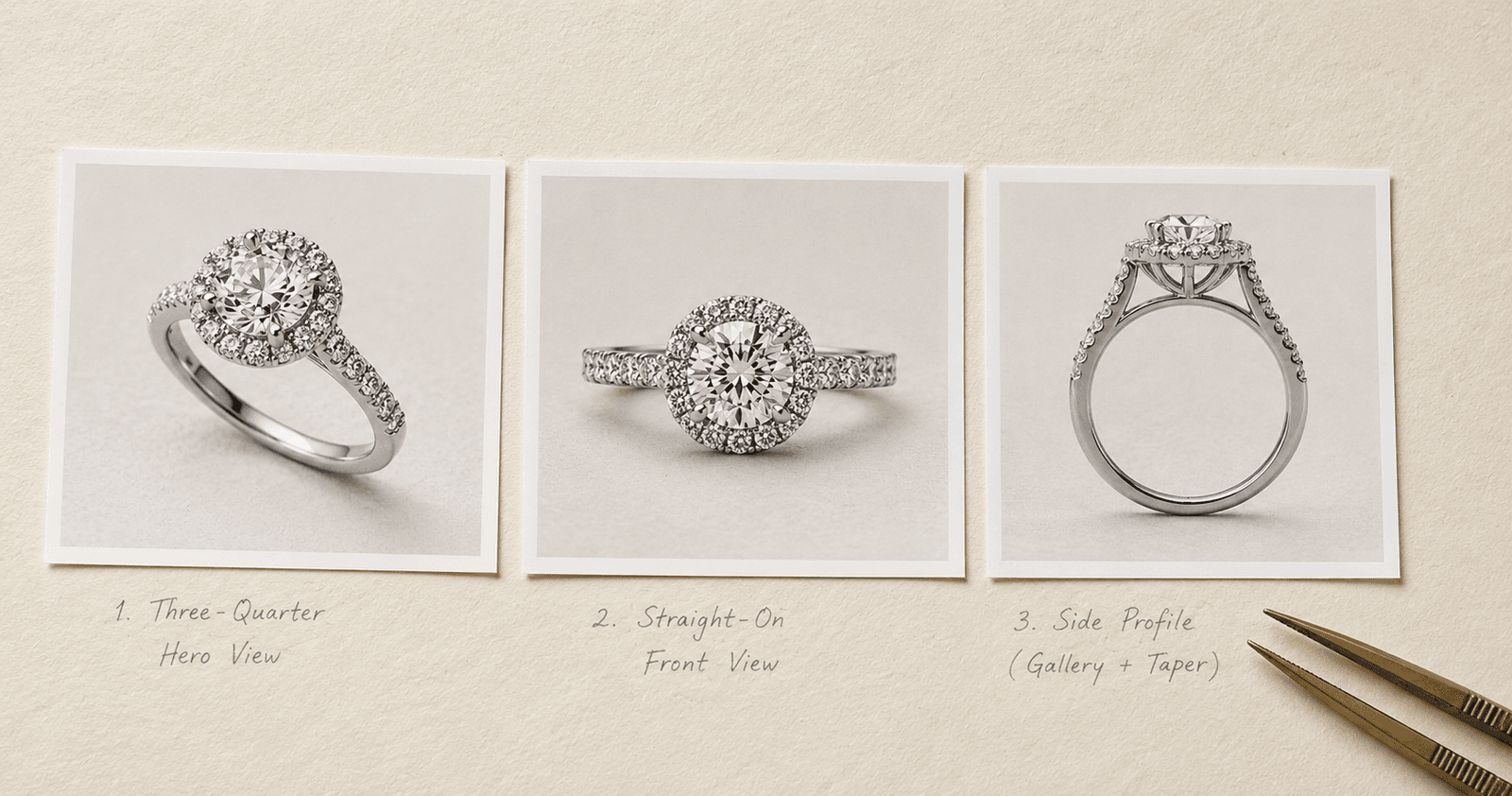
Viewpoint collapses almost entirely. Of 96 generated design images, only two showed a front view. Everything else defaulted to roughly the same three-quarter angle, because that is the angle that dominates product imagery on the internet.
Chen, L., Song, Y., Zheng, C., Jing, Q., Hansen, P. & Sun, L. (2025). Understanding Design Fixation in Generative AI. arXiv:2502.05870.
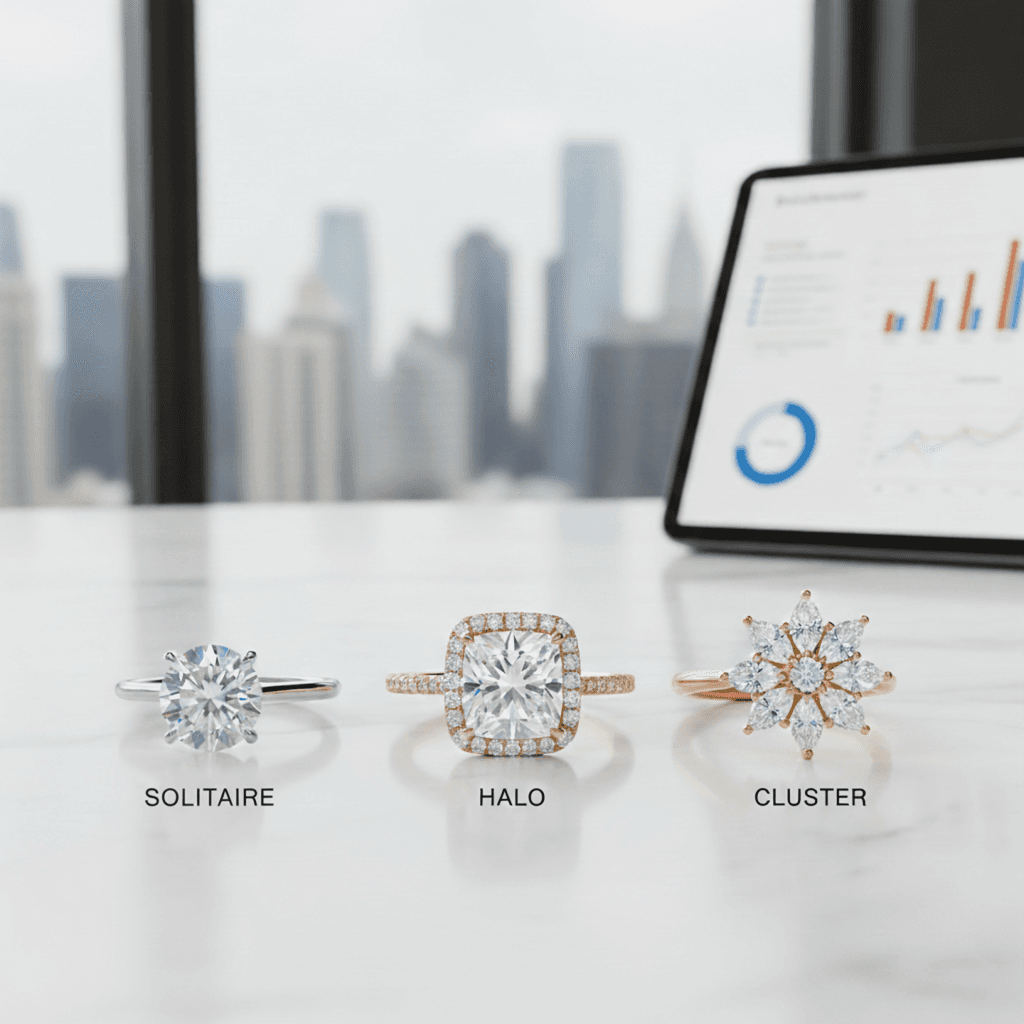
If you use an AI jewelry generator regularly, you have already seen both of these without naming them. Ask for something and you tend to get a halo. Ask for vintage and you tend to get milgrain and filigree. Ask for a ring and you get a three-quarter hero shot — never the profile that shows gallery height, never the straight-on view that shows how the shoulders actually taper.
What this looks like at the bench
The abstract version is "homogenisation." The concrete version is more useful.
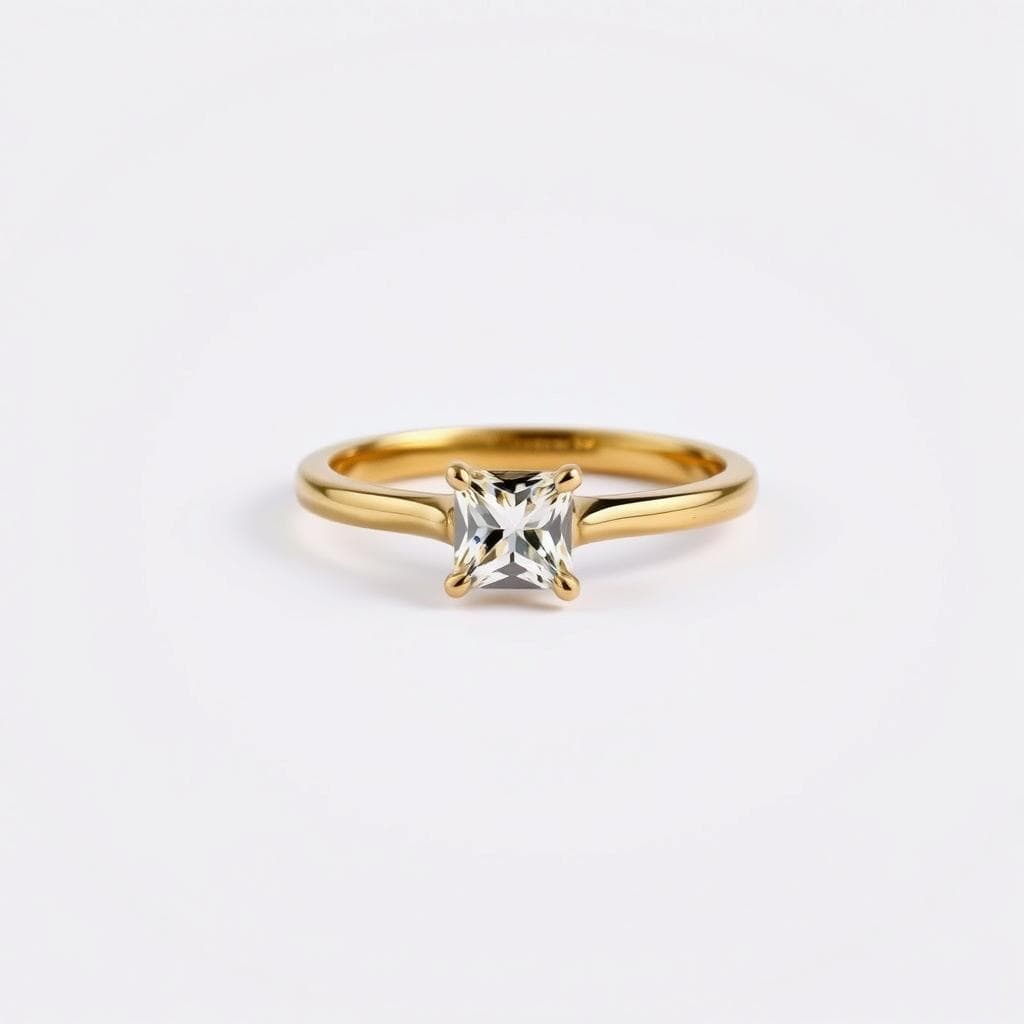
Your concepts converge on the middle of the market. The model has seen far more four-prong solitaires than knife-edge bypass settings, so absent specific instruction it will drift toward the former. Every studio using similar tools drifts to the same place.
The default view hides the decisions your bench cares about. A three-quarter render flatters the piece and conceals the profile. Gallery height, shoulder taper, how the halo sits relative to the finger — none of it is legible from the angle the model prefers to give you.
Fixation runs in both directions. The 2025 study also notes prior findings that designers become attached to AI output specifically, and that novice designers are more susceptible than experienced ones. A first-year designer who accepts the first render is not being lazy. They are experiencing a documented effect.
The test: pull your last twenty generated concepts and lay them out. How many centre stone shapes appear? How many setting types? How many viewing angles? If the answer to any of those is "two or three," the tool has been steering and you have been following.
Five habits that keep the speed
None of these are complicated. All of them are things good studios were already doing before AI, applied to a new step.
1. Brief in your own vocabulary before you brief the tool. Write the piece down in bench language first — cathedral shoulders, knife-edge shank, 1.6mm band, hidden halo — then prompt. If you start by asking the model what it suggests, you have handed it the first move, and the 1991 finding says the first thing you see shapes everything after it. The six-element prompt formula is a workable structure for writing that brief down.
2. Force the angle. Explicitly request the front view, the profile, and the top-down. Given the finding that only two images in ninety-six defaulted to a front view, this will not happen unless you ask. The profile is also the view your CAD designer actually needs.
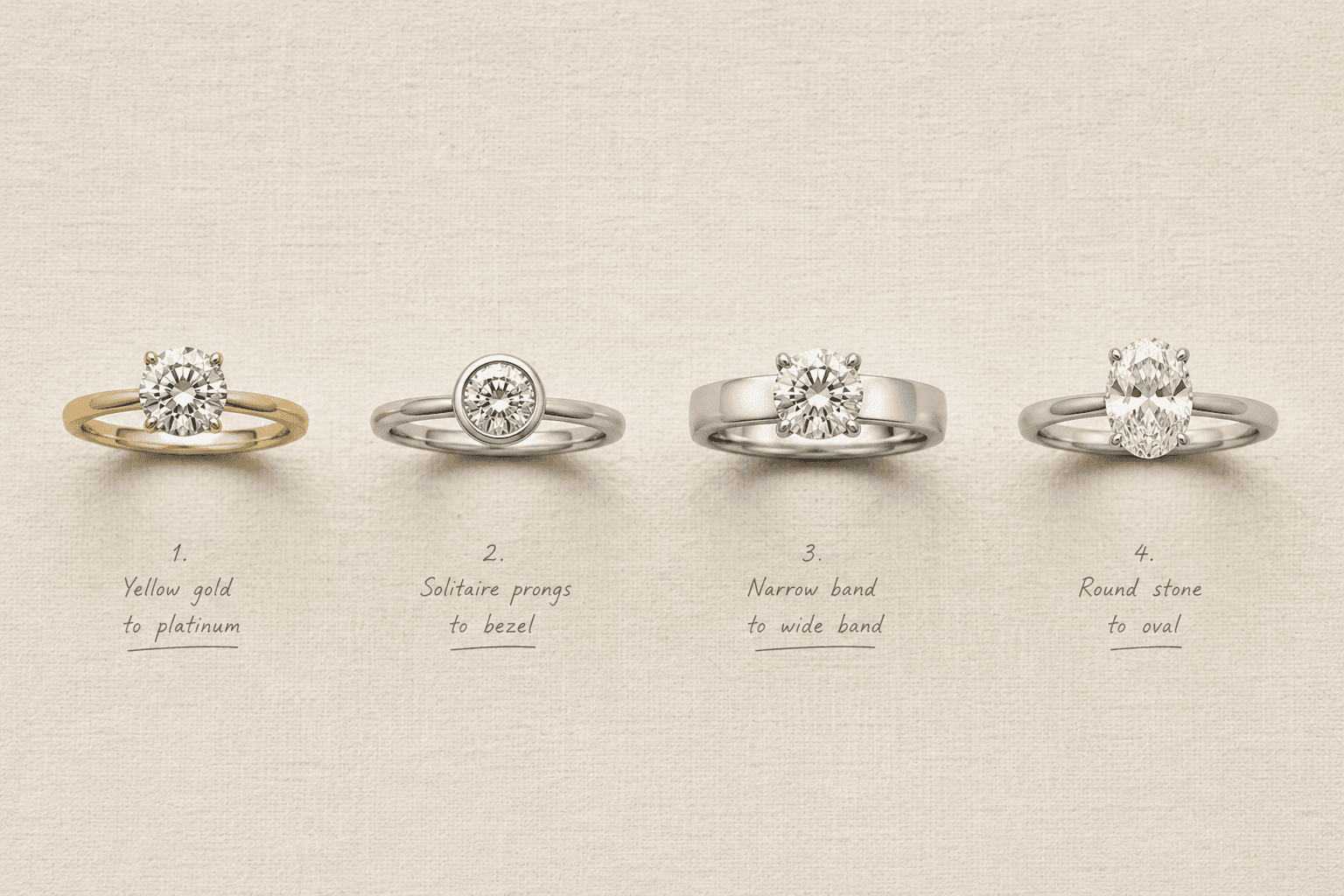
3. Vary one element at a time, deliberately. Do not ask an AI ring designer for "five options" and accept what arrives — that is the model's distribution, not your design space. Change the metal, hold everything else. Change the setting, hold everything else. You are mapping the space rather than sampling a narrow part of it.
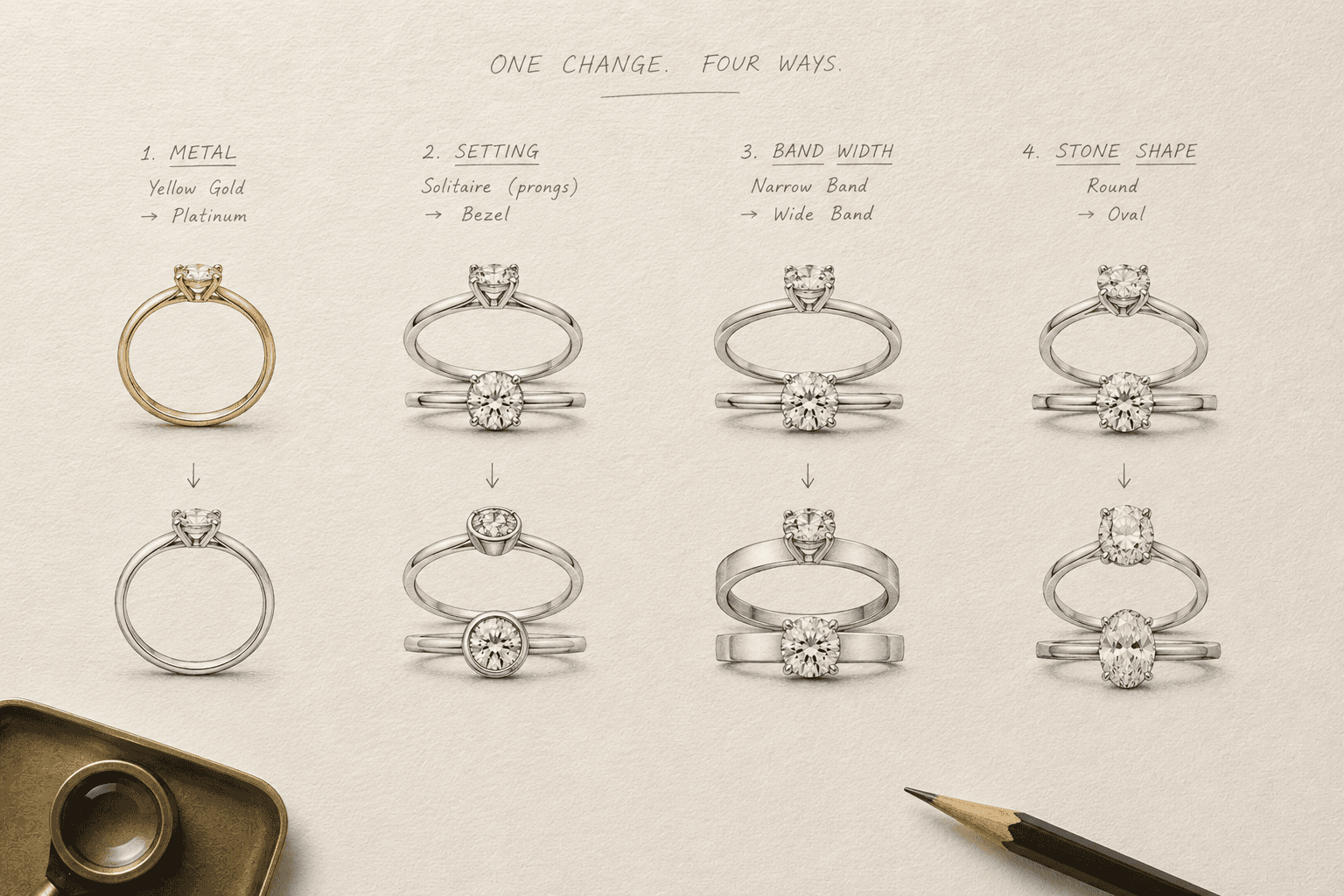
4. Keep one concept per project that the tool did not suggest. A sketch, a reference from a period you like, an idea from the client's own description that the render did not capture. It is the cheapest available insurance against convergence, and it is usually the one the client remembers.
5. Judge on geometry, not on prettiness. When you pick between generated variants, check prong count symmetry, whether the band reads continuous, and whether every melee stone is individually seated. A beautiful render with smeared pavé is worth less than a plainer one your bench can actually read. The same tells that give away an AI-generated jewelry photo are the ones that make a concept unbuildable.
What AI jewelry design software still cannot do
Worth stating plainly, because the honest scope is what makes the rest credible.
Generated concepts and 3D drafts are not manufacturing files. Wall thickness, stone seats, tolerances, castability and material suitability still require a qualified CAD designer or manufacturer to sign off. No render checks prong tension. No mesh confirms a solder joint. No model looks at a finished halo and says that is a quarter degree out of true.
That judgement is the part of the trade that is not moving, and any tool in this category that will not tell you where it stops is worth less than one that will.
Sources
- Anil R. Doshi & Oliver P. Hauser — Generative AI enhances individual creativity but reduces the collective diversity of novel content, Science Advances 10(28), eadn5290 (2024)
- David G. Jansson & Steven M. Smith — Design fixation, Design Studies 12(1), 3–11 (1991)
- Liuqing Chen, Yaxuan Song, Chunyuan Zheng, Qianzhi Jing, Preben Hansen & Lingyun Sun — Understanding Design Fixation in Generative AI (2025)
- Samangi Wadinambiarachchi, Ryan M. Kelly, Saumya Pareek, Qiushi Zhou & Eduardo Velloso — The Effects of Generative AI on Design Fixation and Divergent Thinking, CHI Conference on Human Factors in Computing Systems (2024)
Related reading
Frequently Asked Questions
Quick answers to the questions readers ask most about this guide.
What is AI jewelry design?
AI jewelry design is the use of generative models to turn a written description, a sketch or a reference photo into a photorealistic jewelry concept, usually in seconds. It sits at the concept stage of the workflow, before CAD. The output is a visual direction a client can respond to and a designer can build from, not a file that goes to a casting floor.
Does AI jewelry design software actually speed up the process?
It speeds up the concept stage, not the bench. Translating a client brief into something visual, testing variations, and reaching an agreed direction all compress from weeks into a single session. Casting, setting and finishing are unaffected. The real saving is decision time rather than production time, which matters because the weeks between brief and visual are when clients most often reconsider.
What is the best AI for jewelry design?
The useful question is what a tool is trained on rather than which is objectively best. General image models produce attractive jewelry but do not reliably understand bench vocabulary — terms like gallery rail, cathedral shoulder or graduated pavé. A tool trained on jewelry specifically will interpret those correctly and produce something a designer can act on. Look for jewelry-specific vocabulary handling, the ability to refine conversationally rather than regenerate from scratch, and 3D export if you need to hand geometry to a CAD designer.
Will AI make all jewelry designs look the same?
There is measurable risk. A 2024 Science Advances study found AI-assisted creative output was rated more creative individually but was more similar across the group than unassisted work. For a studio this means concepts improve while differentiation erodes. The mitigation is to brief in your own vocabulary first, vary one element at a time, and keep at least one direction per project that the tool did not propose.
Why do AI ring designers always produce the same angle?
Because that angle dominates the product imagery these models were trained on. In one 2025 study, only two of ninety-six generated design images showed a front view; the rest defaulted to roughly the same three-quarter angle. For jewelry this matters, because the profile view shows gallery height and shoulder taper — the information a CAD designer and a setter actually need. Request the angle explicitly.
Can you design your own ring online for free?
Yes. Free AI jewelry design tools let you describe a piece in plain words, upload a sketch or reference photo, and generate photorealistic concepts without installing software or holding a CAD licence. Free tiers typically cover concept generation and variations; 3D draft export and video usually sit on paid plans.
Can AI-generated jewelry designs go straight to production?
No. Generated concepts and 3D drafts are a starting point, not manufacturing files. Wall thickness, stone seat depth, tolerances, castability and material suitability all require review by a qualified CAD designer or manufacturer before anything reaches a casting floor.