How AI Upscaling Improves Low-Resolution Jewelry Photos
Learn how AI image upscaling technology transforms small, blurry, or compressed jewelry photos into sharp, high-resolution images suitable for e-commerce listings, print catalogs, and marketing materials.
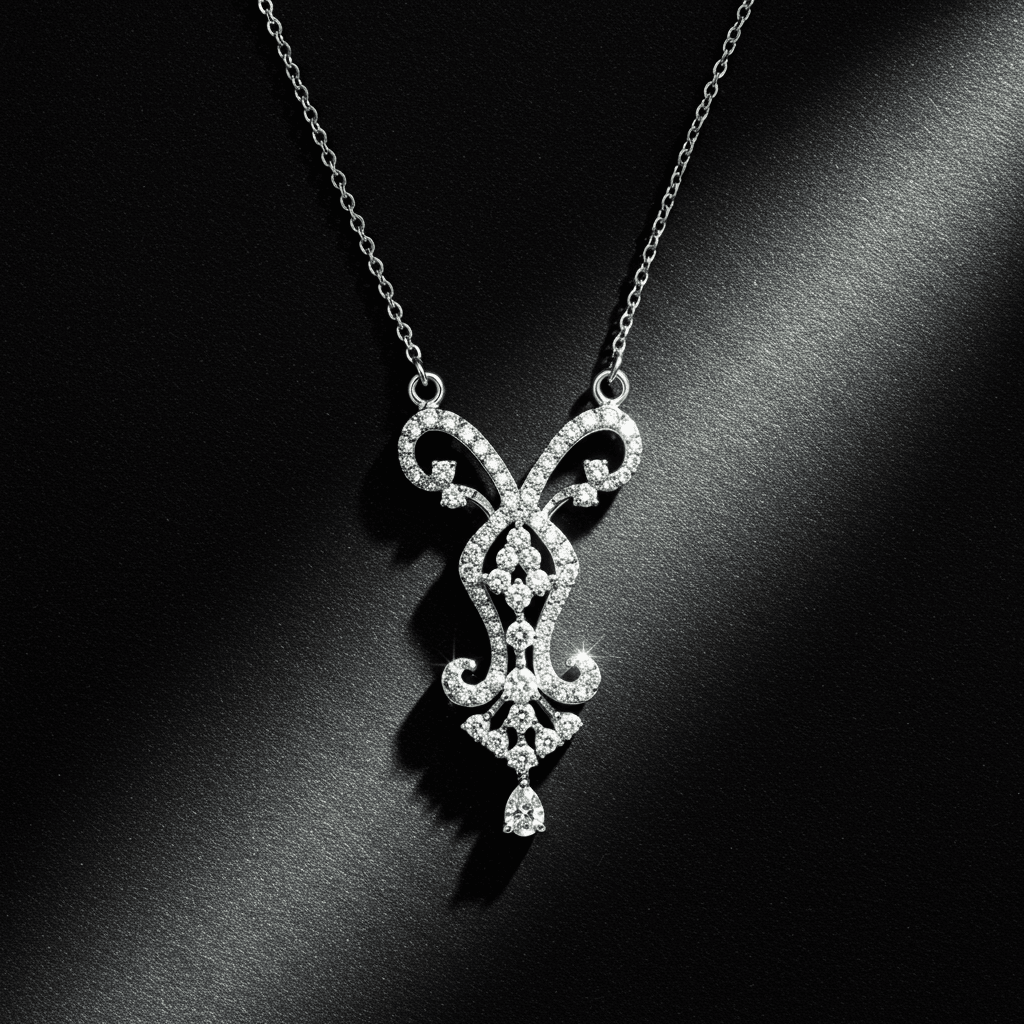
AI image upscaling technology uses deep learning to increase the resolution and sharpness of jewelry photographs by 2x to 4x, adding realistic detail to metal surfaces, gemstone facets, and fine engravings that transforms small or compressed images into sharp, e-commerce-ready product photos.
The Resolution Problem in Jewelry
Jewelry businesses accumulate images of varying quality over time. Older product photos shot with basic cameras. Social media images compressed to small sizes. Client reference photos taken on smartphones. Catalog images from suppliers provided at web resolution. These images are often too small or soft for professional use despite showing valuable pieces.
Re-photographing every piece is expensive and sometimes impossible when items have been sold, modified, or are held by clients. AI upscaling provides an alternative that rescues usable quality from limited originals.
How AI Upscaling Works
Traditional image enlargement simply stretches existing pixels, creating a larger but blurrier image. AI upscaling takes a fundamentally different approach.
The AI model, trained on millions of high-resolution and low-resolution image pairs, has learned what detail should exist at higher resolutions. When it encounters a small jewelry image, it does not just stretch pixels. It generates new, realistic detail based on its understanding of how metals reflect light, how gemstones create patterns, and how fine jewelry elements look at close range.
The result is an enlarged image that contains plausible detail rather than stretched blur.
| Method | Input 500x500 | Output Quality |
|---|---|---|
| Basic resize | 2000x2000 | Blurry, pixelated |
| Bicubic interpolation | 2000x2000 | Slightly smoother, still soft |
| AI upscaling 2x | 1000x1000 | Sharp, detailed |
| AI upscaling 4x | 2000x2000 | Good detail, some AI artifacts |
Jewelry-Specific Upscaling Challenges
Jewelry images present unique challenges for AI upscaling due to the materials involved.
Metal Reflections
Precious metals create complex reflection patterns that encode environmental information. AI must generate reflections that look natural and consistent with the lighting in the original image. Generic upscaling may produce reflections that appear artificial or mismatched.
Gemstone Detail
Faceted gemstones display intricate patterns of light and color that change dramatically with viewing angle. Upscaling must add detail that respects the physics of light interaction with crystalline structures. The fire and brilliance patterns in diamonds, the color zoning in sapphires, and the play of color in opals all require material-specific understanding.
Fine Text and Hallmarks
Engravings, hallmarks, and brand stamps are often the first details lost in low-resolution images. AI upscaling can partially recover these elements, though results depend heavily on the original image quality and the size of the text relative to the image.
Practical Applications
E-Commerce Product Listings
Online marketplaces increasingly require high-resolution product images. Professional-looking jewelry photos drive higher conversion rates. AI upscaling helps bring older inventory images up to current resolution standards without re-photographing every piece.
Print Materials
Catalogs, brochures, and display materials require higher resolution than web images. Upscaling web-resolution photos to print-quality resolution (300 DPI at publication size) makes existing digital assets usable in physical marketing materials.
Social Media
While social media platforms compress images, starting with higher-resolution originals produces better results after platform compression. Upscaling allows you to post images that remain sharp and detailed after Instagram, Pinterest, or Facebook processing.
Archive Recovery
Historical photos of signature pieces, award-winning designs, or brand heritage imagery can be enhanced for use in brand storytelling, anniversary campaigns, and portfolio presentations.
Best Practices for Optimal Results
Start with the best available original. AI upscaling amplifies both quality and flaws. A clean, well-exposed original produces far better upscaled results than a dark, noisy one.
Match upscaling to intended use. 2x upscaling produces the most reliable results. 4x is usable for most purposes. Beyond 4x, diminishing returns and visible AI artifacts increase.
Verify critical details. After upscaling, check that gemstone colors remain accurate, metal tones have not shifted, and any text or hallmarks are legible. Minor color corrections may be needed.
Combine with other AI enhancements. AI noise reduction, color correction, and background removal complement upscaling to produce the best possible final image from a limited original.
How Tashvi AI Approaches Image Quality
Rather than upscaling existing photos, Tashvi AI generates high-resolution jewelry images natively. When you need product visualizations, concept renders, or marketing imagery, Tashvi AI produces images at resolutions suitable for any application from the start, eliminating the need for upscaling entirely.
For jewelry businesses managing legacy image libraries, Tashvi AI offers an alternative path. Rather than upscaling old product photos, regenerate product imagery using AI. The results are higher quality and more consistent than upscaled originals.
Try designing on Tashvi AI free
The Bigger Picture
AI upscaling is one component of a broader AI image enhancement toolkit available to jewelry businesses. Combined with AI background removal, color correction, style transfer, and product photo generation, these tools give every jewelry business access to professional-quality visual content regardless of their photography resources or budget.
Frequently Asked Questions
Quick answers to the questions readers ask most about this guide.
What is AI upscaling for jewelry photos?
AI upscaling uses machine learning to increase image resolution while adding realistic detail. For jewelry, this means transforming small or compressed photos into high-resolution images with sharp metal reflections, clear gemstone details, and crisp text on engravings.
How much can AI improve a low-resolution jewelry photo?
AI upscaling can effectively increase image resolution by 2x to 4x while maintaining quality. A 500x500 pixel image can become a clear 2000x2000 pixel image. Beyond 4x upscaling, results become increasingly artificial, though still usable for some purposes.
Does AI upscaling work for blurry jewelry photos?
AI upscaling can sharpen moderately blurry images, but it works best when the original is simply too small rather than out of focus. Dedicated deblurring AI handles motion blur and focus issues, while upscaling specifically addresses resolution limitations.
Can AI upscaling replace professional jewelry photography?
AI upscaling improves existing images but cannot replace quality originals. Starting with a well-lit, properly composed photo and upscaling it produces far better results than trying to rescue a poorly shot image. Think of upscaling as enhancement, not creation.
What are the best AI upscaling tools for jewelry images?
Topaz Gigapixel AI, Adobe Photoshop Super Resolution, and various online platforms offer strong upscaling for jewelry. Specialized tools trained on product photography generally outperform general-purpose upscalers for jewelry-specific details like gemstone facets and metal textures.