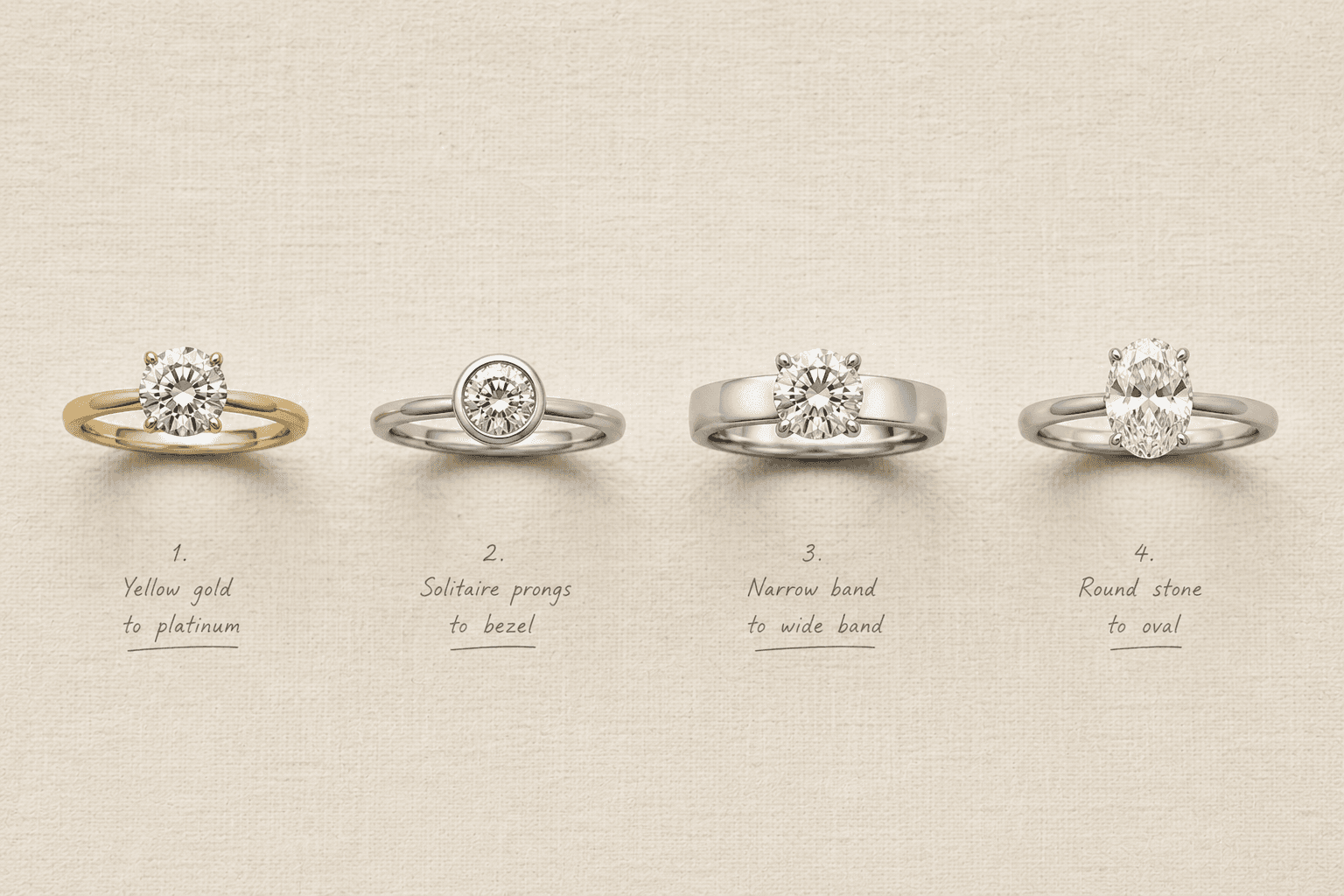
How to Use Tashvi AI to Design Your Dream Jewelry Piece
Step-by-step tutorial on using Tashvi AI to create stunning custom jewelry designs. Learn prompt writing techniques, design iteration strategies, and how to turn AI renders into real jewelry pieces.
Your Step-by-Step Guide to Designing Jewelry With Tashvi AI
Tashvi AI transforms text descriptions into photorealistic jewelry renderings, letting you design engagement rings, necklaces, bracelets, earrings, and any other jewelry piece by simply describing your vision in natural language, making professional jewelry design accessible to everyone regardless of technical skill or experience. This guide walks you through every step of the process.
Imagine being able to see your dream jewelry piece before it exists, and exploring dozens of variations in minutes rather than weeks. That is exactly what Tashvi AI delivers. Whether you are planning an engagement, designing a gift, or simply exploring your creativity, this tutorial will help you get the most from the platform.
Getting Started With Tashvi AI
Visit design.tashvi.ai to access the platform. No software installation is required as everything runs in your web browser. The interface is clean and intuitive, centered around a text input where you describe the jewelry piece you want to see.
Your first design is just a sentence away. Type a description, generate, and within seconds you will have a photorealistic rendering of your concept. But to get truly exceptional results, understanding how to craft effective prompts makes all the difference.
Writing Effective Jewelry Design Prompts
The quality of your AI-generated design depends significantly on the quality of your prompt. Here are the key elements to include for the best results.
Specify the Jewelry Type
Start with what you are designing. Be specific beyond just "ring" or "necklace." Terms like "engagement ring," "tennis bracelet," "drop earrings," or "layered pendant necklace" give the AI crucial context about the piece category and its intended use.
Define the Metal
Specify the metal type and color. Instead of just "gold," try "18K yellow gold," "rose gold with a polished finish," or "platinum with a brushed texture." The more specific you are about the metal, the more accurate the rendering will be.
Describe the Gemstones
If your piece includes gemstones, mention the type, shape, size, and arrangement. "A 1.5-carat oval sapphire center stone surrounded by a halo of small round diamonds" gives the AI everything it needs to place stones accurately.
Set the Style
Use style descriptors to establish the overall aesthetic. Terms like "vintage art deco," "modern minimalist," "romantic Victorian," "bohemian," or "classic elegant" help the AI understand the design language you are going for.
Add Specific Details
Mention any particular design elements you want. "Filigree scrollwork on the band," "a twisted rope texture," "milgrain edges," or "an open gallery under the stone" are the kinds of details that elevate a good design into a great one.
Prompt Examples From Basic to Advanced
Understanding how prompt detail affects output quality helps you write better descriptions from the start.
Basic Prompt
"A diamond engagement ring" will generate a ring, but the AI must make many assumptions about style, metal, setting, and diamond shape. The result will be attractive but generic.
Intermediate Prompt
"A round brilliant diamond engagement ring in 14K white gold with a classic solitaire setting and a thin, polished band" gives the AI enough specifics to produce a design much closer to what you might envision.
Advanced Prompt
"A 1-carat cushion-cut diamond engagement ring in 18K rose gold with a delicate pave band, a hidden halo beneath the center stone, milgrain detail along the band edges, and a cathedral setting that lifts the diamond slightly above the band, styled in a romantic vintage aesthetic" provides comprehensive guidance that results in a highly specific, personalized design.
Expert Prompt
"A nature-inspired engagement ring in 14K yellow gold featuring a pear-shaped emerald center stone held by organic branch-like prongs, with tiny diamond buds scattered along a textured vine-like band, the overall feel should be whimsical and enchanted forest, suitable for everyday wear" combines creative vision with practical considerations for the most sophisticated results.
The Iterative Design Process
Rarely does the first design perfectly match your vision. The power of AI is in the iteration.
Step 1 - Generate a Starting Point
Begin with your best description and generate an initial design. Do not worry about perfection, just get something on screen that captures the general direction.
Step 2 - Evaluate and Identify Adjustments
Look at the generated design critically. What do you love? What would you change? Perhaps the stone is the right shape but the band is too thick, or the style is right but you prefer a different metal color.
Step 3 - Refine Your Prompt
Modify your description based on what you learned from the first generation. Add specifics about the elements you want changed while keeping the elements that worked.
Step 4 - Generate Variations
Create multiple versions by making small adjustments to your prompt. Change the gemstone shape, try a different setting style, or switch the metal. Side-by-side comparison of variations helps you zero in on your preferences.
Step 5 - Finalize Your Concept
Once you have a design (or combination of elements from multiple designs) that captures your vision, save it as your final concept. This becomes your visual reference for the next stage, whether that is sharing with a jeweler or continuing to refine independently.
Designing Different Jewelry Types
Different jewelry categories benefit from different prompt strategies.
Engagement Rings
Focus on the center stone, setting style, band design, and metal. Mention the intended recipient's style to help calibrate the design aesthetic. Reference specific diamond shapes and ring settings for accuracy.
Necklaces and Pendants
Describe the pendant design, chain style, and length. For layered necklaces, mention how many layers and how they should differ. Include information about clasp visibility if the necklace will be seen from all angles.
Earrings
Specify the earring type (studs, drops, hoops, climbers, chandeliers) and proportions relative to the ear. Mention whether you want matching or asymmetrical designs.
Bracelets
Describe the bracelet type (bangle, chain, cuff, tennis, charm), width, and closure mechanism. For charm bracelets, describe individual charm designs and their arrangement.
Taking Your Design to Reality
Once you have a design you love, the next step is bringing it to life as a physical piece.
Working With a Jeweler
Share your Tashvi AI renderings with a professional jeweler. Most jewelers welcome clients who arrive with clear visual references, as it dramatically streamlines the consultation process. The jeweler can assess the design's manufacturability and suggest any necessary modifications.
Understanding Modifications
Some AI-generated designs may need adjustments for structural integrity or manufacturing feasibility. A jeweler might suggest thickening a delicate band, modifying a prong arrangement for better stone security, or adjusting proportions for comfortable wearability. These modifications preserve the creative intent while ensuring a durable finished piece.
Comparing Multiple Jewelers
With a clear visual reference in hand, you can request quotes from multiple jewelers and compare their interpretations. This empowers you to choose the right partner based on their approach, pricing, and how well they understand your design intent.
Pro Tips for Power Users
Experienced Tashvi AI users have discovered several techniques that consistently produce outstanding results.
Study real jewelry to develop your design vocabulary. The more accurately you can describe design elements, the more precisely the AI can render them. Browse jewelry collections, learn about different gemstone options, and familiarize yourself with setting terminology.
Generate a range of styles before narrowing down. Even if you think you know what you want, exploring unexpected styles sometimes reveals preferences you did not know you had.
Save your favorite prompts. When you find a prompt structure that produces great results, keep it as a template for future designs, modifying specific elements while preserving the overall structure.
Why Tashvi AI Changes Everything
Tashvi AI democratizes the design phase of custom jewelry creation. Previously, visualizing a custom piece required either paying a designer for concept sketches or relying entirely on imagination. Now, anyone can generate professional-quality visual concepts in seconds, for free.
This matters because the design phase is where the most important decisions happen. By making design exploration effortless, Tashvi AI ensures that every custom jewelry project starts with a clear, confident vision.
Try designing on Tashvi AI free
Start Designing Today
The distance between your dream jewelry piece and a photorealistic rendering of it is just a few words. Whether you are planning a purchase or simply exploring your creativity, Tashvi AI puts professional jewelry design at your fingertips. Your perfect piece is waiting to be described.
Frequently Asked Questions
Quick answers to the questions readers ask most about this guide.
Is Tashvi AI free to use?
Yes, Tashvi AI offers free access to design jewelry. You can create photorealistic jewelry renders from text descriptions without any cost, making it accessible for exploration, planning, and creative experimentation before committing to a physical piece.
Do I need design experience to use Tashvi AI?
No design experience is needed. Tashvi AI understands plain language descriptions and translates them into professional-quality jewelry renderings. Simply describe what you want using everyday words, and the AI handles the technical design aspects.
Can I use Tashvi AI designs to have real jewelry made?
Yes, Tashvi AI designs serve as excellent references for professional jewelers. Share your favorite AI-generated designs with a jeweler who can evaluate manufacturability, refine technical details, and produce the physical piece based on your visual concept.
How detailed should my Tashvi AI prompts be?
More detail generally produces better results. Include metal type, gemstone specifications, setting style, overall aesthetic, and any specific design elements. However, even simple prompts like 'elegant diamond ring' will produce beautiful starting points that you can refine.
How many designs can I generate with Tashvi AI?
You can generate multiple designs to explore different concepts and variations. The platform encourages experimentation, so try different prompts, styles, and combinations until you find the design that resonates with your vision.