How to Prompt Midjourney, Gemini, ChatGPT and Tashvi for Jewelry Design (2026)
Write jewelry prompts for Midjourney V8.2, Gemini Nano Banana 2.1, ChatGPT Images 2.5 and Tashvi: copy-paste prompts, one-part edits and what AI gets wrong.
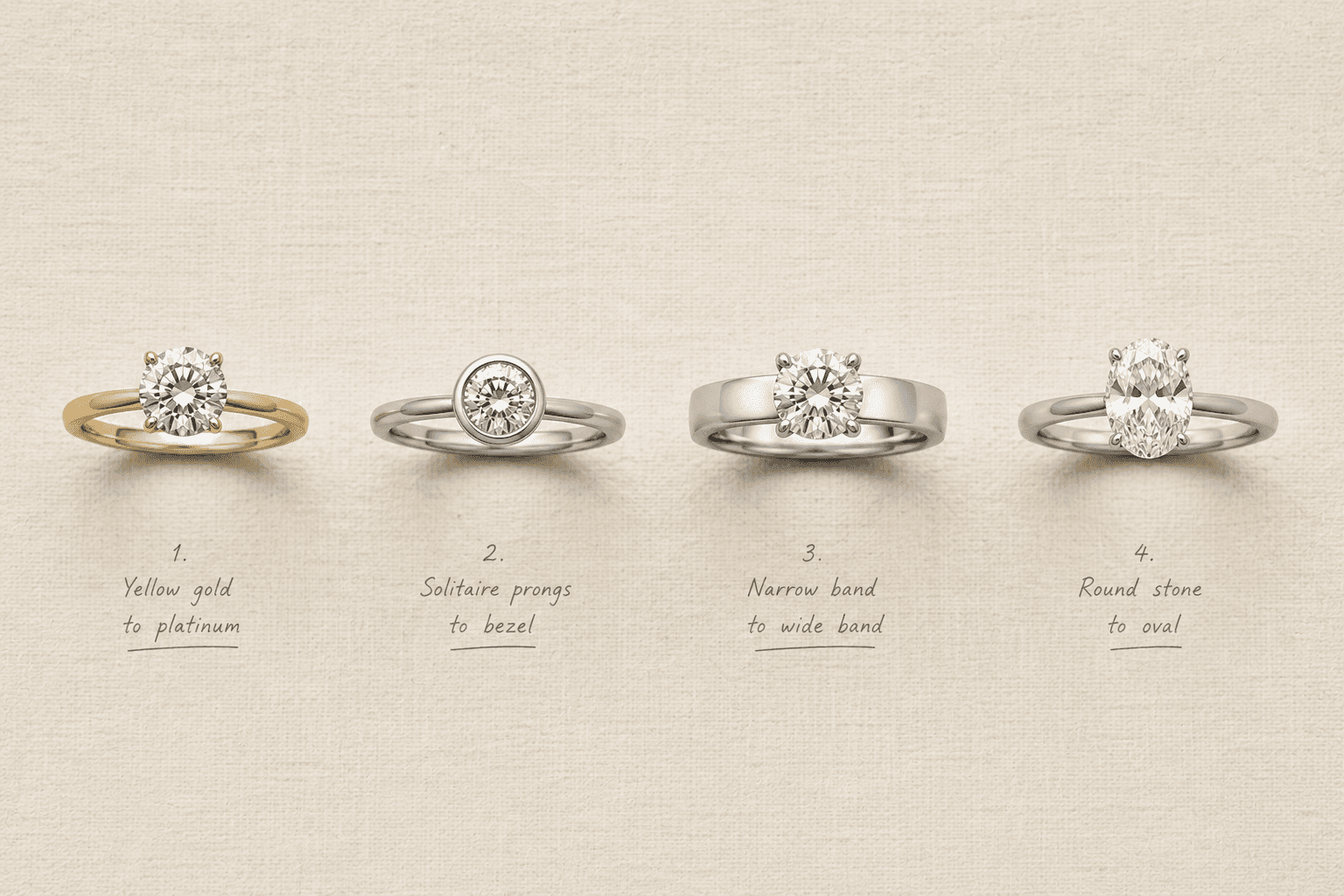
How do you prompt different AI image tools for jewelry? Write one jewelry brief, then translate it for each tool. Midjourney wants a descriptive prompt with parameters at the end. Gemini wants a narrative paragraph and a conversation. ChatGPT wants labeled sections and an explicit list of what must stay the same when you edit. Tashvi takes the brief in plain jeweler's language and writes the image prompt for you. The jewelry vocabulary is the same everywhere. The syntax, the editing method and the mistakes to watch for are not.
Key takeaways (October 2026)
- Midjourney V8.2: full descriptive sentences, then
--rawand a low--stylize. Skip--q,--oref,--crefand::weights, which V8 does not support. - Gemini (Nano Banana 2.1): describe the scene as a paragraph, not a keyword list, and edit with "change only X, keep everything else exactly the same."
- ChatGPT Images 2.5: labeled sections, exact text in quotes, exclusions listed as constraints, and the "keep" list repeated on every edit.
- Tashvi: describe the piece like a bench brief, check the brief with Plan, and change one named part with Segments.
- Every tool: count prongs and stones, check the setting and metal tone, and have a jeweler review before quoting or casting.
Disclosure: Tashvi AI publishes this guide, and Tashvi is one of the tools covered. Tashvi's Create also runs some of the same underlying image models discussed here, including OpenAI's GPT Image and Google's Nano Banana family. Tool versions, features and prices below were checked against each company's documentation in October 2026 and change often, so confirm on their own sites before you rely on them.
Updated October 25, 2026.
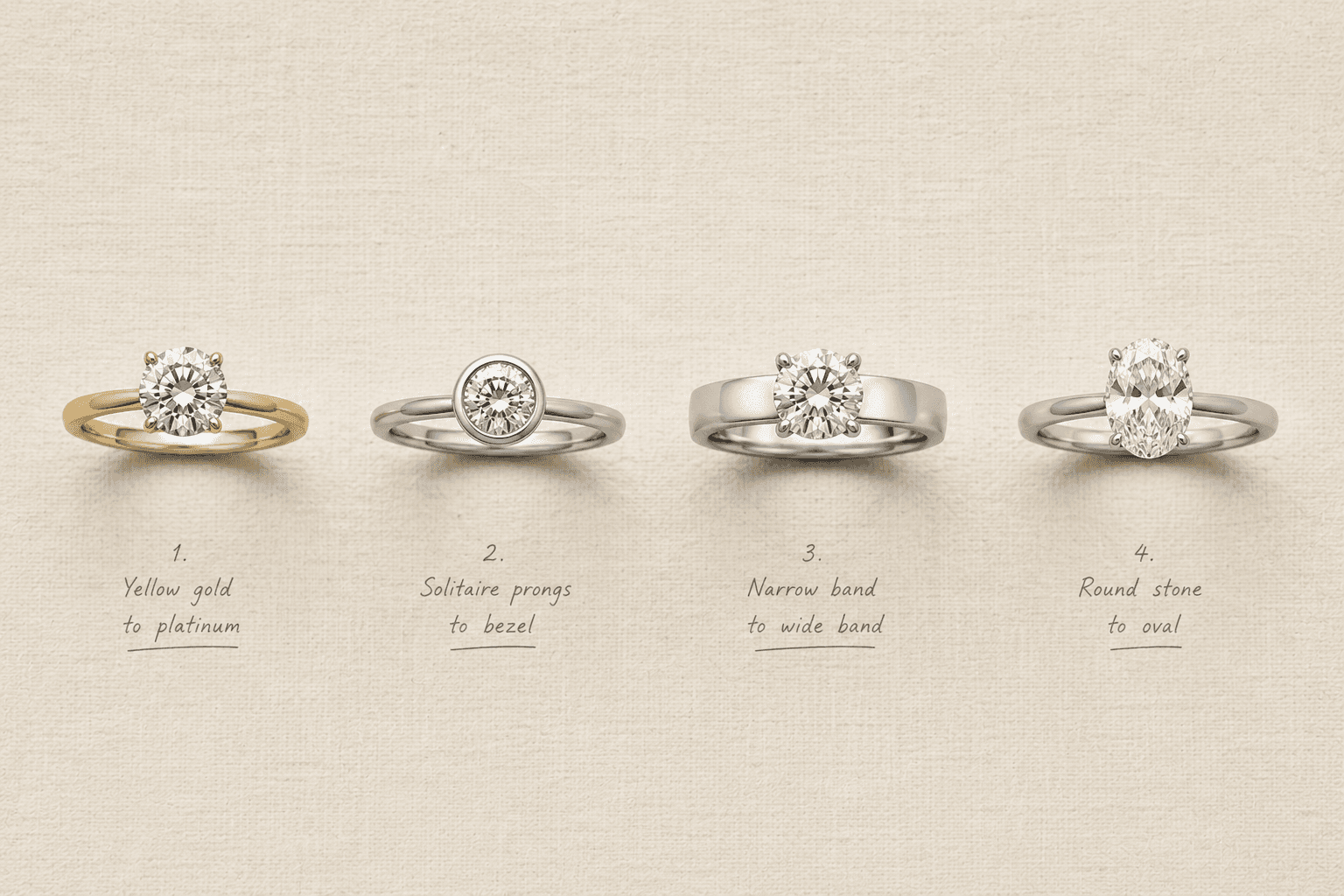
Midjourney vs Gemini vs ChatGPT vs Tashvi for jewelry
| Midjourney | Gemini (Nano Banana) | ChatGPT | Tashvi | |
|---|---|---|---|---|
| Current version (Oct 2026) | V8.2, default since July 24, 2026 | Nano Banana 2.1, since October 6, 2026; Nano Banana Pro on paid plans | ChatGPT Images 2.5, since September 8, 2026 | Create, with a choice of image models or Auto |
| How it reads a prompt | Descriptive sentences, settings as --parameters at the end | A narrative description, refined turn by turn | Labeled sections, literal constraints | Plain jewelry language, expanded into a full brief |
| Best jewelry use | Mood boards, campaign looks, styling ideas | Conversational iteration, compositing several references | Exact text, precise instructions, clean product cutouts | Design concepts you will develop, quote and build |
| Change one part | Editor with Smart Select, or the Edit Model | Describe the one change, state the rest stays | Select tool, or "change only X, keep Y" | Segments: click the named part |
| Free option | No free trial | Free in the Gemini app, with usage limits | Limited free images | Free plan, no credit card |
The rest of this guide uses one piece throughout so you can see the same brief translated four ways.
Start with one master brief
Every tool needs the same decisions from you: the piece, the metal and finish, the stones with cut and size, the setting, the silhouette, and the style and shot. Our six-element prompt formula covers those in depth, with examples for every jewelry category. This guide picks up where that one stops: what changes when you move the brief between tools.
Here is the master brief used in every example below. It has a detail that general models often get wrong, a hidden halo, so you can see how each tool handles it.
Engagement ring. Elongated oval cornflower-blue sapphire, about 1.5 carats, held by four claw prongs. A hidden halo of small round diamonds sits under the stone, visible only from the side. Slim polished 18k yellow gold band with a knife-edge profile, about 1.8 mm wide. Three-quarter view on a white background, soft studio light.
Write your brief like this first, in plain sentences, before you open any tool. It keeps the design decisions separate from each tool's syntax, and it is the version you can hand to your CAD designer or bench jeweler later.
What do AI image models still get wrong on jewelry?
Before the tool-by-tool sections, it helps to know the failure modes they share. These come from the way image models work, so better prompting reduces them but does not remove them.
| What goes wrong | Why it happens | How to prompt around it | What to check |
|---|---|---|---|
| Wrong prong or stone count | Image models cannot count reliably. A 2025 benchmark of 15 text-to-image models found all of them failed at exact counts, and accuracy fell as the number rose (T2ICountBench). | State small counts once, in words ("four claw prongs"). For pavé, describe density ("a continuous row of small pavé diamonds") rather than a number. Attach a reference that shows the setting. | Count prongs and stones at 200% zoom. |
| Setting swapped or misread | Similar-looking settings are easy for a model to confuse. A claw setting can come back as a bezel; a hidden halo can come back as a visible halo. | Name the setting and describe what it looks like from your chosen angle ("visible only from the side"). | Compare against the setting you named. |
| Construction that cannot be made | Models draw what looks plausible, not what can be cast and set. GIA researchers found floating bezels, an extra prong and stones blurring into prongs across five tools (GIA, Gems & Gemology, Fall 2024). | Describe how parts connect ("prongs rise from a basket beneath the stone"). Avoid asking for impossibly thin parts. | Have a jeweler review before quoting. |
| Metal tone drift | White gold, platinum and silver are close in color, and rhodium-plated white gold and platinum look nearly the same when new. Some models also lean warm. | Describe the tone, not only the metal: "cool bright white platinum," "warm 18k yellow gold." Ask for neutral white balance. | Compare against a real metal sample. |
| Wrong scale | With no finger, ear or neck in frame, a 2 mm band and a 6 mm band can look identical. | Show it worn, or give the size relative to something familiar. | Check the stone against the finger width. |
| Smeared pavé and invented facets | Small repeated detail is where models improvise. | Ask for a macro close-up, or use fewer, larger stones in the concept. Use a higher quality setting. | Zoom in on the pavé and the facet pattern. |
| Garbled engraving | Text inside small curved surfaces is hard for every model. | Put the exact words in quotes and keep them short. | Read the engraving letter by letter. |
The American Gem Society's guide to AI visual tools reached a similar conclusion from the other direction: when it asked tools to reproduce a real pendant, results looked polished but "only loosely resembled" the actual piece. Use general image tools for ideas and presentation, and treat every output as a concept until a jeweler has checked it.
How to prompt Midjourney V8.2 for jewelry
Short answer: describe the piece in full sentences, end the prompt with --raw and a low --stylize, and change single parts in the Editor rather than re-prompting.
Midjourney is known for mood, lighting and composition, and is less dependable at holding exact construction. V8.2 became the default on July 24, 2026 (Midjourney update). Since V8, Midjourney says the model follows long, specific prompts much better than earlier versions, so write full descriptive sentences rather than the comma-separated keyword lists common in older guides.
How to write the prompt. Use descriptive sentences. Midjourney's Prompt Basics asks for precise words and exact numbers, and warns that anything you leave out is filled in by its default style. Put parameters at the end, each with a space before the two dashes.
Studio product photograph of an engagement ring: an elongated oval cornflower-blue sapphire held by four claw prongs, a hidden halo of small round diamonds tucked beneath the stone and visible only from the side, a slim polished 18k yellow gold knife-edge band. Three-quarter view, soft even light from a light tent, seamless white background, sharp focus across the stone and band --ar 4:5 --raw --stylize 50
The parameters that matter for jewelry
| Parameter | What it does | Jewelry use |
|---|---|---|
--raw | Removes Midjourney's default styling for more photographic results and closer prompt following | Use it on almost every product-style jewelry prompt |
--stylize (--s) | 0 to 1000, default 100. Lower values stay closer to your prompt | Drop to 25 to 75 when construction matters; raise it for campaign moods |
--ar | Aspect ratio, default 1:1 | 4:5 or 1:1 for product shots, 9:16 for stories |
--chaos (--c) | 0 to 100, more varied results across the grid | Raise it early to explore directions, set it back to 0 to refine |
--sref with --sw | Style reference by image or code, strength 0 to 1000 | Keep a whole collection in one photographic look |
Image prompt with --iw | Uses an image as content guidance, weight 0 to 3 | Start from a sketch or a client's inspiration photo |
--seed | Repeats a result almost exactly on V8 | Compare one wording change at a time |
--hd | 2048 px output instead of 1024 px | Final images; costs more GPU time |
What not to copy from older guides. Many jewelry prompt lists online were written for V6 or V7. On V8.x, Midjourney's version chart marks --q (quality) and :: multi-prompt weights as unsupported, --oref (Omni Reference) only works on V7, and --cref is a legacy V6 feature (Version). --no still works, but it reads each word separately, so --no white gold excludes "white" and "gold" as separate ideas (No). Describe what you want instead.
Editing one part. Open the image in the Editor and use Smart Select to mark the area, then describe the replacement. On V8.1 and V8.2, the newer Edit Model (public testing since August 27, 2026) takes written instructions and up to four reference images. It replaces Omni Reference, Character Reference and Retexture on V8. Midjourney notes that features can mix between references, so combine several references into one image if that happens.
More Midjourney jewelry prompts
Editorial jewelry photograph of a woman's collarbone wearing a fine 18k yellow gold paperclip chain with a single pear-shaped emerald pendant in a bezel setting. Soft window light from the left, warm neutral backdrop, shallow depth of field with focus on the pendant --ar 4:5 --raw --stylize 100
Art deco inspired drop earrings in platinum with baguette diamonds above a hanging onyx panel, styled flat lay on black silk, dramatic rim light, high contrast --ar 1:1 --raw --chaos 30
Raise --chaos while you are exploring, as in the second prompt, then set it back to 0 and add a --seed once you have a direction worth refining.
Watch out for privacy. Midjourney images are visible on its site unless you use Stealth mode, which is only on the Pro and Mega plans (Stealth Mode). If you are designing an unreleased collection or a client's private commission, that matters. Midjourney's terms also require companies with more than $1M a year in revenue to be on Pro or Mega to own their outputs. Plans start at $10 a month, with no free trial.
Use Midjourney for: mood boards, campaign art direction, styling and scenes. Skip it for: anything you need to match exactly later, such as a client's approved setting or a stone count.
How to prompt Gemini (Nano Banana 2.1) for jewelry
Short answer: write one narrative paragraph that describes the piece, the surface, the light and the camera angle, then refine it turn by turn, saying exactly what changes and what stays.
Google's image models go by the Nano Banana name. The newest, Nano Banana 2.1, launched on October 6, 2026, and Google's product page says it is the image model on the paid Gemini plans (AI Plus, Pro and Ultra) (Gemini). Nano Banana Pro, which is Gemini 3 Pro Image, is still offered on AI Plus and above. Free accounts can generate images too, within usage limits Google does not publish as a fixed number.
Gemini's strength is the conversation. It keeps context from turn to turn and accepts up to 14 reference images, so it suits building a design up in steps, or combining a sketch, a stone photo and a metal sample into one render.
How to write the prompt. Google's core advice is "Describe the scene, don't just list keywords" (Gemini API docs). A descriptive paragraph beats a list of tags. Google's product photography template walks through the product, the surface it sits on, the lighting setup, the camera angle, what should be in sharp focus, and the aspect ratio. Here is the master brief in that shape:
A high-resolution, studio-lit product photograph of an engagement ring on a seamless white background. The ring has an elongated oval cornflower-blue sapphire of about 1.5 carats, held by four claw prongs, with a hidden halo of small round diamonds tucked beneath the stone so it shows only from the side. The band is slim, polished 18k yellow gold with a knife-edge profile. The lighting is a large overhead softbox with white bounce cards, giving even light and crisp highlights on the facets. The camera is at a three-quarter angle from slightly above, to show the hidden halo and the band profile. Ultra-realistic, with sharp focus on the sapphire and prongs. Portrait 4:5 format.
Google also recommends positive framing over negatives: "an empty, deserted street" rather than "no cars." For jewelry, that means "a plain, polished band" rather than "no stones on the band."
Using references. Google's Nano Banana prompting guide gives a formula for prompts with images: the references, then the relationship between them, then the new scene. Its own example turns a napkin sketch plus a fabric swatch into a 3D armchair render, which is exactly the move a jeweler makes from a pencil sketch.
Using the attached pencil sketch as the structure and the attached photo of my sapphire as the centre stone, create a photorealistic render of this ring in polished 18k yellow gold. Keep the sketch's proportions and the four-prong layout. Three-quarter view on a white background, soft studio light.
Editing one part. Gemini has no mask tool in the usual sense; the instruction is the mask. Google calls this semantic masking: say exactly what changes and exactly what stays.
Using the provided image, change only the band to polished 18k rose gold. Keep everything else in the image exactly the same, preserving the sapphire, the four prongs, the hidden halo, the lighting and the composition.
"Keep everything else the same" is an instruction, not a pixel lock, so check the stone and prongs after every edit. If the design starts to drift after many turns, Google's advice is to start a new conversation with a full description rather than keep correcting.
More Gemini jewelry prompts
Using the attached product photo of my pendant, show it worn by a model with a medium skin tone, framed from the chest up, in soft daylight against a plain linen background. Keep the pendant's shape, stone count, metal color and chain exactly as they are in the photo. Portrait 4:5 format.
A macro studio photograph of a pair of 18k white gold huggie hoop earrings set with a single row of small round diamonds, standing upright on a clear acrylic block. A softbox and white bounce cards give clean, continuous highlights along the hoops. Front-on camera angle, sharp focus on the stones, seamless pale grey background, square format.
Known limits. Google's own model card for Nano Banana 2.1 lists small text that blurs at 1K resolution, input and output that do not always match perfectly, occasional left and right confusion, and limited 3D reasoning (model card). For jewelry, those show up as soft engravings, side stones on the wrong side and side profiles that do not quite add up. Use 2K or 4K output for final images where your plan allows it. Every Gemini image carries a SynthID watermark and C2PA Content Credentials.
If you use Tashvi, Nano Banana 2.1 and Banana Pro are both in its model list, so the same prompting advice applies there when you pin those models.
Use Gemini for: iterating in conversation, sketch-to-render, combining several references, lifestyle scenes. Skip it for: exact small text, and edits where nothing outside the change may move.
How to prompt ChatGPT Images 2.5 for jewelry
Short answer: split the prompt into labeled sections (subject, composition, lighting, constraints), put any engraving text in quotes, and on every edit say what changes and list what must stay the same.
ChatGPT's image model is built to follow instructions and constraints literally, and it is strong at rendering text. Since ChatGPT Images 2.5 (September 8, 2026) OpenAI says it edits "only what you've asked for" and keeps earlier edits consistent across turns (OpenAI).
How to write the prompt. OpenAI's image prompting guide recommends naming the subject and the intended use first, then composition, then details, then constraints, and using labeled sections for complex requests. Unlike Midjourney and FLUX, it explicitly recommends stating exclusions as constraints.
Photorealistic product photograph for a jeweler's website.
Subject: an engagement ring with an elongated oval cornflower-blue sapphire, about 1.5 carats, held by exactly four claw prongs. A hidden halo of small round diamonds sits beneath the stone and is visible only from the side. The band is slim polished 18k yellow gold with a knife-edge profile.
Composition: three-quarter view, ring centered with the whole band visible, portrait 4:5.
Lighting and background: soft diffused studio light, neutral white balance, seamless pure white background, soft contact shadow.
Constraints: no text, no watermark, no props, no hand.
Editing one part. Say what changes and what stays, and repeat the "keep" list on every turn. OpenAI's guide calls this the way to reduce drift.
Change only the band metal to 18k rose gold. Keep the sapphire, the four prongs, the hidden halo, the band width, the camera angle, the lighting and the background exactly the same.
You can also click an image, choose Select, highlight an area and describe the change. OpenAI's help center warns that "highlights are not always precise, and edits may extend beyond the area you selected" (Images in ChatGPT), so check the rest of the ring after every select edit. ChatGPT Images 2.5 also added Sketch: type @, choose Sketch, and draw a rough outline as a visual guide, which suits jewelers who think with a pencil.
Tips that help with jewelry
- Engraving and packaging text. Put the exact words in quotes and describe the lettering: an engraving reading "Always" in a thin script on the inside of the band. Keep it short; dense small text is still a weak point in independent reviews.
- Transparent backgrounds. Ask for "a fully transparent background, no shadow" when you need a cutout for your website. If your prompt also describes a backdrop, the model may draw it instead.
- Warm color cast. Earlier GPT image models were widely reported to tint images yellow. Asking for "neutral white balance, true-to-life metal color" costs nothing and helps white metals read correctly.
- Restart when quality slips. If a long chain of edits starts to soften the image, go back to your best version and edit from there.
More ChatGPT jewelry prompts
Photorealistic product image of a 14k yellow gold signet ring with an oval face engraved with the initials "AJ" in a classic serif monogram.
Composition: three-quarter view, the ring centered, square format.
Constraints: fully transparent background, no shadow, no props, no other text.
Product photograph for a jewelry brand's website.
Subject: an open deep-green velvet ring box holding a platinum solitaire engagement ring with a round brilliant diamond in a six-prong setting. The inside of the lid is printed with the brand name "MAISON ELARA" in thin gold serif capitals.
Lighting and background: soft studio light, neutral white balance, warm ivory background.
Constraints: the brand name appears once, spelled exactly as written; no other text.
Images from ChatGPT carry C2PA Content Credentials and a SynthID watermark, which helps marketplaces and verification tools identify them as AI-generated, though edits, crops and format conversions can strip or weaken those signals (OpenAI help). ChatGPT includes limited free images; paid plans raise the limits.
Use ChatGPT for: precise instructions, text on packaging and engravings, transparent product cutouts, quick concept checks. Skip it for: high-volume exploration, where the free limits run out quickly.
How to prompt Tashvi for jewelry design
Short answer: describe the piece the way you would brief a bench jeweler, check Tashvi's brief with Plan before you generate, and change one named part with Segments.
Tashvi works differently from the three tools above, and it is worth being plain about how. Tashvi's Create runs several of the same underlying image models, including GPT Image 2, Nano Banana 2.1, Banana Pro (Google's Gemini 3 Pro Image) and FLUX 3, alongside others (Models). So the model limits described above still apply. What Tashvi adds is the jewelry layer between your words and the model.
How to write the prompt. Write it the way you would brief a bench jeweler. You do not need parameters, camera language or labeled sections, because Tashvi turns your description into a full image brief, including staging and lighting.
Elongated oval cornflower-blue sapphire engagement ring, about 1.5 carats, four claw prongs, hidden halo of small round diamonds, slim 18k yellow gold knife-edge band
What to do differently in Tashvi
- Check the brief before you pay for it. Turn on Plan and Tashvi shows the brief it will send to the image model under "Here's how I read it." If it turned your elongated oval into a plain oval, fix it in words or by hand, then press Craft. Planning is free; you pay once, for the image.
- Use the form when you need repeatable control. Design Blueprint is a structured form: piece, metal, center stone, accents, shank, render. Decorative fields you leave blank are excluded, so skipping accents rules out side stones and halos instead of letting the model add them.
- Edit by part name. Open Segments and the design is listed as jewelry parts: ring, centre stone, prongs, band, setting head, halo. Click the band, type "18k rose gold," and only the band changes. This is the jewelry version of the "change only X, keep Y" instruction you write by hand in ChatGPT.
- Match the prompt to the tier. Tashvi's Low tier expands a short description into a full render and fills in a neutral studio presentation, so keep the essentials clear and let it handle the shot. High and Max follow your exact wording, so add lighting and background if you care about them (Prompt Guide).
- Say what each reference is for. You can attach up to 9 reference images on Low and 14 on High and Max. Tell Tashvi what each one is for: "use this setting," "match this finish."
- Pin a model when you want a specific engine. Auto picks a model for your quality tier. Turn it off to choose one yourself, for example GPT Image 2 when exact prompt-following matters or Banana Pro for the highest fidelity.
More Tashvi jewelry prompts
Kundan bridal choker in 22k yellow gold with uncut polki diamonds, emerald drops and three strands of seed pearls, traditional Rajasthani style
To swap only the stone, open Segments, click centre stone, and type:
Make this a cushion-cut pink sapphire, same size
Tashvi's example prompts cover rings, necklaces, earrings, bracelets and Indian heritage pieces you can paste straight into Create.
Tashvi has a free plan with no credit card, and paid plans add higher quality tiers, more models, and 3D drafts with STL export. Even so, a Tashvi image is a design concept, not a manufacturing file. Have your CAD designer or jeweler check prong counts, wall thickness and stone seats before you quote or cast.
Other image tools: FLUX, Firefly, Ideogram and Recraft
| Tool | Current version (Oct 2026) | The prompting rule that matters | Jewelry use |
|---|---|---|---|
| FLUX (Black Forest Labs) | FLUX.2 and FLUX 3 Image | No negative prompts. Earlier words carry more weight, so lead with the piece. Tie hex colors to one object: "the band is color #E6C27A" (FLUX.2 prompting guide). | Photographic detail, matching a brand's exact metal or packaging color |
| Adobe Firefly | Firefly Image Model 5, plus partner models | Plain, concrete descriptions of at least three words; put text in quotes (Firefly tips). | Teams already in Photoshop; Generative Fill for backgrounds |
| Ideogram | Ideogram 4.5 | Strongest at rendering text. Turn Magic Prompt off when you want exact wording. | Packaging mock-ups, engraving previews, ad layouts |
| Recraft | V4.1 | Outputs editable vector graphics. | Logos, line art and technical-style illustrations |
The same jewelry brief in each tool
| Midjourney | Gemini | ChatGPT | Tashvi | |
|---|---|---|---|---|
| Structure | One descriptive paragraph, parameters at the end | A narrative scene description | Labeled sections | One plain sentence, like a bench brief |
| Photography terms | Yes: light tent, seamless background | Yes: lens, lighting, angle | Yes: lighting, white balance, background | Optional on Low, useful on High and Max |
| Exclusions | Describe what you want; --no is per word | Describe what you want | List them under constraints | Blueprint excludes blank decorative fields |
| Settings | --ar 4:5 --raw --stylize 50 | Say the aspect ratio in words; choose 1K, 2K or 4K where offered | Say the aspect ratio in words | Composer: tier, aspect ratio, style |
| To change one part | Editor, Smart Select | "Change only X, keep everything else" | Select, or "change only X, keep Y" | Segments |
How to change one detail without redrawing the piece
Every tool now has a way to edit one part and leave the rest alone:
- Midjourney V8.2: open the image in the Editor, mark the area with Smart Select, and describe the replacement. The Edit Model also takes written instructions and up to four references.
- Gemini (Nano Banana 2.1): "Using the provided image, change only the band to 18k rose gold. Keep everything else exactly the same."
- ChatGPT Images 2.5: use Select on the image, or write "change only the band," then list everything that must stay and repeat that list on every edit.
- Tashvi: open Segments, click the band, and type the change. Only the band is edited.
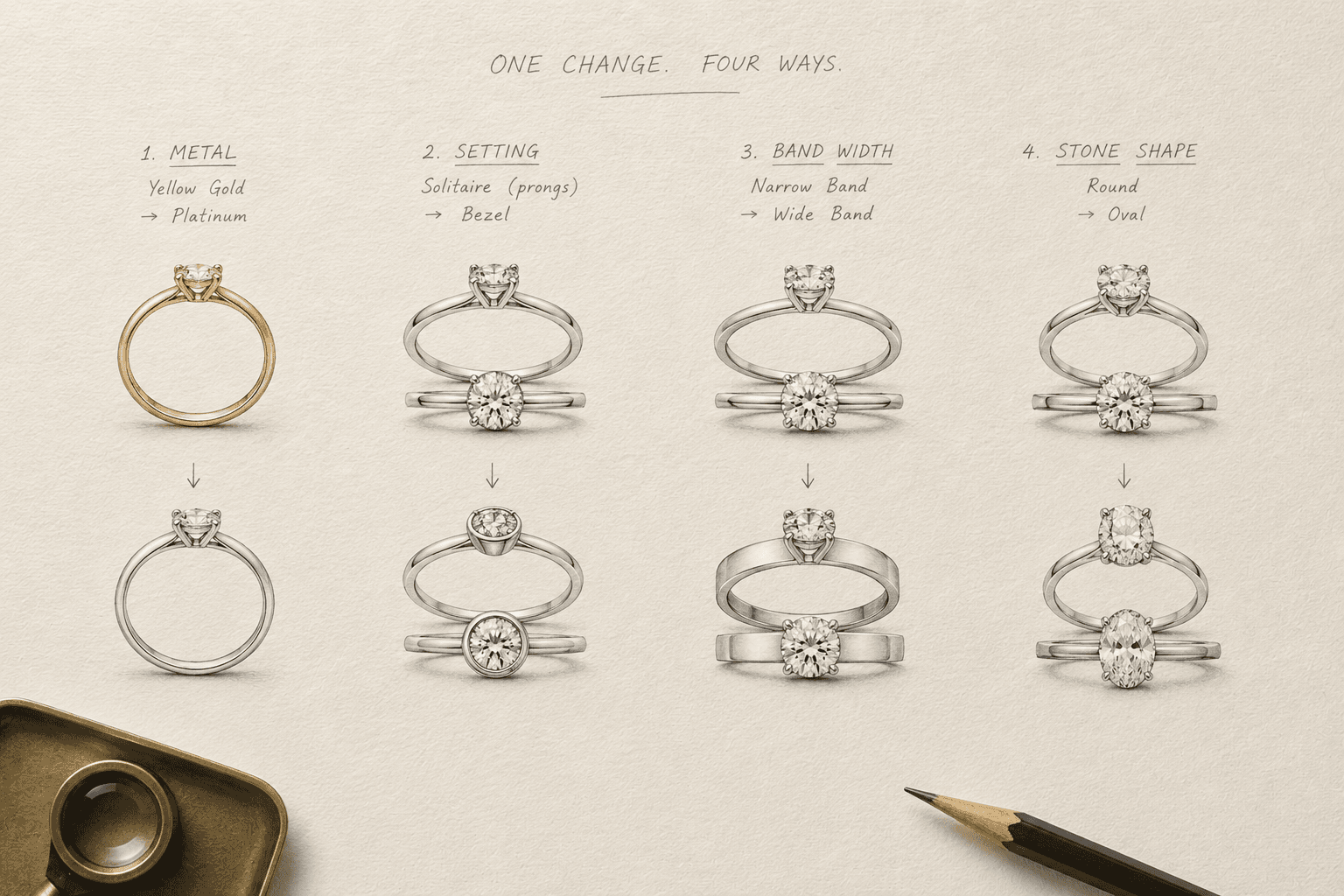
Whichever tool you use, the habit that saves the most time is changing one element per turn. Change the metal, look at the result, then change the setting. When several things change at once, you cannot tell which instruction caused a problem, and every model is more likely to redraw parts you meant to keep.
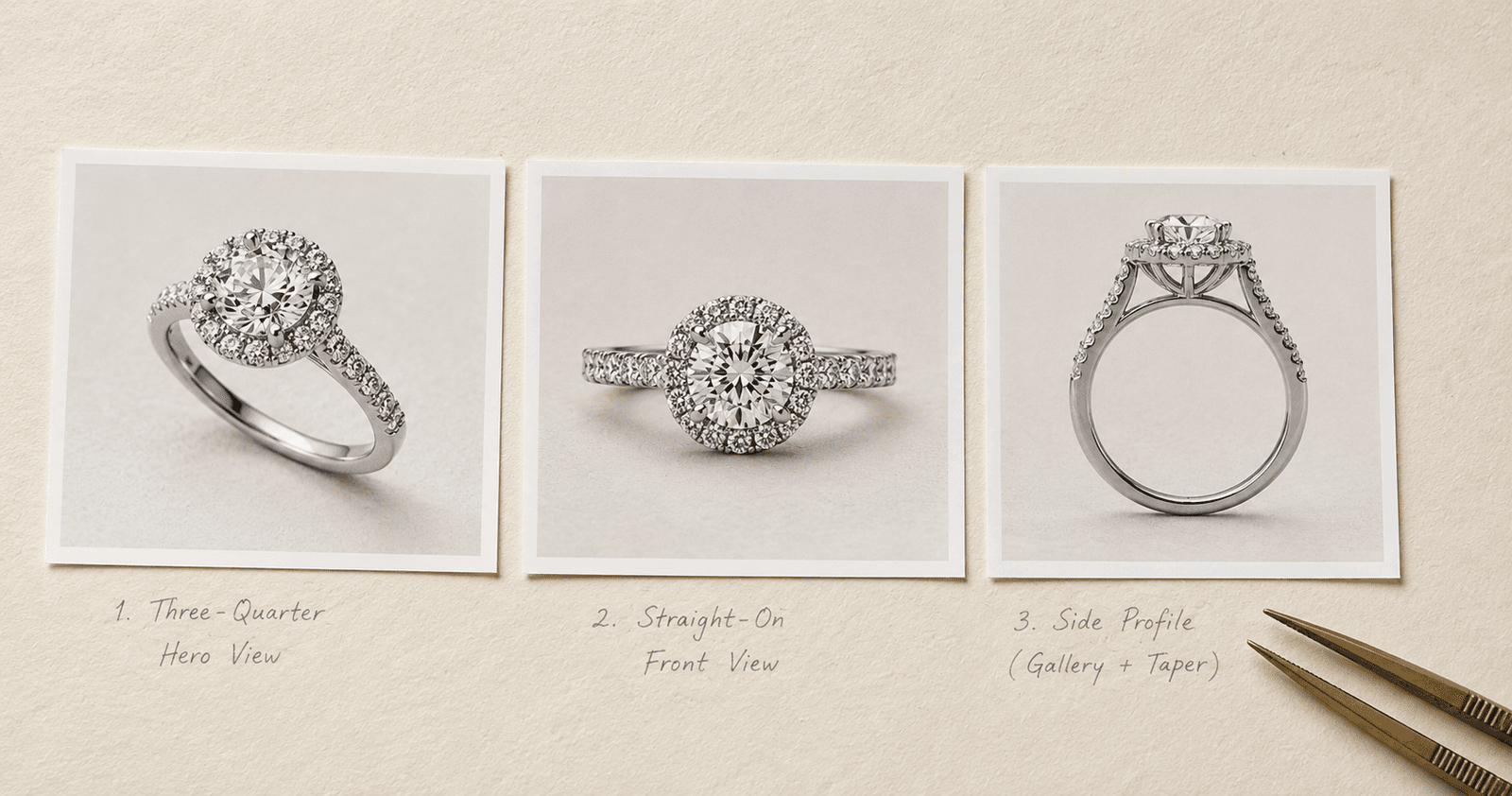
Ask for the views a jeweler needs, too. A three-quarter view sells the design, a straight-on front view shows the face, and a side profile shows the gallery, the setting height and the band taper, which is where a hidden halo actually shows.
What to check before you show a client or list it
- Check it like a jeweler. Count prongs and stones, confirm the setting type, check the metal tone, and look at how each part connects. If you would not accept it from a CAD designer, do not send it to a client.
- Do not prompt with brand names. Prompts like "Cartier style" push the model toward protected designs, and luxury houses do sue over look-alikes (Rapaport). Describe the features you like instead.
- Know what you own. The US Copyright Office's January 2025 report says a prompt alone does not make you the author of an image; human edits, selection and arrangement can be protected (US Copyright Office).
- Follow marketplace rules. Etsy updated its AI policy on October 22, 2026: most listings now need at least one unedited photo of the actual item, and AI-created items must be disclosed (CNBC). Read the current policy of every marketplace you sell on.
- Keep unreleased designs private. Check each tool's visibility settings before you design a collection you have not launched.
Related reading
- Prompt Engineering for Jewelry Design for the six-element formula and copy-paste prompts by jewelry category
- Best AI for Jewelry Design 2026 for features and prices across nine tools
- Why Reference-Based Design Beats Text Prompting for when to show instead of tell
- Convert AI-Generated Images to CAD-Ready Files for the step after the concept
Frequently Asked Questions
Quick answers to the questions readers ask most about this guide.
Can I use the same jewelry prompt in Midjourney, Gemini and ChatGPT?
You can reuse the same design brief, but not the same wording. Midjourney V8.2 reads a descriptive prompt and takes settings as parameters at the end, such as --ar and --raw. Gemini with Nano Banana 2.1 responds best to a narrative paragraph that describes the scene and is then refined in conversation. ChatGPT Images 2.5 follows labeled sections (subject, composition, lighting, constraints) and edits best when you say what to change and what to keep. Keep one master brief and translate it for each tool.
Can ChatGPT design jewelry?
Yes, as images. ChatGPT Images 2.5, released in September 2026, turns a written brief, a sketch or a photo into a photorealistic jewelry concept and edits it in conversation. It is strong at following exact instructions and at rendering engraving and packaging text. It does not produce CAD or STL files, and like every image model it can get prong and stone counts wrong, so have a jeweler check the design before it is quoted or made.
Is Midjourney good for jewelry design?
Midjourney V8.2 is good for mood boards, campaign looks and styling ideas, and less reliable for exact construction such as a specific prong count or setting. For product-style images, write full sentences and add --raw with a low --stylize value. Midjourney images are public unless you use Stealth mode, which needs the Pro or Mega plan, so keep that in mind for unreleased designs.
Which AI image tool is most accurate for jewelry?
No general image model reliably gets prong counts, stone counts and settings right, because counting and fine construction are known weak points for every current model. GIA researchers found floating bezels, extra prongs and stones blurring into prongs across five tools in 2024, and newer models still drift on small details. A jewelry-specific tool helps by writing the jewelry brief for you and letting you edit one named part, but every image still needs a jeweler to check it before quoting or production.
How do I stop AI from changing the whole ring when I edit one detail?
Use each tool's region or part editing instead of a fresh prompt. In Midjourney V8.2, open the image in the Editor and use Smart Select on the area, or use the Edit Model. In ChatGPT Images 2.5, use Select on the image, or write "change only the band" and list everything that must stay the same, repeating that list on every edit. In Gemini, write "using the provided image, change only" the part, and say everything else stays exactly the same. In Tashvi, open Segments, click the named part such as the centre stone or band, and describe the change.
Should I write negative prompts for jewelry?
It depends on the tool. FLUX has no negative prompts and Midjourney reads each word after --no on its own, so in both it works better to describe what you want, for example "a plain polished band" rather than "no stones on the band." ChatGPT's official guide does recommend listing exclusions as constraints, such as "no text, no watermark, no props." Gemini's guidance favors positive descriptions of the scene you want.
Can I put a brand name like Cartier or Tiffany in a prompt?
Avoid it. Prompting with a house name pushes the model toward that brand's protected designs, and luxury houses actively sue over look-alike pieces. Describe the design features you like instead, for example "a slim nail bent into a ring with a flat head and a pointed tip," and make the piece your own.
Are AI jewelry images copyrighted, and can I sell with them?
Under current US Copyright Office guidance, a prompt alone does not make you the author of an image; meaningful human edits, selection and arrangement can be protected. For selling, check each marketplace. Etsy updated its AI policy in October 2026 to require an unedited photo of the actual item on most listings and disclosure of AI-created items. Use AI images as concepts and presentation material, and photograph the real piece for listings.