Free Jewelry Inventory Software: Tashvi One for Stock, Sales and Billing (2026)
Tashvi One is free jewelry inventory and business management software: tagged stock by weight and purity, metal rates, sales and invoices with GST or VAT, supplier deliveries, stocktakes and eight stock reports. Here is what it does, what it doesn't do yet, and how to set it up.
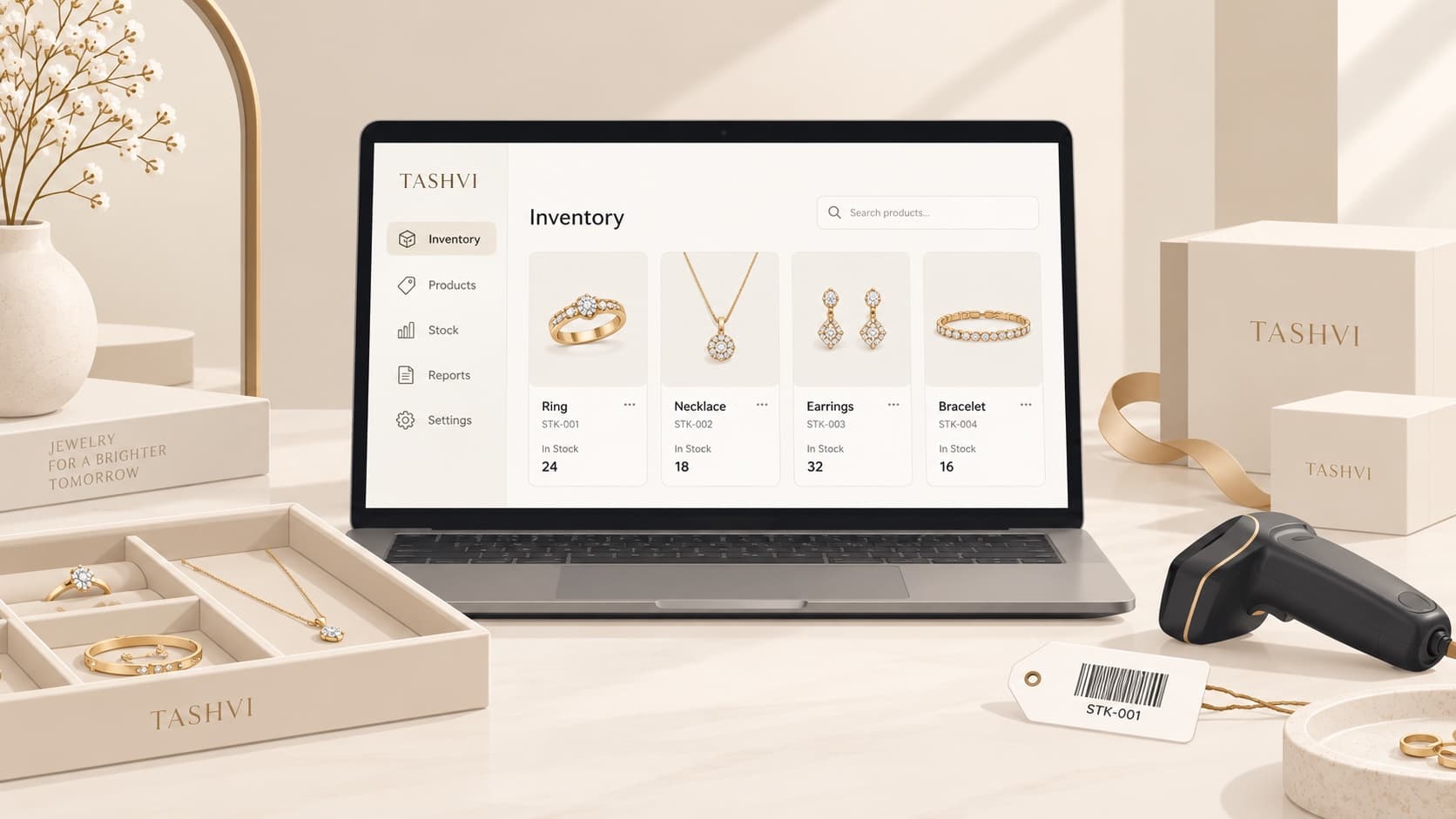
Is there free jewelry inventory software? Yes. Tashvi One is jewelry inventory and business management software that is included free on every Tashvi account, including the Free tier. It keeps your products and individually tagged pieces, metal rates, sales and invoices, supplier deliveries, contacts, stocktakes and stock reports in one browser workspace. There is no trial clock and no separate subscription, and it doesn't use Design Studio credits. The Tashvi Assistant inside it, which answers questions about your shop and prepares changes for you to confirm, is included on paid plans.
Disclosure: Tashvi publishes this guide and makes Tashvi One. Tashvi One being free is an offer that, like any plan, is subject to change. Everything below describes screens a jeweler can open today, and the section on what it doesn't do yet is as important as the rest.
| Tashvi One | |
|---|---|
| Price | Free on every Tashvi account |
| Built for | Jewelry stores, studios, designers and small workshops |
| Runs on | Any browser, desktop or phone. Nothing to install |
| Tracks | Products, tagged pieces, weight, metal, purity, cost, price, location |
| Sells | Quote, hold, deposit, invoice, payment, return, refund |
| Tax | India GST (with HSN and HUID), US sales tax, EU VAT, or none |
| Imports | Excel, CSV, Word, PDF and photos of a stock list |
| AI assistant | Included on paid plans |
Why jewelers need jewelry inventory software, not generic stock software
Most free inventory tools are built for shops where any unit of a product can stand in for any other. Sell one, the count drops by one.
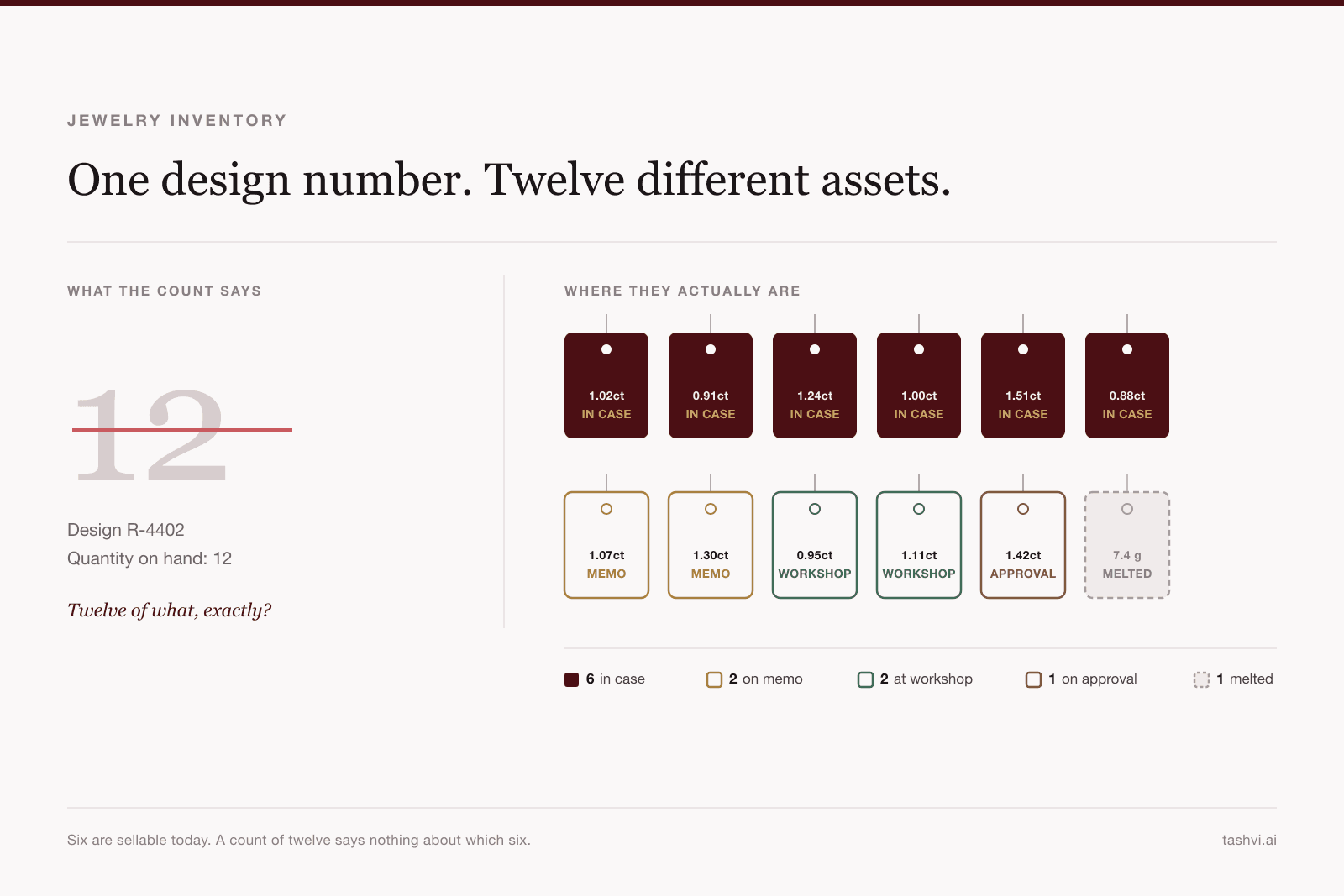
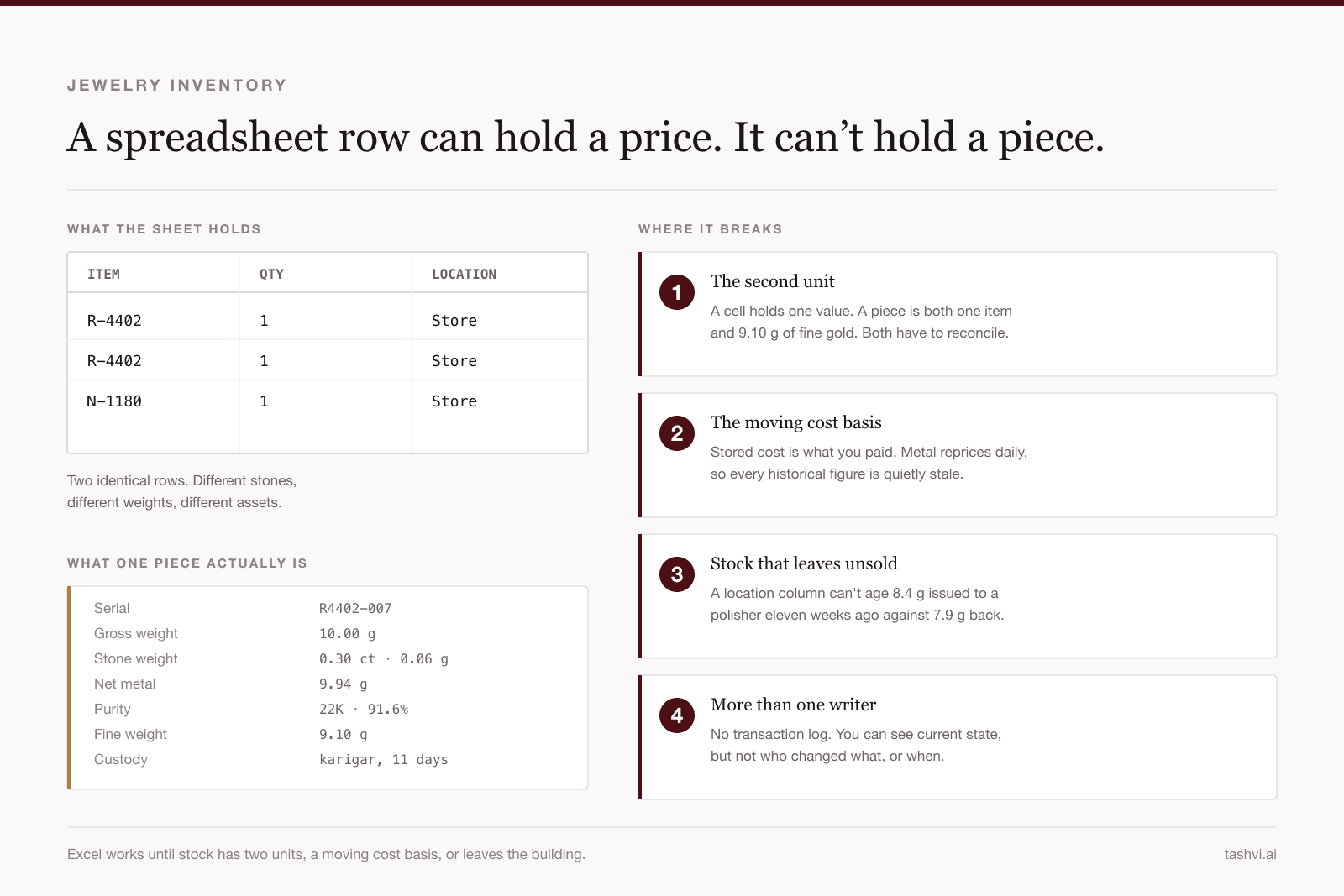
Jewelry doesn't work that way. Two rings of the same design can hold different stones, weigh different amounts and have cost different sums. Their value moves with the metal rate after you buy them. A count of "12" tells you almost nothing; you need to know which twelve pieces, what each weighs, and where each one is. We covered this in detail in what jewelry ERP and inventory software actually solves, and in where a jewelry inventory spreadsheet breaks.
Tashvi One is built around that difference:
- Every piece is its own record. A product is a design, like a halo ring in 18K gold. Each piece you own is a tagged instance of it, with its own weight and cost.
- Metal and purity are real fields, not notes in a description box.
- Stock is a history, not a number someone overwrites. Every receipt, sale, return and stocktake adjustment is a movement you can trace in the Ledger.
What's included free in Tashvi One
Products and tagged stock
Create a product with its name, category (ring, necklace, bracelet, earring, pendant, chain, bangle, or gems and stones), metal and purity, retail and cost price, and an optional tax rate and HSN code. Add up to four photos.
Add from photo saves typing: take or choose a photo of a piece, and Tashvi One suggests the name, category, metal and stones for you to check. Nothing is saved until you press Create, and a suggestion never overwrites what you've already typed.
To add stock, enter the piece's gross weight and cost. Leave the tag blank and Tashvi One generates one, like RING-00007, or enter the tag a piece already carries from a supplier or an older book. India shops can record the HUID on each piece.
Barcode tags
Every piece row has a Print tag button that prints a barcode tag for that piece, so the tag on the tray matches the record in the system.
Metal rates and weight-based pricing
Record your selling rate per gram for each metal and purity. In shops that price by weight, the default in India and several other markets, new sales are priced from the latest rate. Invoices already issued keep their prices, so updating today's rate never rewrites yesterday's bills. Rates are entered by you, not pulled from a live feed, so they match what your counter actually charges.
Sales, invoices and payments
A sale runs the way a counter does:
- Quote. Add pieces by tag, SKU or product, pick a customer or leave it as a walk-in.
- Hold the pieces for the customer, and take a deposit if they're paying in advance.
- Invoice. The goods leave stock, and the revenue, tax and cost are posted.
- Take payment in full or in parts, by cash, card, UPI or bank transfer.
Return goods puts pieces back into stock and reverses their revenue and tax; Record refund hands the money back. Print / PDF prints any order as a quote or an invoice. Invoices from India shops carry HSN, weight, purity and HUID on each line.
Tax: GST, VAT or sales tax
Owners and managers set the shop's country, a tax profile (India GST, United States sales tax, European Union VAT, or no tax profile) and the rate. A rate on an individual product overrides the shop rate. Your currency follows your country.
Purchasing and supplier deliveries
Receive delivery books a supplier's goods into stock already costed. Add each line's cost, weight and stone carats, then enter freight, customs duty and other charges; Tashvi One spreads them across the lines by cost or by weight and shows the landed total. If the supplier already numbered the pieces, keep their numbers as the tags.
Contacts and purchase history
Contacts holds customers, suppliers, manufacturers (your karigars and workshops) and partners. Choose Purchase history under any customer's name to see everything they've bought.
Stocktake
Choose Stocktake on Products, pick a location, then scan or paste the tags you find, one per line. Tashvi One compares what you found with what should be there. An owner or manager approves the differences: missing pieces are written off, and pieces found in the wrong place are moved to where they were counted. For how to run a rolling count without closing the store, see how to run a jewelry stocktake.
Eight stock reports
| Report | What it shows |
|---|---|
| In-hand stock | Every piece the shop still owns, wherever it's sitting |
| By category | What each kind of piece is worth, and what it weighs |
| By location | What's in the safe, the showcase and every other location |
| On approval | Stock out on memo, by party, and how long it's been out |
| Old inventory | How your stock is spread by age, and the pieces that have sat longest |
| Dead stock | Pieces past the age you choose, and whether the style still sells |
| Undelivered | Pieces held against an order that hasn't been handed over |
| Top movers | The styles that actually sold, by revenue or by pieces, net of returns |
Reports export to CSV, and Export products and Export stock download your catalogue and current pieces as CSV files, so your data is never locked in.
Import your existing stock from Excel, PDF or a photo
You don't have to retype your books. Import from a file reads Excel, CSV, TSV, Word, PDF, and JPG, PNG or WebP photos of a printed or handwritten list, up to 3 MB. It lays out what it found as products and pieces and says where it's unsure. You review and fix every row, choose whether it's opening stock or a supplier delivery, and nothing is booked in until you press Import. Importing is free on every plan.
Teams and roles
In a team workspace, each person's role decides what they can do:
| Role | Can |
|---|---|
| Owner and Manager | Everything, including products, contacts, tax settings, imports, metal rates and approving a stocktake |
| Designer | Sell, receive deliveries, book in stock and count stock |
| Admin | View only |
From design to inventory
Tashvi One sits in the same workspace as Tashvi's AI jewelry design studio. When a design is ready, Add to inventory carries the render into a new product, so the piece you designed and the piece you stock are one record.
The Tashvi Assistant (paid plans)
The assistant is the one part of Tashvi One that isn't free. Open it with Ask and use plain language:
- "What's in the showcase?"
- "Which rings haven't moved in six months?"
- "What's our stock worth right now?"
- "Open an order for Priya Shah with RING-00007 and hold it."
It answers from your own records. When you ask it to change something, it doesn't act on its own: it prepares the change as a card for you to confirm. Each card can be confirmed once, and it expires after 15 minutes. Moving a piece from the safe to the showcase is done through the assistant.
The assistant is included on Tashvi's paid plans; see pricing for the current plans.
What Tashvi One doesn't do yet
Tashvi One launched with the records a shop touches every day. From its own screens, it can't yet:
- Scan barcodes at the sales counter (stocktakes do accept scanned tags)
- Send goods out on memo, to a workshop or for repair
- Record returns to a supplier or supplier payments
- Reconcile a cash register
- Show financial statements such as profit and loss or a balance sheet
- Handle old-gold exchange, gold savings schemes or girvi
If your business depends on any of these every day, keep your current system for that part of the work, or run Tashvi One alongside it for stock and sales. The guide to jewellery inventory in India explains why karigar accounts and old gold need their own records.
Free Tashvi One vs. a spreadsheet vs. paid jewelry software
| Spreadsheet | Generic free inventory app | Tashvi One (free) | Paid jewelry ERP | |
|---|---|---|---|---|
| Cost | Free | Free tier, usually limited | Free | Monthly or one-time licence |
| One record per piece | Manual | Rarely | Yes | Yes |
| Weight, metal and purity | Manual columns | No | Yes | Yes |
| Price from metal rate | Formulas you maintain | No | Yes | Yes |
| Barcode tags | No | Sometimes | Yes | Yes |
| Invoices with GST, VAT or sales tax | No | Sometimes | Yes | Yes |
| Stocktake with approval | No | Sometimes | Yes | Yes |
| Memo, karigar and repair workflows | Manual | No | Not yet | Usually |
| Financial statements | Manual | No | Not yet | Usually |
| Setup | Instant | Minutes | Minutes, with AI import | Often days, with onboarding |
Who Tashvi One fits today: independent jewelry stores, designers who sell what they make, small studios and workshops, and anyone moving off a spreadsheet who wants item-level stock, weight-based pricing and proper invoices without paying for them.
Who should wait or run it alongside: multi-store chains, and businesses whose day runs on memo, karigar job work, repairs or old-gold exchange.
How to set up Tashvi One in about 15 minutes
- Open Tashvi One. Sign in to Tashvi with a verified email and open design.tashvi.ai/one. Your shop is created the first time you open it.
- Set your country and tax first. Go to Sales → Tax settings. Your currency follows your country and can't change once anything with a value is recorded, so do this before adding stock.
- Record metal rates. Enter a rate per gram for each metal and purity you sell.
- Import your stock. Use Import from a file with the spreadsheet or stock list you already have. Fill in costs before importing: a blank cost comes in at zero and understates your stock value.
- Print tags. Print a barcode tag for each piece from its product row.
- Make your first sale. Open New sale, add a piece by its tag, and take it from quote to invoice to payment.
Tashvi One
Run your jewelry business free
Tagged stock by weight and purity, metal rates, invoices with GST or VAT, supplier deliveries, stocktakes and reports. Free on every Tashvi account.
Related reading
- Jewelry ERP and inventory software: what it actually solves. Serialization, metal-rate costing, memo stock and the compliance record
- Where a jewelry inventory spreadsheet actually breaks. Excel, Shopify and QuickBooks, and the four points they stop working
- Jewelry ledger software: why a gold business runs two ledgers. Money and metal accounts, karigar balances, the melt loop
- Jewellery inventory management in India. Split GST, karigar accounts, old gold and HUID
- Free AI ring designer. Design the pieces before they become stock
Features described here are those available in Tashvi One on the date above. Tashvi One records tax on your sales; it is not tax, legal or accounting advice. Confirm your own obligations with a qualified adviser.
Frequently Asked Questions
Quick answers to the questions readers ask most about this guide.
Is there free jewelry inventory software?
Yes. Tashvi One is jewelry inventory and business management software that is included free on every Tashvi account, including the Free tier. It covers products and individually tagged pieces, metal rates, sales and invoices, supplier deliveries, contacts, stocktakes and eight stock reports. It is not a trial and needs no separate subscription. The Tashvi Assistant inside it is included on paid plans. Tashvi publishes this guide, and the offer is subject to change.
What does Tashvi One cost?
Nothing. Tashvi One is free on every Tashvi account and does not use Design Studio credits. Importing your stock from a file is free on every plan. The Tashvi Assistant, which answers questions about your shop and prepares changes for you to confirm, is included on paid plans.
Can Tashvi One track jewelry by weight and purity?
Yes. Each product records its metal and purity, such as 18K gold or 925 silver, and each piece records its own gross weight and cost. You record a selling rate per gram for each metal and purity. In shops that price by weight, the default in India and several other markets, new sales are priced from the latest rate, and invoices already issued keep their prices.
Does Tashvi One support GST and HUID for Indian jewellers?
Yes. An India shop sets the India GST tax profile, can record a piece's HUID when booking it in, and prints HSN, weight, purity and HUID on each invoice line. Tashvi One also supports United States sales tax, European Union VAT, or no tax profile, and a product's own tax rate can override the shop rate.
Can I import my existing jewelry stock from Excel?
Yes. Import from a file reads Excel, CSV, Word, PDF and photos of a printed or handwritten stock list, up to 3 MB. It lays out what it found as products and pieces, you review and correct every row, and nothing is booked in until you press Import. Rows that match an existing product code are added to that product rather than duplicated.
Is there a Tashvi One mobile app?
Tashvi One runs in the browser at design.tashvi.ai/one, on a computer or a phone, with a phone layout of its own. There is nothing to download or install.
What can't Tashvi One do yet?
From its own screens, Tashvi One can't yet scan barcodes at the counter, send goods out on memo, to a workshop or for repair, record supplier returns or payments, reconcile a cash register, or show financial statements such as profit and loss or a balance sheet. Stores that depend on those today should keep their current system for that part of the work.