Design Valentine's Day Jewelry Collections with AI in Hours (Not Weeks)
Jewelers: Valentine's Day is the second-biggest jewelry sales event after Christmas. Use AI to design, prototype, and market an entire romantic collection in hours—while competitors wait weeks for CAD renders.
Why Valentine's Day Is a Make-or-Break Window for Jewelers
Valentine's Day drives more jewelry sales per day than any other period. The two weeks before February 14 see a 300-400% spike in jewelry searches. For independent jewelers and small brands, this is a concentrated revenue opportunity — but only if you have the right collection ready in time.
The problem: traditional design-to-market timelines don't fit seasonal windows.
| Traditional Workflow | Timeline | AI Workflow | Timeline |
|---|---|---|---|
| Concept sketches | 1-2 weeks | AI concept generation | 1-2 hours |
| CAD modeling | 2-4 weeks | AI renders + variations | 1-2 hours |
| Physical prototyping | 1-2 weeks | Photorealistic previews | Instant |
| Product photography | 3-5 days | AI product photos | Minutes |
| Marketing materials | 1 week | AI lifestyle/model shots | Minutes |
| Total | 6-10 weeks | Total | 1 day |
By the time a traditional workflow delivers your Valentine's collection, the holiday is over. AI compresses the entire design-to-market pipeline into hours.
5 Valentine's Day Jewelry Categories to Design with AI
1. Heart Motif Rings and Pendants
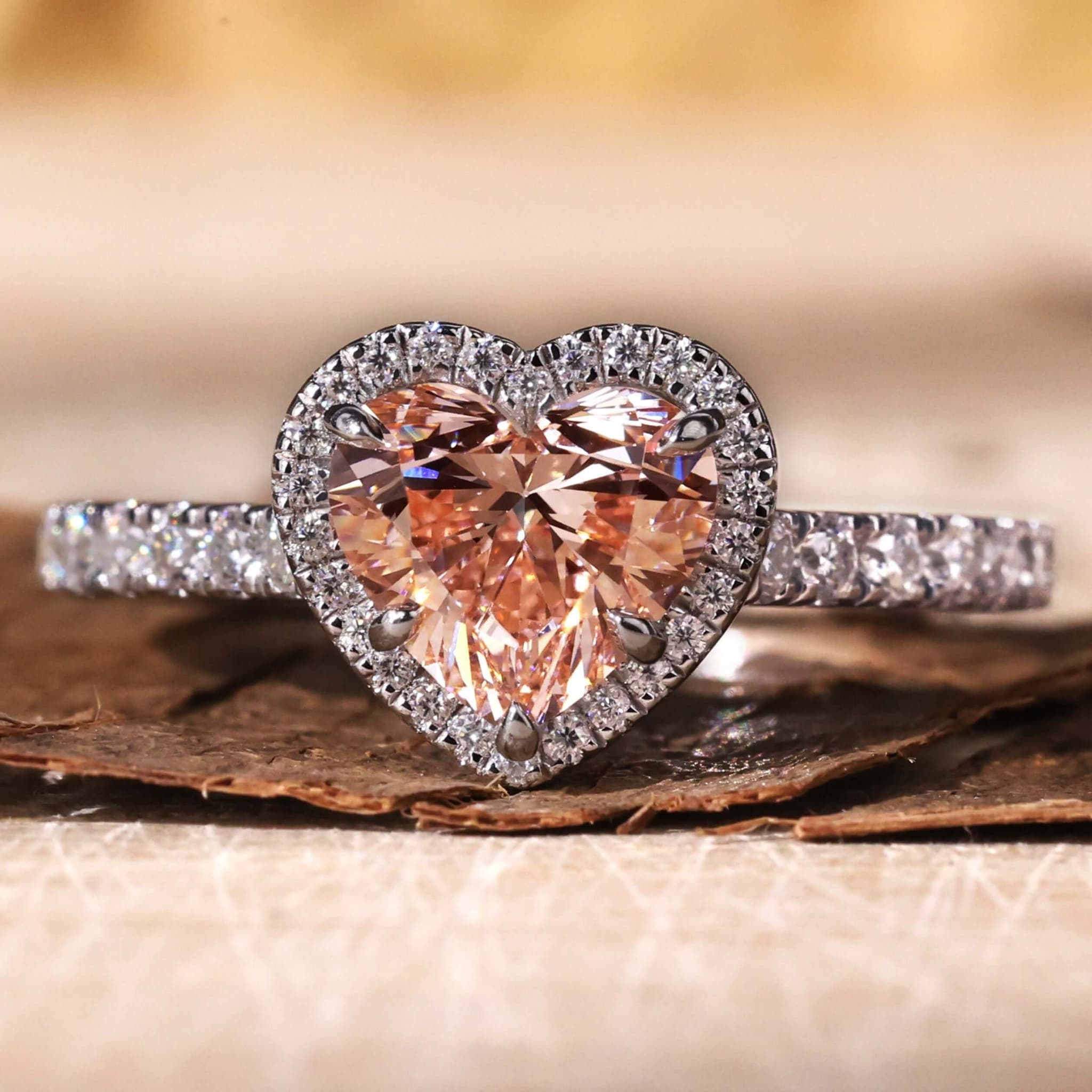
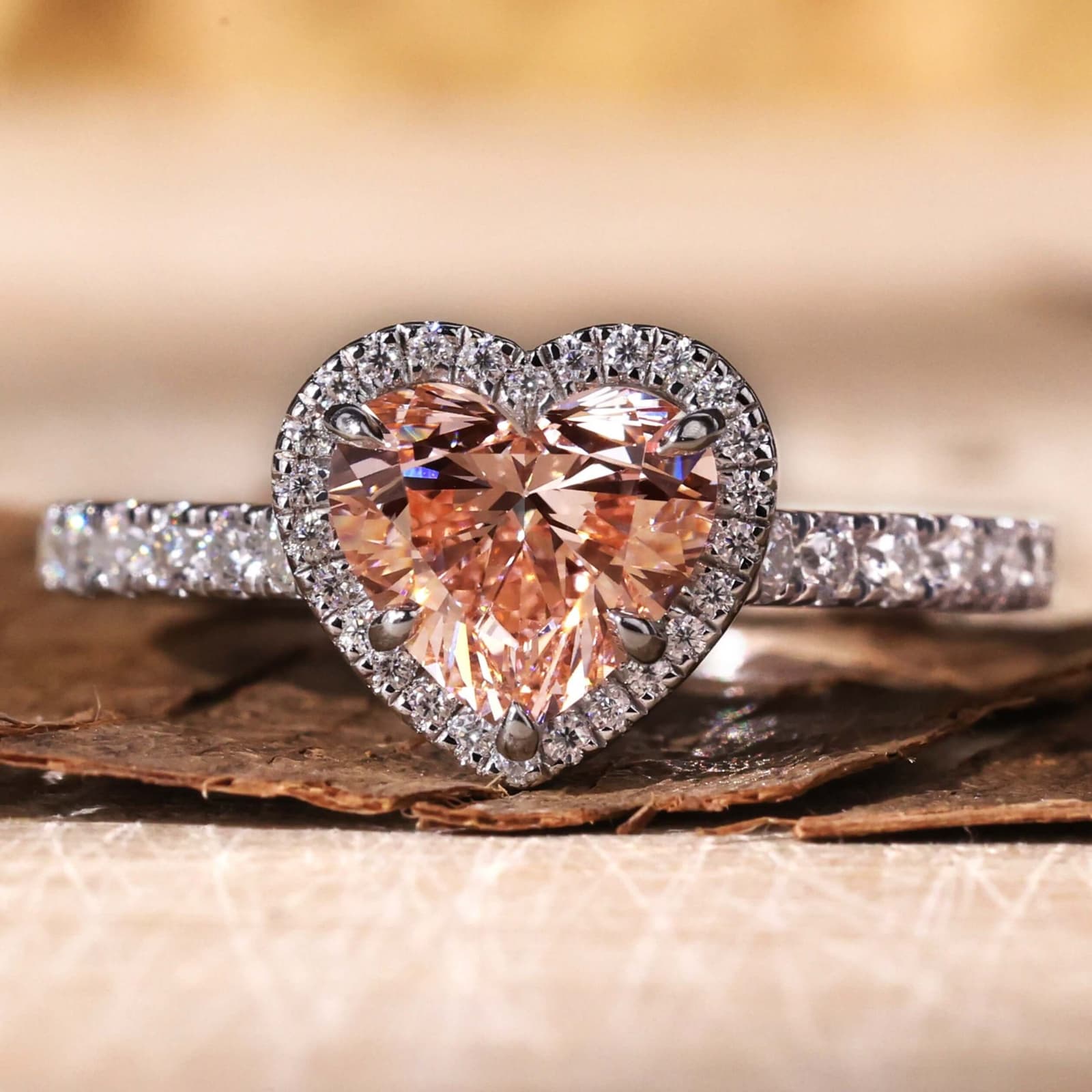
The most obvious — and most in-demand — Valentine's design. Heart shapes appear in every price tier from fashion jewelry to fine diamond pieces.
Design with AI:
- Heart-shaped diamond solitaires in rose gold settings
- Heart halo designs with pavé diamond bands
- Double-heart pendants and interlocking heart necklaces
- Heart motif stud earrings with diamond accents
Prompt example: "Heart-shaped pink diamond pendant in 18k rose gold with a thin pavé diamond chain, romantic Valentine's styling"
Use Tashvi AI to generate 10-15 heart variations in under an hour. Pick the best 3-5 for your collection, generate product photography, and list them the same day.
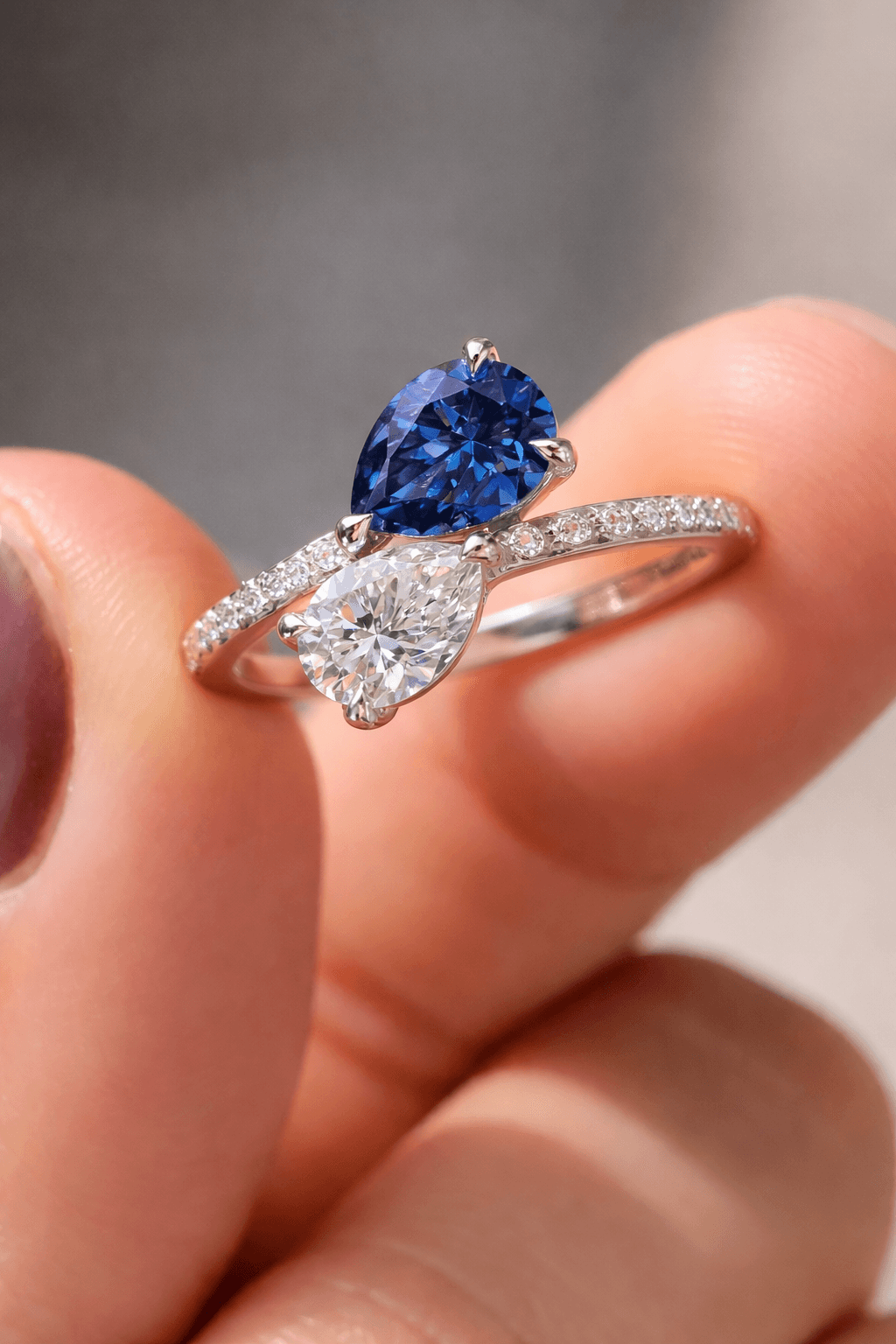
2. Toi et Moi Rings — "You and Me"
Toi et moi rings are inherently romantic — two stones representing two people. They've surged in popularity since high-profile celebrity engagements and are a natural Valentine's Day centerpiece.
Design with AI:
- Classic two-stone diamond toi et moi rings
- Mixed gemstone combinations (sapphire + diamond, ruby + diamond)
- Modern asymmetric layouts with different stone shapes
- Toi et moi necklaces and earrings extending the concept beyond rings
Prompt example: "Toi et moi engagement ring with pear-cut ruby and oval diamond in yellow gold, intertwining band design"
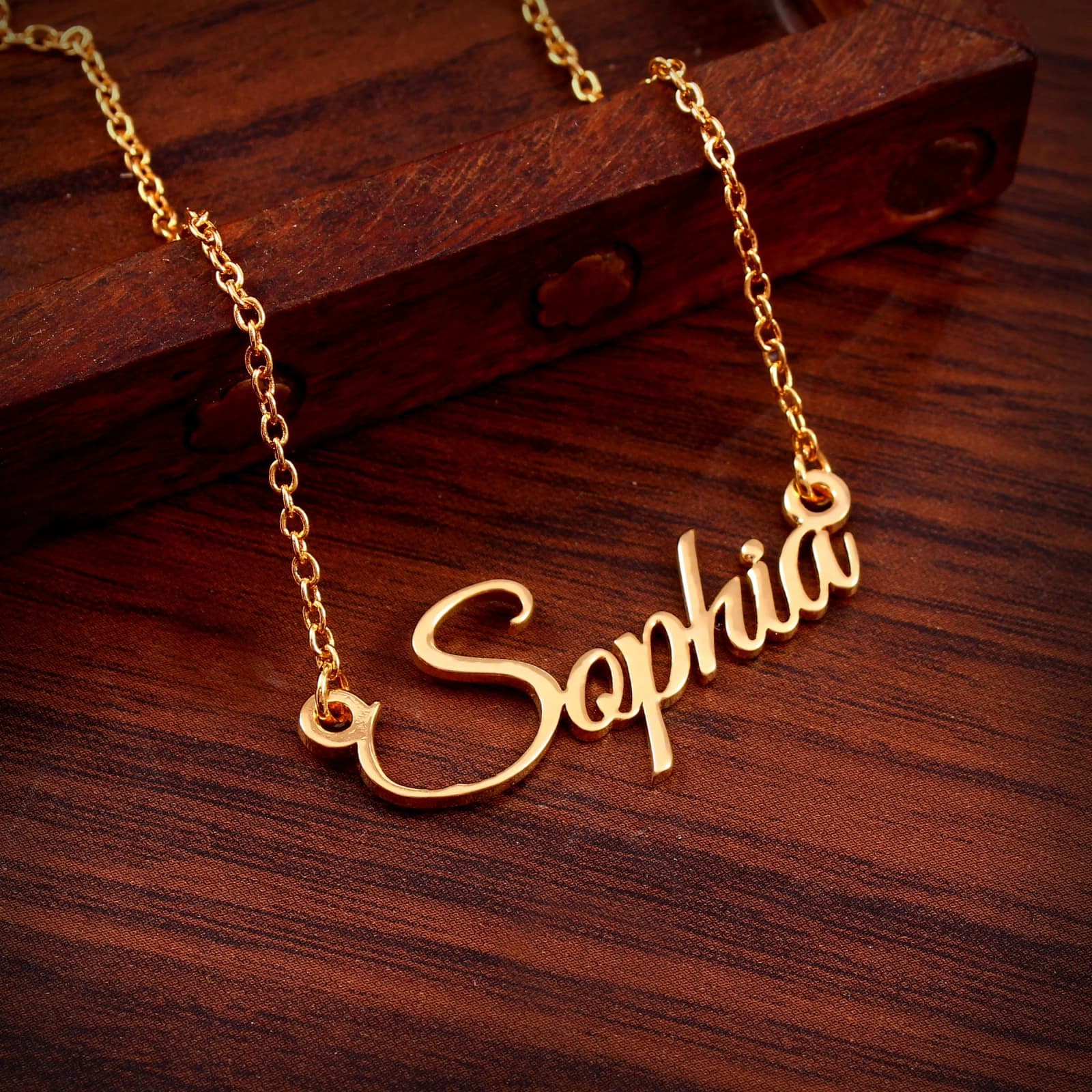
3. Personalized Name and Initial Jewelry
Name necklaces and initial pendants are consistent Valentine's bestsellers. They combine personalization with gifting — the two strongest purchase drivers in February.
Design with AI:
- Script and block font name necklaces in different gold karats
- Initial pendants with diamond accents
- Coordinate or date engraved bangles and cuffs
- Custom charm necklaces with meaningful symbols
AI lets you offer "custom" designs at scale — generate template variations that customers can personalize without starting from scratch each time.
4. Engagement Rings (Valentine's = Proposal Season)
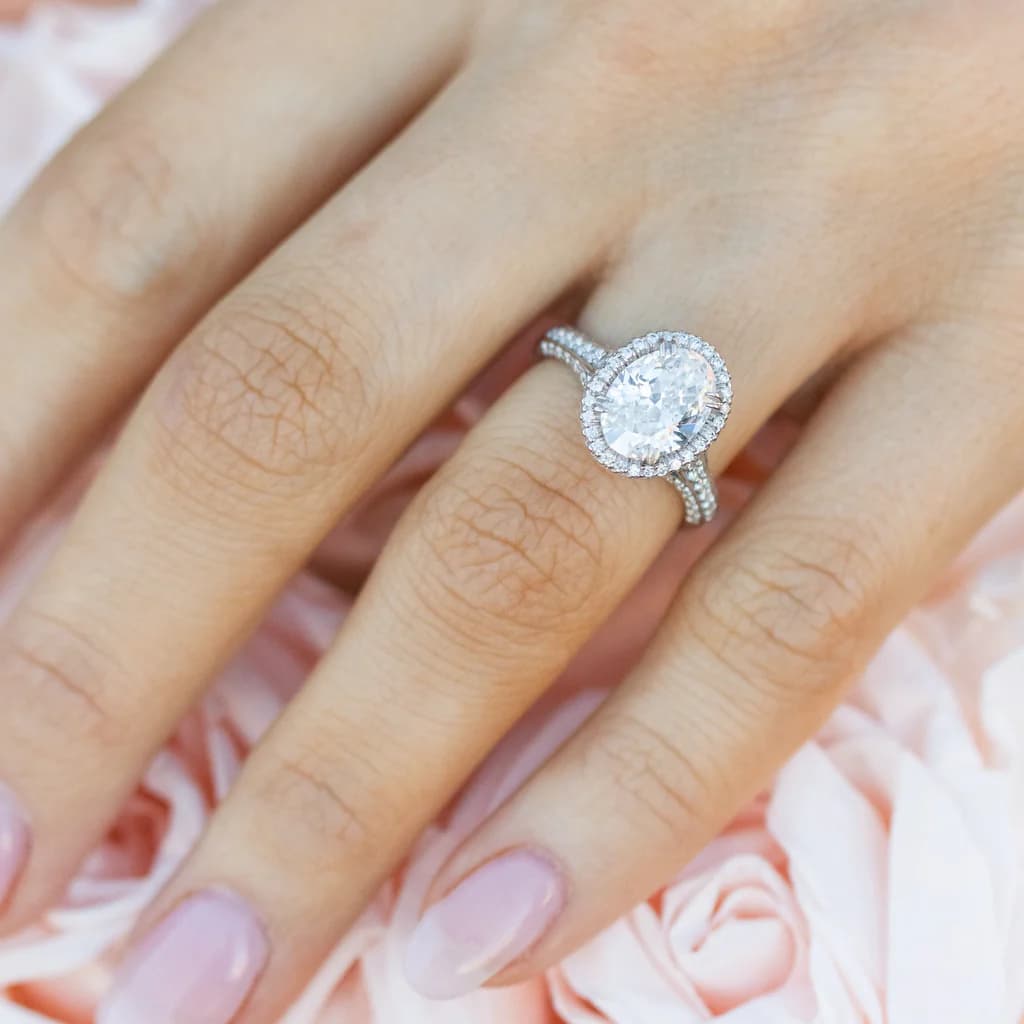
February 14 is the single biggest proposal day of the year. Engagement ring searches spike massively in the weeks leading up to Valentine's Day. If you design engagement rings, this is your highest-intent traffic window.
Design with AI:
- Classic solitaire and halo designs in trending shapes
- Oval and pear cuts leading 2026 demand
- Bypass engagement rings with romantic symbolism
- Lab-grown diamond options for budget-conscious proposals
Prompt example: "Oval lab-grown diamond engagement ring in platinum with thin hidden halo and cathedral shank, romantic proposal setting"
Generate a full engagement ring lookbook in an afternoon. Use AI photography to create proposal-styled model shots without booking a photoshoot.
5. Stacking and Layering Sets
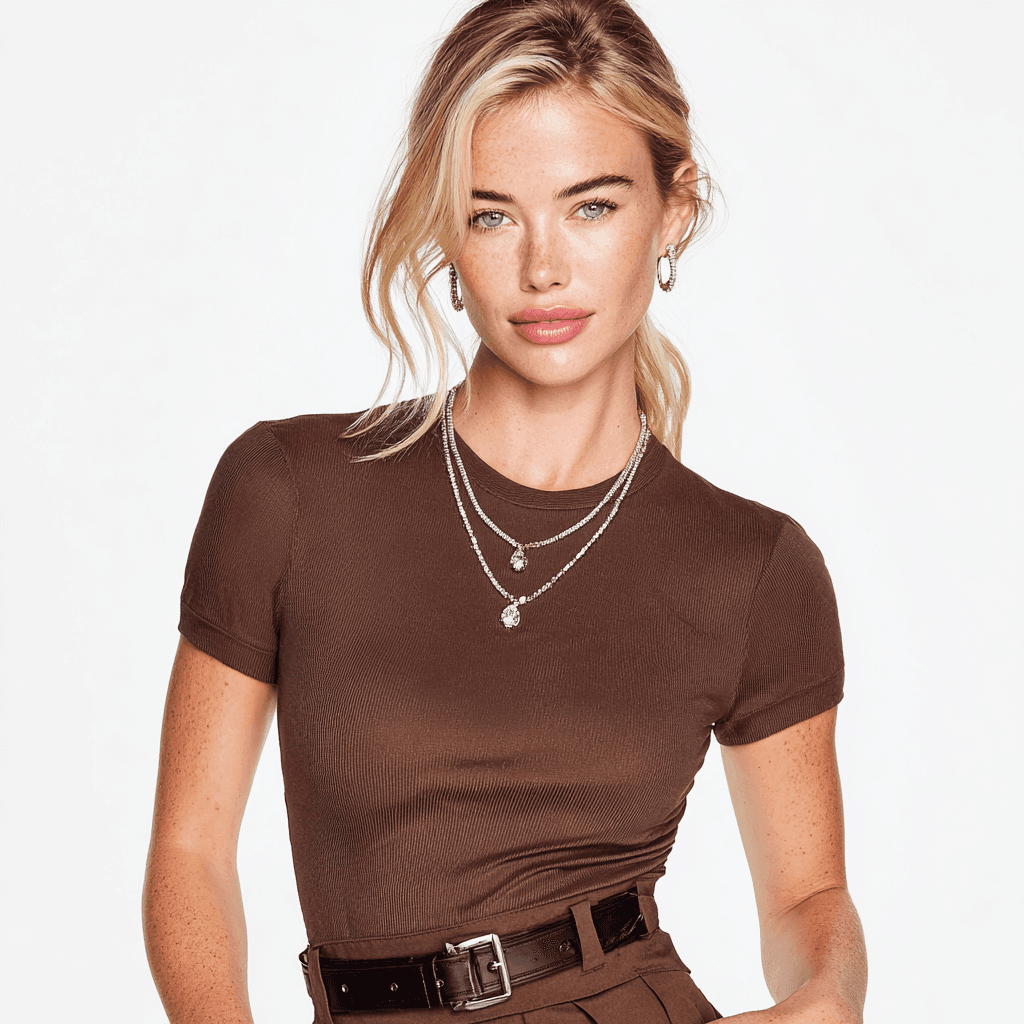
Gift sets sell exceptionally well during Valentine's Day — they solve the "what to buy" problem and increase average order value. Design coordinated stacking rings, layered necklaces, and bracelet sets.
Design with AI:
- 3-ring stacking sets in mixed metals (mixed metals are a top 2026 trend)
- Layered necklace sets with graduated lengths
- Tennis bracelet + bangle stacking combinations
- Earring sets (stud + hoop + drop) in matching metal
Prompt example: "Three-ring stacking set in 14k rose gold — thin diamond eternity band, plain polished band, and twisted rope band — photographed together on a marble surface"
How to Launch a Valentine's Collection in One Day
Morning: Design (2-3 Hours)
- Open Tashvi AI and generate 15-20 designs across your chosen categories
- Switch on guided design for quick iterations, or describe your piece directly for specific visions
- Select your best 8-10 pieces for the collection
- Generate multiple angles and close-ups for each
Afternoon: Photography and Marketing (2-3 Hours)
- Generate white-background catalog shots for e-commerce listings
- Create lifestyle photos — roses, candles, romantic settings — for social media
- Generate model shots showing pieces being worn
- Design collection banners and email headers
Evening: Launch
- Upload product images to your e-commerce platform
- Schedule social media posts across Instagram and Pinterest
- Send email campaign with collection preview
- Set up pre-order or custom design inquiry forms
One person. One day. An entire seasonal collection from concept to market.
Valentine's Design Tips for Better AI Results
Rose Gold Renders Best for Romance
Rose gold outsells yellow and white gold roughly 3-to-1 during Valentine's season. When generating romantic designs, default to rose gold and create white/yellow gold variations as secondary options.
Prompt tip: Specify "18k rose gold with warm pink undertone" for the most accurate romantic rendering. Understanding gold karat differences helps you describe exactly the warmth you want.
Red and Pink Gemstone Accents
Beyond diamonds, Valentine's designs benefit from color:
- Ruby: The classic love stone — deep red pairs perfectly with gold
- Pink sapphire: Softer alternative, works beautifully in rose gold
- Morganite: Budget-friendly pink stone trending in bridal
- Garnet: Affordable deep red for fashion-price collections
Romantic Photography Styling
When generating AI product photos for Valentine's marketing:
- "Jewelry on red velvet with rose petals, soft candlelight" — classic Valentine's scene
- "Ring in a box on a breakfast-in-bed tray, morning light" — proposal storytelling
- "Necklace worn with a red dress, evening setting" — date night styling
- "Gift-wrapped jewelry box with ribbon, holiday styling" — gifting context
Pre-Order Strategy: Sell Before You Manufacture
One of the biggest advantages of AI jewelry design for seasonal collections: you can take pre-orders based on AI renders before committing to manufacturing.
This means:
- Zero inventory risk — only produce what's already sold
- Customer validation — let demand data guide production decisions
- Cash flow positive — collect deposits before manufacturing costs
- Faster iteration — if a design isn't selling, swap it out in minutes
Many independent jewelers use this AI-first approach to test seasonal collections. Generate the designs, list them as pre-orders, and only manufacture the winners.
This is especially powerful for Valentine's Day, where demand is predictable but specific design preferences vary year to year. Instead of guessing which heart motif will trend, let your customers tell you.
Beyond February 14: Building a Seasonal Design Calendar
Valentine's Day is just one seasonal window. Jewelers who use AI to design seasonal collections can capture demand across every gifting occasion:
| Season | Peak Dates | Top Categories | Lead Time with AI |
|---|---|---|---|
| Valentine's Day | Feb 1-14 | Hearts, romantic, engagement | 1 day |
| Mother's Day | Late April-May | Personalized, birthstone, family | 1 day |
| Wedding Season | May-September | Wedding bands, bridal sets | 1 day |
| Anniversary Season | June-July | Eternity bands, upgrade pieces | 1 day |
| Holiday/Christmas | Nov-Dec | Gift sets, statement pieces, trends | 1 day |
With traditional workflows taking 6-10 weeks, you'd need to plan Valentine's in November. With AI, you can respond to real-time trend signals and launch collections when demand actually appears.
Start Designing Your Valentine's Collection
The window is open. Whether you're preparing for this Valentine's Day or building a template for next year's seasonal push, AI gives you the speed to compete.
- Open Tashvi AI and start generating romantic designs
- Focus on hearts, toi et moi, and personalization — the three proven Valentine's winners
- Generate product photos and marketing materials in the same session
- Launch your collection while demand is at its peak
Related Guides
- AI Jewelry Photography: Product Photos & Model Shots — Generate marketing visuals without a studio
- Best AI Jewelry Design Tools 2026 — Complete tool comparison for jewelers
- AI Jewelry Design for Business: Cost Savings & ROI — The business case for AI
- Toi et Moi Engagement Rings Guide — Deep dive into the romantic two-stone design
- Heart & Diamond Shapes Guide — Understanding cuts for romantic designs
- Free AI Ring Design Tool — Start designing rings immediately
Design your Valentine's collection now at design.tashvi.ai →
Frequently Asked Questions
Quick answers to the questions readers ask most about this guide.
How quickly can I design a Valentine's Day jewelry collection with AI?
With AI tools like Tashvi, you can design an entire Valentine's Day collection—rings, necklaces, earrings, and bracelets—in 2-4 hours. Traditional CAD workflows take 2-6 weeks for the same output. AI generates photorealistic renders instantly, letting you go from concept to marketing materials in a single day.
What Valentine's Day jewelry designs sell best?
Heart motifs, toi et moi rings, infinity symbols, and personalized name necklaces consistently lead Valentine's sales. Rose gold outsells other metals 3-to-1 during February. Pieces in the $200-800 range see the highest volume, while engagement rings drive the highest revenue.
Can I use AI-generated jewelry designs for my e-commerce store?
Yes. AI-generated jewelry renders are production-quality for e-commerce listings, social media marketing, and pre-order campaigns. Many jewelers use AI renders to gauge demand before committing to manufacturing, reducing inventory risk during seasonal pushes.
Is Valentine's Day a good time to launch a new jewelry collection?
Valentine's Day is the second-largest jewelry buying occasion after Christmas. Jewelry searches spike 300-400% in the two weeks before February 14. For jewelers, this concentrated demand window makes it ideal for collection launches, especially for romantic and engagement pieces.